# iOS 图片轮播推送通知
`UNNotificationContentExtension` 协议为通知内容应用扩展提供了入口点,该扩展为您的应用的通知显示自定义界面。
## 1. 添加通知内容扩展
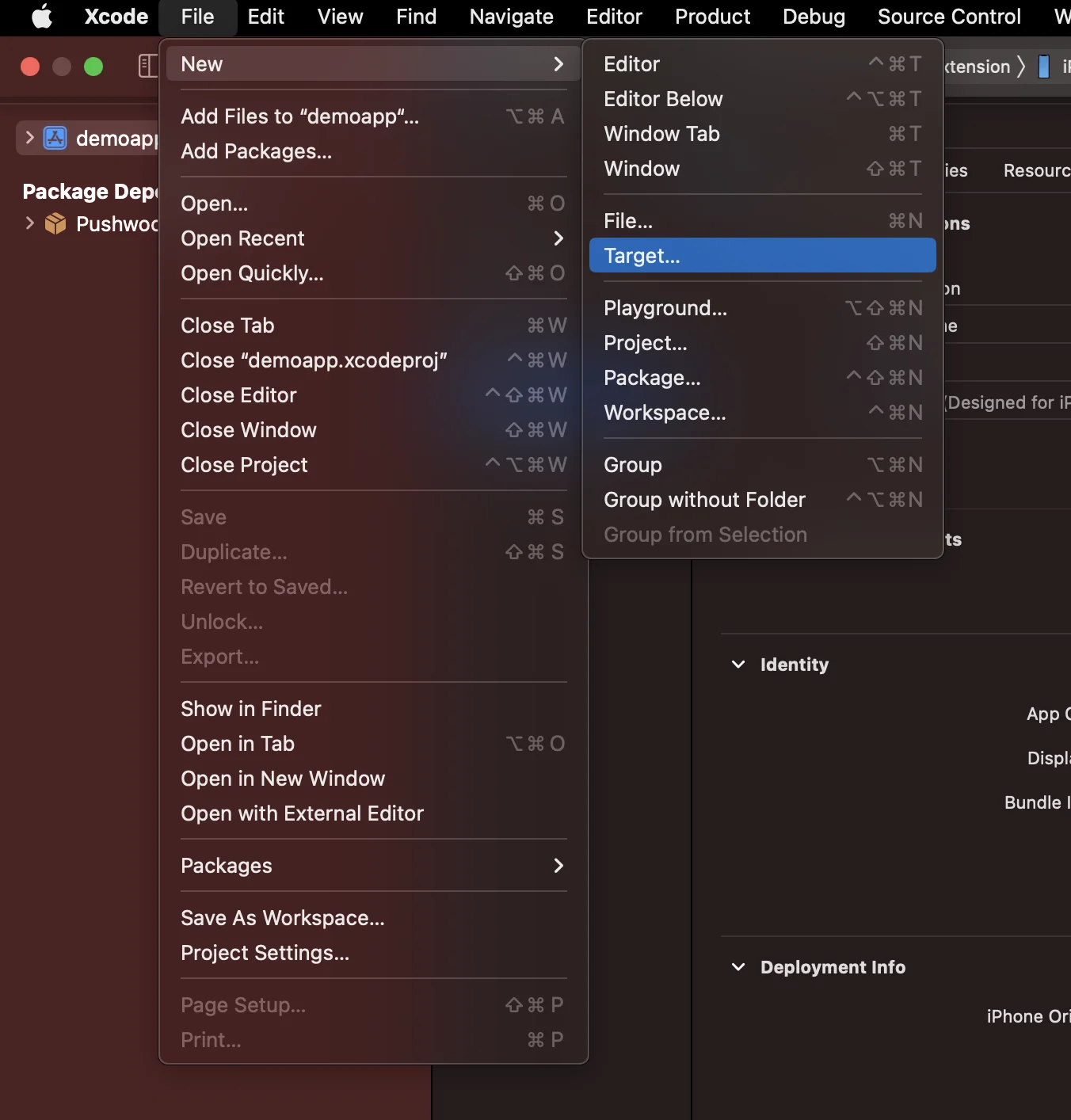
在 Xcode 中,选择 File > New > Target...
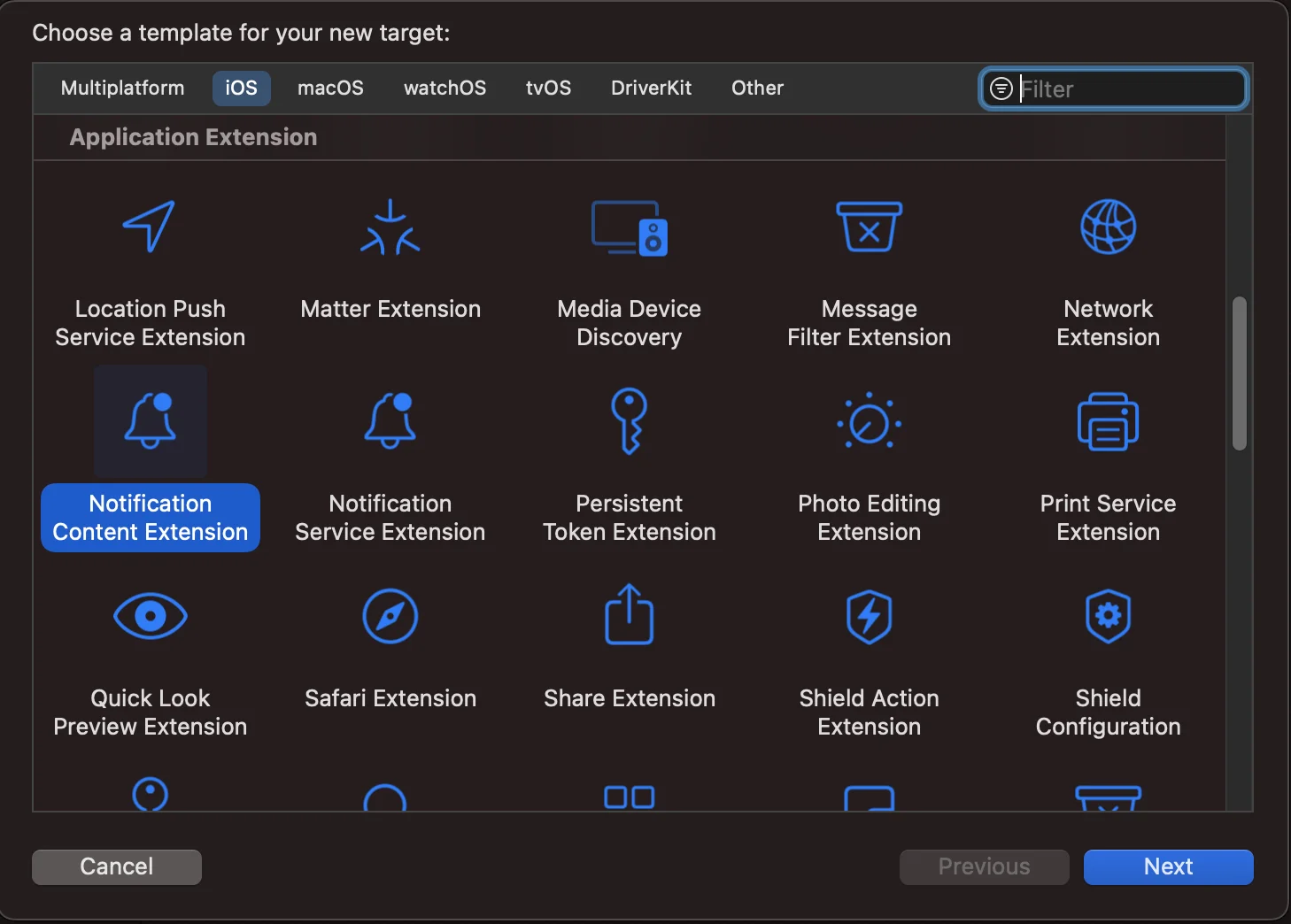
 选择 Notification Content Extension
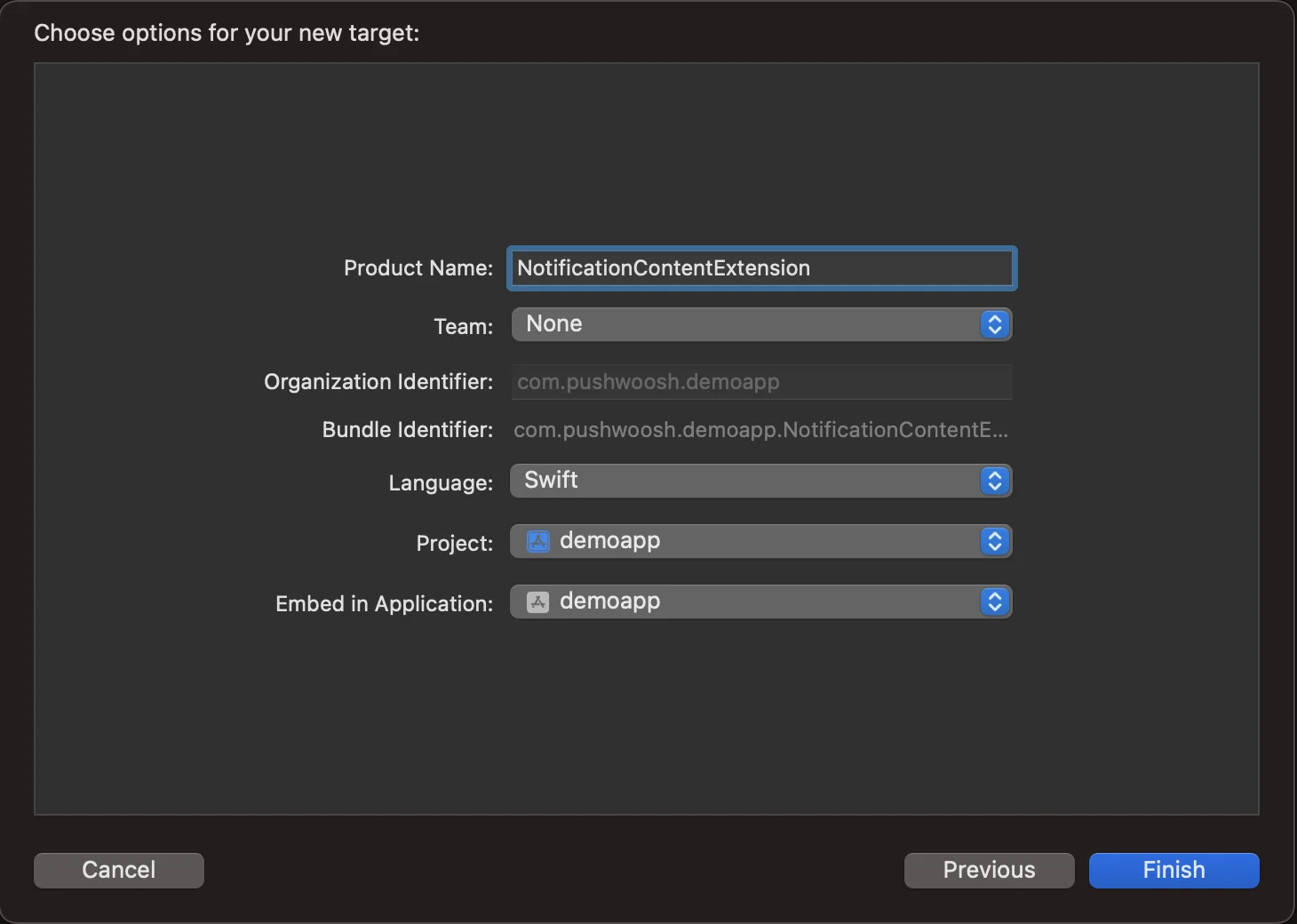
 将其命名为 **NotificationContentExtension**
 ## 2. 将代码添加到您的应用
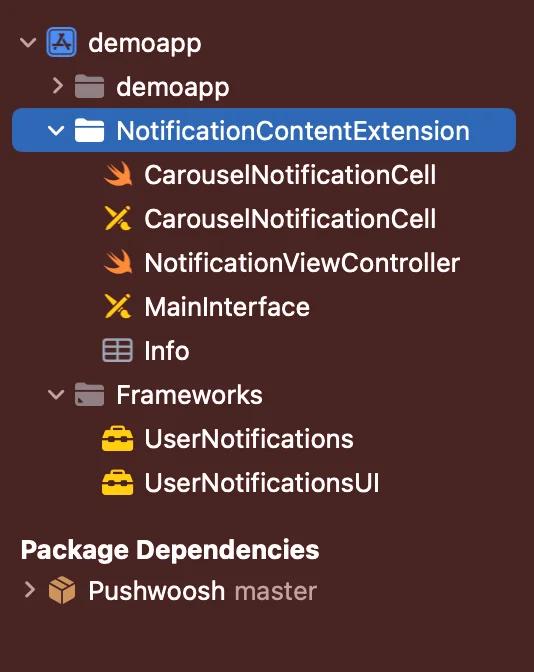
[从 Github 下载 PWNotificationExtension](https://github.com/Pushwoosh/PWNotificationContentExtension) 并将您 Xcode 项目中的 **`PWNotificationContentExtension`** 替换为从 Github 下载的同名文件。
## 2. 将代码添加到您的应用
[从 Github 下载 PWNotificationExtension](https://github.com/Pushwoosh/PWNotificationContentExtension) 并将您 Xcode 项目中的 **`PWNotificationContentExtension`** 替换为从 Github 下载的同名文件。
 ## 3. 通知类别
将以下代码添加到您的 **AppDelegate.swift** 文件中
```swift
func application(_ application: UIApplication, didFinishLaunchingWithOptions launchOptions: [UIApplication.LaunchOptionsKey: Any]?) -> Bool {
if #available(iOS 10.0, *) {
let options: UNAuthorizationOptions = [.alert]
UNUserNotificationCenter.current().requestAuthorization(options: options) { (authorized, error) in
if authorized {
let categoryIdentifier = "PWNotificationCarousel"
let carouselNext = UNNotificationAction(identifier: "PWNotificationCarousel.next", title: "➡️ RIGHT", options: [])
let carouselPrevious = UNNotificationAction(identifier: "PWNotificationCarousel.previous", title: "⬅️ LEFT", options: [])
let carouselCategory = UNNotificationCategory(identifier: categoryIdentifier, actions: [carouselNext, carouselPrevious], intentIdentifiers: [], options: [])
UNUserNotificationCenter.current().setNotificationCategories([carouselCategory])
}
}
}
return true
}
```
## 4. 发送推送通知
**iOS Category:**
使用 APS json 发送推送通知:
## 3. 通知类别
将以下代码添加到您的 **AppDelegate.swift** 文件中
```swift
func application(_ application: UIApplication, didFinishLaunchingWithOptions launchOptions: [UIApplication.LaunchOptionsKey: Any]?) -> Bool {
if #available(iOS 10.0, *) {
let options: UNAuthorizationOptions = [.alert]
UNUserNotificationCenter.current().requestAuthorization(options: options) { (authorized, error) in
if authorized {
let categoryIdentifier = "PWNotificationCarousel"
let carouselNext = UNNotificationAction(identifier: "PWNotificationCarousel.next", title: "➡️ RIGHT", options: [])
let carouselPrevious = UNNotificationAction(identifier: "PWNotificationCarousel.previous", title: "⬅️ LEFT", options: [])
let carouselCategory = UNNotificationCategory(identifier: categoryIdentifier, actions: [carouselNext, carouselPrevious], intentIdentifiers: [], options: [])
UNUserNotificationCenter.current().setNotificationCategories([carouselCategory])
}
}
}
return true
}
```
## 4. 发送推送通知
**iOS Category:**
使用 APS json 发送推送通知:
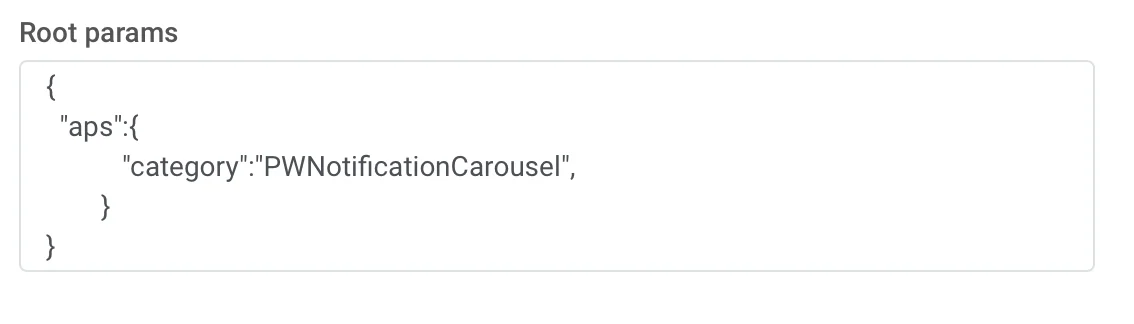 ```json
{
"aps":{
"category":"PWNotificationCarousel"
}
}
```
**Custom Data**
您必须列出图片 URL,并用逗号 `,` 分隔。
```json
{
"aps":{
"category":"PWNotificationCarousel"
}
}
```
**Custom Data**
您必须列出图片 URL,并用逗号 `,` 分隔。
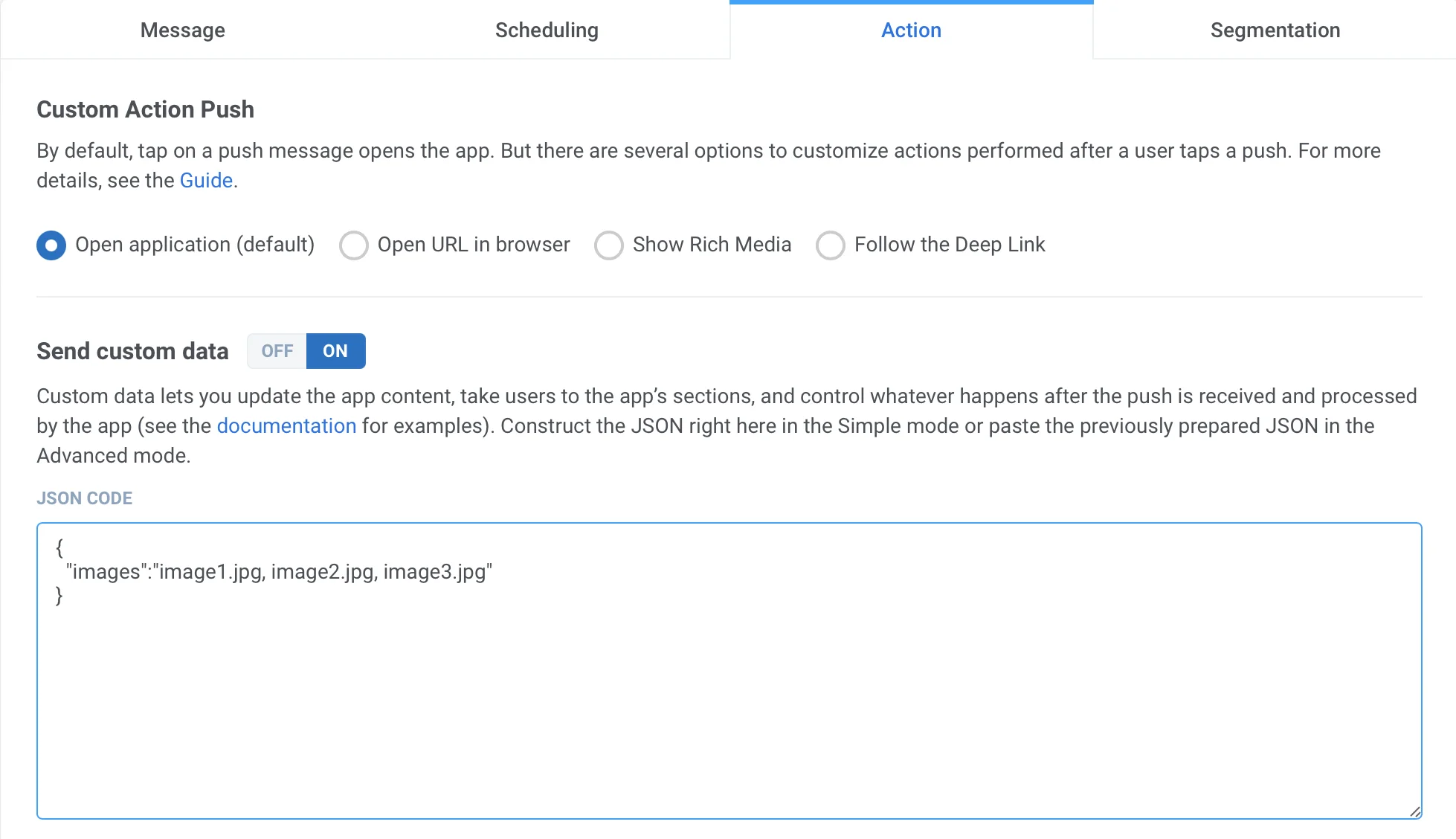 ```json
{
"images":"image1.jpg, image2.jpg, image3.jpg"
}
```
收到推送后,您需要长按或向左滑动并点击“查看”来展开通知,具体操作取决于 iOS 版本。
```json
{
"images":"image1.jpg, image2.jpg, image3.jpg"
}
```
收到推送后,您需要长按或向左滑动并点击“查看”来展开通知,具体操作取决于 iOS 版本。