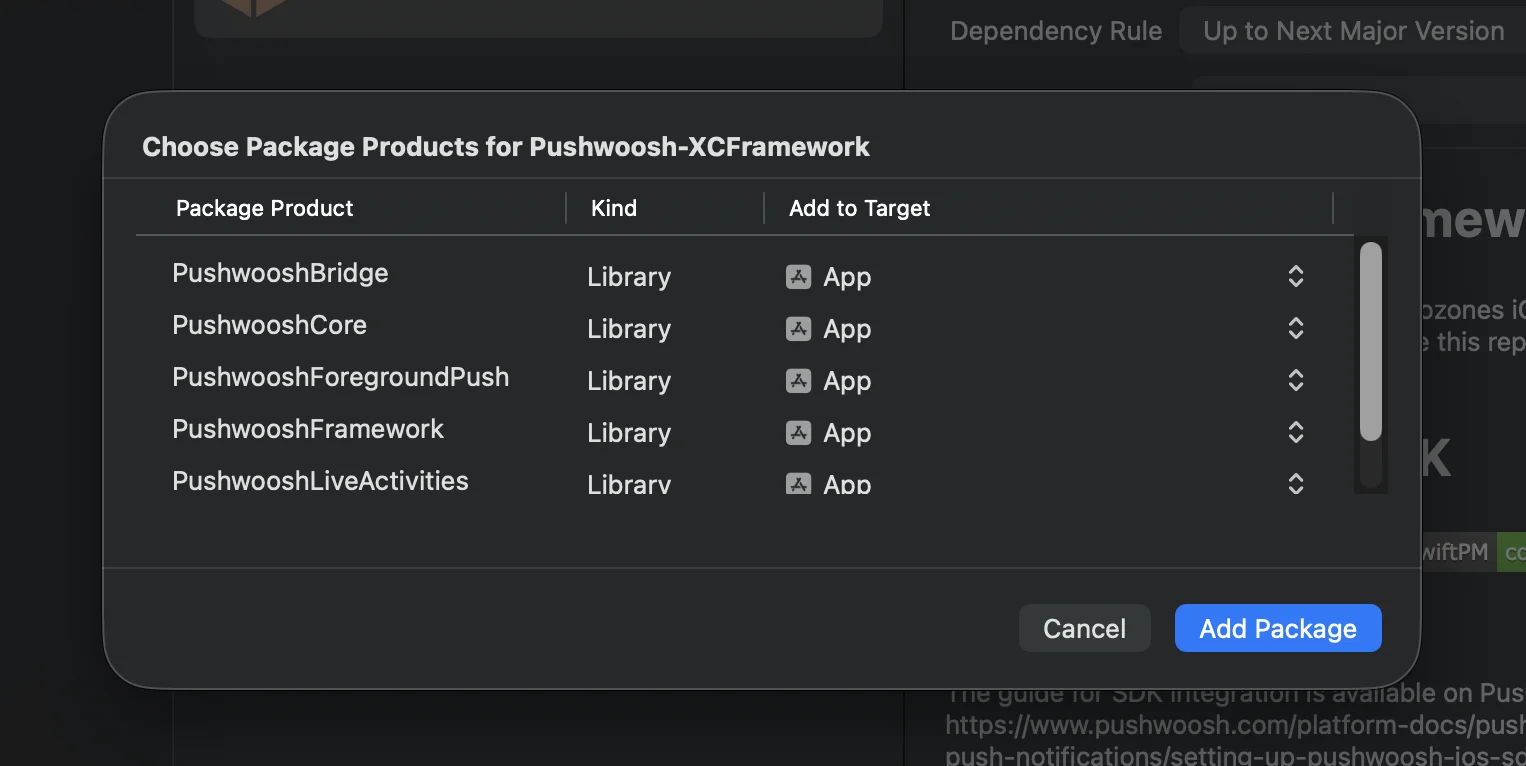
 **Cocoapods**
```bash
# Uncomment the next line to define a global platform for your project
# platform :ios, '13.0'
target 'MyApp' do
# Comment the next line if you don't want to use dynamic frameworks
use_frameworks!
pod 'PushwooshXCFramework'
pod 'PushwooshFramework/PushwooshForegroundPush'
end
```
### 3. 在 AppDelegate 中添加 `PushwooshForegroundPush` 配置
```swift
import UIKit
import PushwooshFramework
import PushwooshForegroundPush
@main
class AppDelegate: UIResponder, UIApplicationDelegate, PWMessagingDelegate, PWForegroundPushDelegate {
func application(_ application: UIApplication, didFinishLaunchingWithOptions launchOptions: [UIApplication.LaunchOptionsKey: Any]?) -> Bool {
Pushwoosh.ForegroundPush.foregroundNotificationWith(style: .style1,
duration: 5,
vibration: .notification,
disappearedPushAnimation: .balls)
Pushwoosh.ForegroundPush.delegate = self
return true
}
func pushwoosh(_ pushwoosh: Pushwoosh, onMessageReceived message: PWMessage) {
if let payload = message.payload {
// Pushwoosh method
Pushwoosh.ForegroundPush.showForegroundPush(userInfo: payload)
}
}
}
```
使用 `foregroundNotificationWith` 方法
`foregroundNotificationWith` 方法允许您显示一个自定义的前台推送通知,其样式、持续时间和触觉反馈均可配置。
方法签名 (Swift / Objective-C):
```swift
@objc
static func foregroundNotificationWith(
style: PWForegroundPushStyle,
duration: Int,
vibration: PWForegroundPushHapticFeedback,
disappearedPushAnimation: PWForegroundPushDisappearedAnimation
)
```
`参数:`
1. `style` (`PWForegroundPushStyle`)
* 目前,只有 style1 可用。
2. `duration` (`Int`)
* 指定通知在消失前显示多长时间(以秒为单位)。
3. `vibration` (`PWForegroundPushHapticFeedback`)
* 控制通知显示时的触觉反馈。可用选项:
```swift
case none // 无振动
case light // 轻微振动
case medium // 中等振动
case heavy // 强烈振动
case soft // 柔和振动
case rigid // 清脆振动
case notification // 标准通知振动
```
4. `disappearedPushAnimation` (`PWForegroundPushDisappearedAnimation`)
* 推送消失动画
```swift
case balls = 0
case regularPush
```
### 4. 实现 `didTapForegroundPush` 代理方法
要处理用户对自定义前台推送通知的点击操作,请实现 `PWForegroundPushDelegate` 协议方法:
```swift
// 处理前台推送的点击事件
func didTapForegroundPush(_ userInfo: [AnyHashable : Any]) {
print("Foreground custom push: \(userInfo)")
// 执行任何操作,例如,导航到特定屏幕
// navigateToScreen(for: userInfo)
}
```
注意:
* 当用户点击自定义前台推送时,会调用此方法。
* userInfo 包含通知的 payload。
* 确保在配置后设置 `Pushwoosh.ForegroundPush.delegate = self`。
### 5. 自定义前台推送通知的可选参数
`PushwooshForegroundPush` 模块提供了几个可选参数,用于自定义前台推送通知的外观和行为。这些参数可以通过静态属性进行全局设置。
**Cocoapods**
```bash
# Uncomment the next line to define a global platform for your project
# platform :ios, '13.0'
target 'MyApp' do
# Comment the next line if you don't want to use dynamic frameworks
use_frameworks!
pod 'PushwooshXCFramework'
pod 'PushwooshFramework/PushwooshForegroundPush'
end
```
### 3. 在 AppDelegate 中添加 `PushwooshForegroundPush` 配置
```swift
import UIKit
import PushwooshFramework
import PushwooshForegroundPush
@main
class AppDelegate: UIResponder, UIApplicationDelegate, PWMessagingDelegate, PWForegroundPushDelegate {
func application(_ application: UIApplication, didFinishLaunchingWithOptions launchOptions: [UIApplication.LaunchOptionsKey: Any]?) -> Bool {
Pushwoosh.ForegroundPush.foregroundNotificationWith(style: .style1,
duration: 5,
vibration: .notification,
disappearedPushAnimation: .balls)
Pushwoosh.ForegroundPush.delegate = self
return true
}
func pushwoosh(_ pushwoosh: Pushwoosh, onMessageReceived message: PWMessage) {
if let payload = message.payload {
// Pushwoosh method
Pushwoosh.ForegroundPush.showForegroundPush(userInfo: payload)
}
}
}
```
使用 `foregroundNotificationWith` 方法
`foregroundNotificationWith` 方法允许您显示一个自定义的前台推送通知,其样式、持续时间和触觉反馈均可配置。
方法签名 (Swift / Objective-C):
```swift
@objc
static func foregroundNotificationWith(
style: PWForegroundPushStyle,
duration: Int,
vibration: PWForegroundPushHapticFeedback,
disappearedPushAnimation: PWForegroundPushDisappearedAnimation
)
```
`参数:`
1. `style` (`PWForegroundPushStyle`)
* 目前,只有 style1 可用。
2. `duration` (`Int`)
* 指定通知在消失前显示多长时间(以秒为单位)。
3. `vibration` (`PWForegroundPushHapticFeedback`)
* 控制通知显示时的触觉反馈。可用选项:
```swift
case none // 无振动
case light // 轻微振动
case medium // 中等振动
case heavy // 强烈振动
case soft // 柔和振动
case rigid // 清脆振动
case notification // 标准通知振动
```
4. `disappearedPushAnimation` (`PWForegroundPushDisappearedAnimation`)
* 推送消失动画
```swift
case balls = 0
case regularPush
```
### 4. 实现 `didTapForegroundPush` 代理方法
要处理用户对自定义前台推送通知的点击操作,请实现 `PWForegroundPushDelegate` 协议方法:
```swift
// 处理前台推送的点击事件
func didTapForegroundPush(_ userInfo: [AnyHashable : Any]) {
print("Foreground custom push: \(userInfo)")
// 执行任何操作,例如,导航到特定屏幕
// navigateToScreen(for: userInfo)
}
```
注意:
* 当用户点击自定义前台推送时,会调用此方法。
* userInfo 包含通知的 payload。
* 确保在配置后设置 `Pushwoosh.ForegroundPush.delegate = self`。
### 5. 自定义前台推送通知的可选参数
`PushwooshForegroundPush` 模块提供了几个可选参数,用于自定义前台推送通知的外观和行为。这些参数可以通过静态属性进行全局设置。
| 属性 | 类型 | 描述 | 默认值 |
|---|---|---|---|
| useLiquidView | Bool | 在 iOS 26 上使用 Liquid Glass 视图。 | false |
| gradientColors | [UIColor]? | 用于渐变背景的可选颜色数组。 | nil |
| backgroundColor | UIColor? | 推送的背景颜色。如果为 nil 且未设置 gradientColors,则使用默认渐变。 | 默认系统渐变 |
| usePushAnimation | Bool | 显示推送时是否使用动画。 | true |
| titlePushColor | UIColor? | 通知标题文本的颜色。如果为 nil,则默认为系统白色。 | 白色 |
| messagePushColor | UIColor? | 通知消息文本的颜色。如果为 nil,则默认为系统白色。 | 白色 |
| titlePushFont | UIFont? | 通知标题文本的字体。如果为 nil,则默认为系统字体。 | 默认系统字体 |
| messagePushFont | UIFont? | 通知消息文本的字体。如果为 nil,则默认为系统字体。 | 默认系统字体 |