# MAUI Dotnet Geozones 集成
通过 Pushwoosh,将 Geozones 功能集成到您的 MAUI .NET 应用程序中非常简单。请按照以下步骤开始:
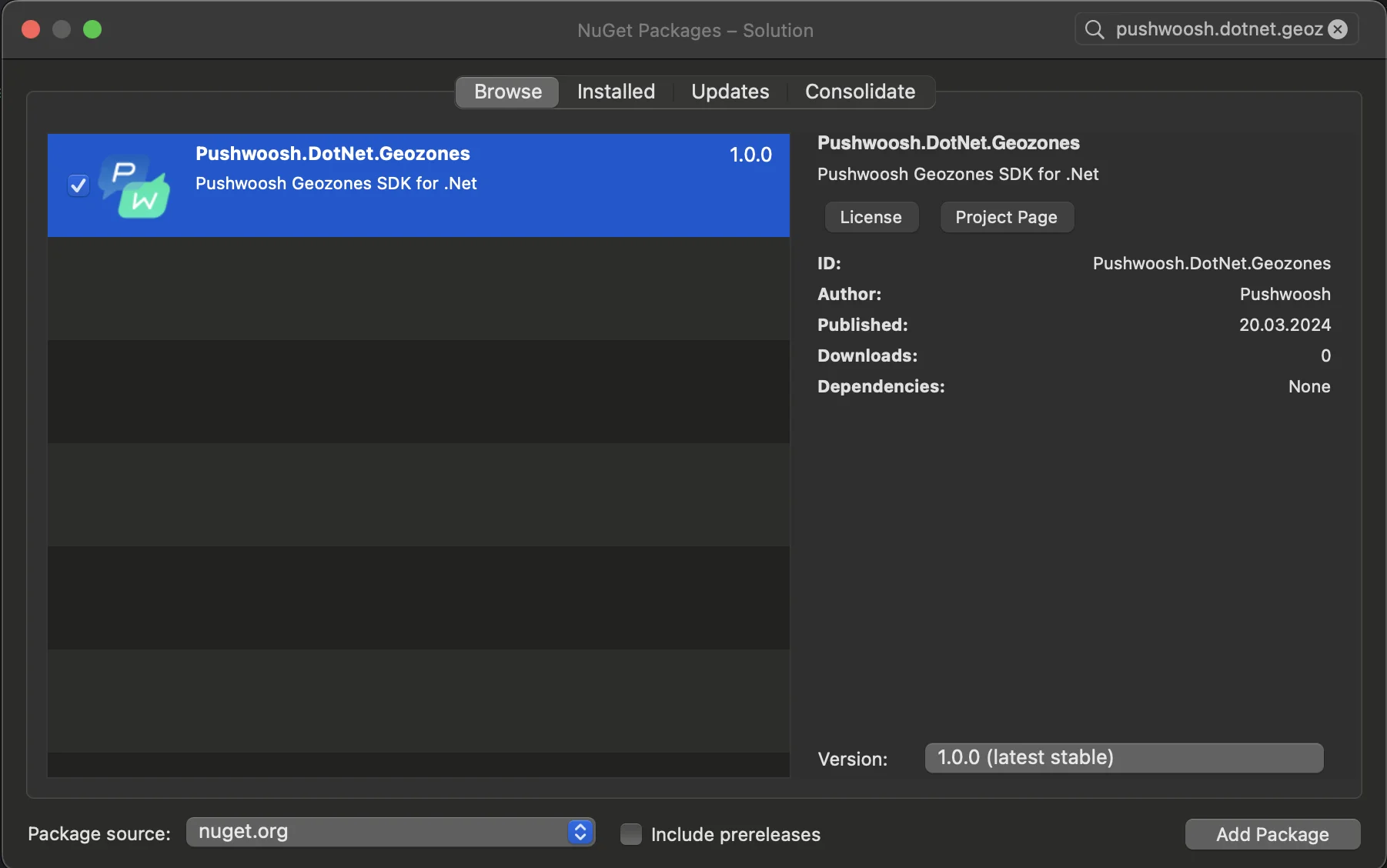
1. 将 Pushwoosh.DotNet.Geozones NuGet 包添加到您的解决方案中
 2. Android 集成
在您的 Android 项目中,找到 MainActivity.cs 文件并在 `OnCreate()` 方法中调用 `LocationManager.Init()`:
```csharp
using PushwooshSDK.DotNet.Geozones.Android;
...
[Activity(Theme = "@style/Maui.SplashTheme", MainLauncher = true, ConfigurationChanges = ConfigChanges.ScreenSize | ConfigChanges.Orientation | ConfigChanges.UiMode | ConfigChanges.ScreenLayout | ConfigChanges.SmallestScreenSize | ConfigChanges.Density)]
public class MainActivity : MauiAppCompatActivity
{
protected override void OnCreate(Bundle savedInstanceState)
{
base.OnCreate(savedInstanceState);
PushManager.Init();
LocationManager.Init();
}
}
```
3. iOS 集成
对于您的 iOS 项目,打开 AppDelegate.cs 文件并在 `FinishedLaunching()` 方法中调用 `LocationManager.Init()`:
```csharp
using Pushwoosh.iOS;
using PushwooshSDK.DotNet.Geozones.iOS;
using UIKit;
...
[Register("AppDelegate")]
public class AppDelegate : MauiUIApplicationDelegate
{
public override bool FinishedLaunching(UIApplication application, NSDictionary launchOptions)
{
PushManager.Init();
LocationManager.Init();
return base.FinishedLaunching(application, launchOptions);
}
protected override MauiApp CreateMauiApp() => MauiProgram.CreateMauiApp();
}
```
4. 根据您应用的需求添加位置权限。
**Privacy - Location When In Use Usage Description** 权限应始终添加。
2. Android 集成
在您的 Android 项目中,找到 MainActivity.cs 文件并在 `OnCreate()` 方法中调用 `LocationManager.Init()`:
```csharp
using PushwooshSDK.DotNet.Geozones.Android;
...
[Activity(Theme = "@style/Maui.SplashTheme", MainLauncher = true, ConfigurationChanges = ConfigChanges.ScreenSize | ConfigChanges.Orientation | ConfigChanges.UiMode | ConfigChanges.ScreenLayout | ConfigChanges.SmallestScreenSize | ConfigChanges.Density)]
public class MainActivity : MauiAppCompatActivity
{
protected override void OnCreate(Bundle savedInstanceState)
{
base.OnCreate(savedInstanceState);
PushManager.Init();
LocationManager.Init();
}
}
```
3. iOS 集成
对于您的 iOS 项目,打开 AppDelegate.cs 文件并在 `FinishedLaunching()` 方法中调用 `LocationManager.Init()`:
```csharp
using Pushwoosh.iOS;
using PushwooshSDK.DotNet.Geozones.iOS;
using UIKit;
...
[Register("AppDelegate")]
public class AppDelegate : MauiUIApplicationDelegate
{
public override bool FinishedLaunching(UIApplication application, NSDictionary launchOptions)
{
PushManager.Init();
LocationManager.Init();
return base.FinishedLaunching(application, launchOptions);
}
protected override MauiApp CreateMauiApp() => MauiProgram.CreateMauiApp();
}
```
4. 根据您应用的需求添加位置权限。
**Privacy - Location When In Use Usage Description** 权限应始终添加。
 5\. 然后通过调用 `StartLocationTracking()` 方法开始位置跟踪。
```csharp
using PushwooshSDK.DotNet.Geozones;
...
LocationManager.Instance.StartLocationTracking();
```
5\. 然后通过调用 `StartLocationTracking()` 方法开始位置跟踪。
```csharp
using PushwooshSDK.DotNet.Geozones;
...
LocationManager.Instance.StartLocationTracking();
```