# 富媒体模板语法

<Aside type="caution" title="重要提示">

从 iOS 9 开始，操作系统默认启用 App Transport Security (ATS)，并要求所有网络连接都支持 HTTPS 和 Perfect Secrecy。要使用来自非安全 HTTP 服务器的富媒体图像、视频或其他内容，您必须**在您的应用中禁用 ATS**。

要为您的应用程序禁用 ATS，请遵循[**这篇文章**](http://stackoverflow.com/questions/31254725/transport-security-has-blocked-a-cleartext-http)。
</Aside>

## 模板结构

模板就是一个 .zip 压缩包，其中可以包含 HTML、JavaScript、CSS 和图像等富媒体资源。压缩包的根目录中必须包含一个 **index.html** 文件。

<Aside type="caution">
请确保您的 **index.html** 文件是 UTF-8 编码。
</Aside>

## 模板占位符

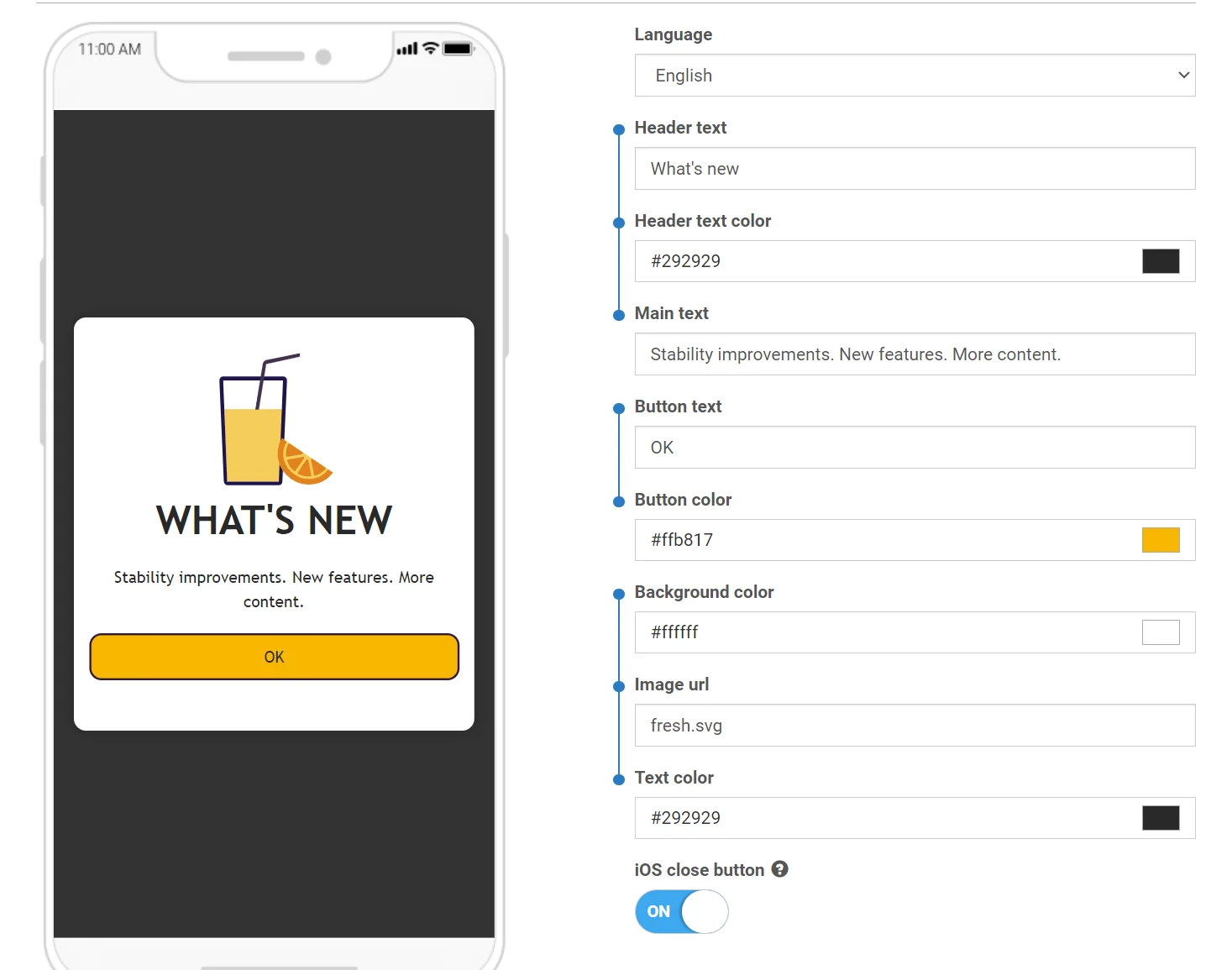
您可以在富媒体模板中使用占位符，以便更改和本地化富媒体内容中的值。

占位符必须遵循以下格式：
```liquid
{{ Placeholder name | Type | Default value }}`
```

其中：

*   **Placeholder name** — 占位符的名称，将显示在富媒体编辑器中。
*   **Type** — 占位符的类型。类型可以是以下任何值：
    *   **color** — 颜色输入
    *   **text** — 文本输入
    *   **html** — 文本区域（多行文本）
*   **Default value** — 默认值，如果在编辑器中未提供值，则使用该值。如果未设置，则使用 **Placeholder name** 作为默认值。

示例：
```liquid
{{Header text|text|Tell Us What You Think}}`
```

## 添加 Pushwoosh.json

您可以对占位符进行分组，以便它们在富媒体编辑器中链接在一起：

<img src="/content-rich-media-templates-syntax-1.webp" alt="富媒体编辑器界面，显示分组的占位符在输入组中链接在一起"/>

要实现这一点，请将 **pushwoosh.json** 文件添加到您的富媒体模板压缩包中，与 **index.html** 文件放在一起。

该文件的结构非常简单，应该是不言自明的：

```
{
  "input_groups": [
    ["Logo image URL", "Logo background color"],
    ["Topic text", "Topic text color", "Topic background color", "Sub-topic text"],
    ["Main text", "Text background color"],
    ["Button text", "Button URL", "Button text color", "Button background color"]
  ]
}
```

## 示例

用于调查的自定义表单是自定义富媒体模板的常见用例。这些表单可让您收集宝贵的用户反馈。默认模板中提供了一个带有自定义调查表单的预设计模板。您可以以此为起点创建自己的调查。
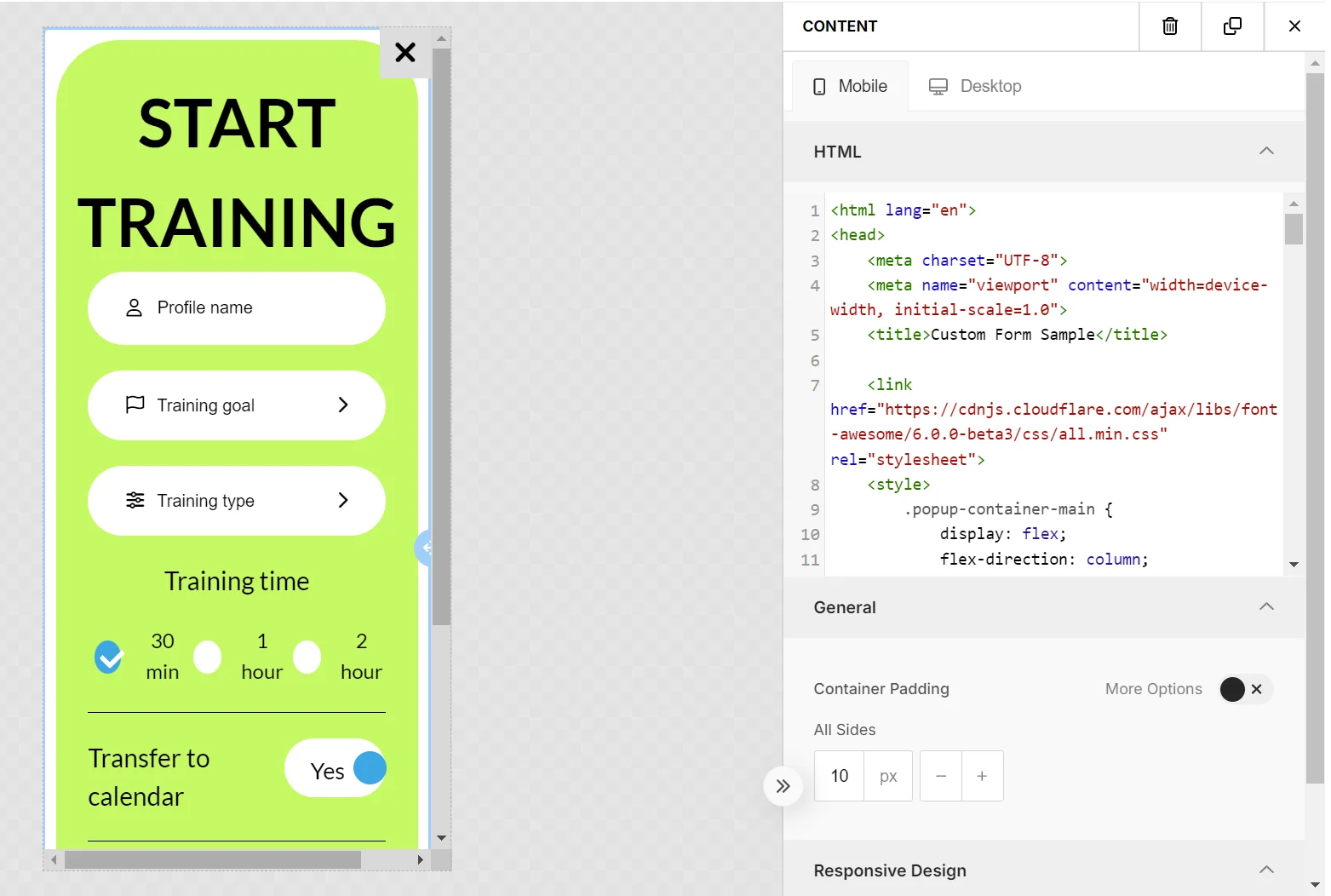
<img src="/content-rich-media-templates-syntax-2.webp" alt="自定义调查表单模板示例，带有用于收集用户反馈的输入字段"/>

创建表单时，请[遵循一些最佳实践](#best-practices-for-custom-elements-in-rich-media)，以确保在富媒体编辑器中的兼容性和无缝功能。

以下是控制面板中可用的默认模板之一的另一个示例。

```txt
<!DOCTYPE html>
<html>
<head>
    <link href='https://fonts.googleapis.com/css?family=Open+Sans' rel='stylesheet' type='text/css'>
    <style type="text/css">
        html, body {
            height: 100%;
            width: 100%;
            padding: 0;
            margin: 0;
            font-family: "Open Sans";
        }
        .main {
            height: 100%;
            width: 100%;
            box-sizing: border-box;
            -moz-box-sizing: border-box;
            -webkit-box-sizing: border-box;
        }
        .logo {
            width: 100%;
            height: 15%;
            background-image: url('{{Logo image URL|text|https://www.pushwoosh.com/wp-content/themes/pushwoosh/img/logo.png}}');
            background-position: 50% 50%;
            background-size: 50%;
            background-repeat: no-repeat;
            background-color: #{{Logo background color|color|343434}};
        }
        .topic-wrapper {
            width: 100%;
            height: 30%;
            text-align: center;
            display: table;
            color: #{{Topic text color|color|FFFFFF}};
            background-color: #{{Topic background color|color|23B7A4}};
        }
        .topic {
            display: table-cell;
            text-align: center;
            vertical-align: middle;
        }
        .topic-wrapper h1, .topic-wrapper p {
            margin: 0;
        }
        .padding-wrapper {
            width: 100%;
            height: 55%;
            box-sizing: border-box;
            -moz-box-sizing: border-box;
            -webkit-box-sizing: border-box;
            padding: 0 2% 0 2%;
            background-color: #{{Text background color|color|FFFFFF}};
        }
        .text-wrapper {
            height: 70%;
            width: 100%;
            padding: 2% 0 2% 0;
            box-sizing: border-box;
            -moz-box-sizing: border-box;
            -webkit-box-sizing: border-box;
            overflow: hidden;
        }
        .text {
            width: 100%;
            height: 99%;
            overflow: auto;
            padding-right: 15px;
        }
        .button-wrapper {
            height: 30%;
            width: 100%;
            padding: 2% 0 2% 0;
            box-sizing: border-box;
            -moz-box-sizing: border-box;
            -webkit-box-sizing: border-box;
        }
        .button {
            display: table;
            width: 100%;
            height: 100%;
        }
        .button a {
            display: table-cell;
            vertical-align: middle;
            text-align: center;
            font-size: 2em;
            text-decoration: none;
            color:#{{Button text color|color|FFFFFF}};
            border-radius: 20px;
            background-color: #{{Button background color|color|23B7A4}};
        }

        @media only screen
        and (orientation: landscape) {
            .padding-wrapper {
                height: 45%;
            }
            .logo {
                height: 20%;
            }
            .button a {
                border-radius: 10px;
            }
        }
    </style>
</head>
<body>

<div class="main">
    <div class="logo"></div>
    <div class="topic-wrapper">
        <div class="topic">
            <h1>{{Topic text|text|TOPIC TEXT}}</h1>
            <p>{{Sub-topic text|text|Subtopic here}}</p>
        </div>
    </div>
    <div class="padding-wrapper">
        <div class="text-wrapper">
            <div class="text">
                {{Main text|html|Main text here}}
            </div>
        </div>
        <div class="button-wrapper">
            <div class="button">
                <a href="{{Button URL|text|https://www.pushwoosh.com}}">
                    {{Button text|text|Submit}}
                </a>
            </div>
        </div>
    </div>
</div>
</body>
</html>
```

## 监控自定义富媒体的性能

您还可以监控您创建并作为 ZIP 文件上传到 Pushwoosh 的自定义富媒体内容的性能。

您可以通过以下方式跟踪人们与您的富媒体的互动：

*   按钮点击
*   链接点击
*   表单提交

要使 Pushwoosh 能够跟踪这些互动：

1.  为您希望跟踪的每个元素添加一个 “id” 属性。

例如：

**要跟踪链接点击：**

```html
<a id=“my_link_1” href=“#”>…</a>
```

**要跟踪表单提交：**

```html
<form id=“my_form_1” action=“#” method=“GET”>…</form>
```

**要跟踪按钮点击：**

```html
<button id=“my_button_1” type=“button”>…</button> // type="button" 是必需的
```

2.  在标签的末尾添加一个指向 CDN 中 JavaScript 文件的链接：

```html
<script src="https://cdn.pushwoosh.com/richmedia-service/statistics/v1/richmedia-statistics.js"></script>

```
## 富媒体中自定义元素的最佳实践

### 谨慎管理 CSS 样式

确保您的 CSS 样式是特定的，以避免与富媒体编辑器样式冲突。使用低特异性样式，例如应用于标签名称或通用类名的样式，可能会影响富媒体编辑器的外观。最好将您的样式保持在局部范围内——将您的内容包装在一个具有唯一 ID 或类的容器中，并在您的 CSS 选择器中为子元素使用此标识符。

### 包含外部库

您可以集成 CSS 或 JavaScript 库（例如 Font Awesome、Bootstrap、Tailwind CSS 等），以利用它们的方法、图标、字体、动画等。