# iOS App Clips
App Clips ช่วยให้ผู้ใช้ทำงานให้เสร็จได้อย่างรวดเร็วโดยไม่ต้องดาวน์โหลดแอปเต็มของคุณ ด้วย Pushwoosh คุณสามารถส่ง push notification ไปยังผู้ใช้ App Clip ได้ — iOS จะให้**สิทธิ์การแจ้งเตือนเป็นเวลา 8 ชั่วโมง**โดยอัตโนมัติเมื่อ App Clip ถูกเปิด
## สิ่งที่คุณต้องมี
- Pushwoosh iOS SDK **7.0.33+**
- Xcode 15+
- **แอปพลิเคชัน Pushwoosh แยกต่างหาก**สำหรับ App Clip ของคุณ (bundle ID ที่แตกต่างกัน = แอปแยกต่างหาก)
- อุปกรณ์จริงสำหรับการทดสอบ (push token ไม่ทำงานบน simulator)
## 1. สร้างแอปพลิเคชัน Pushwoosh
App Clip ของคุณมี bundle ID ที่แตกต่างกัน (เช่น `com.yourapp.Clip`) ดังนั้นจึงต้องมี**แอป Pushwoosh แยกต่างหาก**พร้อมคีย์ APNs ของตัวเอง
1. ไปที่ [Pushwoosh Control Panel](https://app.pushwoosh.com/)
2. สร้างแอปพลิเคชันใหม่ด้วย bundle ID ของ App Clip
3. อัปโหลดคีย์ยืนยันตัวตน APNs ของคุณ
4. คัดลอก **Application Code** และ **API Token**
## 2. สร้าง App Clip target
1. ใน Xcode: **File → New → Target → App Clip**
2. เพิ่มความสามารถ **Push Notifications** ให้กับ App Clip target
สำหรับภาพหน้าจอโดยละเอียดเกี่ยวกับการเพิ่มความสามารถ โปรดดูที่ [คู่มือการผสานรวมพื้นฐาน](/th/developer/pushwoosh-sdk/ios-sdk/setting-up-pushwoosh-ios-sdk-7-0/basic-integration-guide/)
## 3. เพิ่ม Pushwoosh frameworks
ใน **Build Phases → Link Binary With Libraries** ของ App Clip target ให้เพิ่ม:
- `PushwooshFramework.framework`
- `PushwooshCore.framework`
- `PushwooshBridge.framework`
## 4. กำหนดค่า Info.plist
```xml
Pushwoosh_APPID
XXXXX-XXXXX
Pushwoosh_API_TOKEN
YOUR_API_TOKEN
NSAppClip
NSAppClipRequestEphemeralUserNotification
NSAppClipRequestLocationConfirmation
UIBackgroundModes
remote-notification
```
## 5. เริ่มต้น SDK
```swift
import SwiftUI
import PushwooshFramework
class AppClipDelegate: NSObject, UIApplicationDelegate, PWMessagingDelegate {
func application(_ application: UIApplication,
didFinishLaunchingWithOptions launchOptions: [UIApplication.LaunchOptionsKey: Any]? = nil) -> Bool {
Pushwoosh.configure.delegate = self
Pushwoosh.configure.registerForPushNotifications()
return true
}
func application(_ application: UIApplication,
didRegisterForRemoteNotificationsWithDeviceToken deviceToken: Data) {
Pushwoosh.configure.handlePushRegistration(deviceToken)
}
func application(_ application: UIApplication,
didFailToRegisterForRemoteNotificationsWithError error: Error) {
Pushwoosh.configure.handlePushRegistrationFailure(error as NSError)
}
func application(_ application: UIApplication,
didReceiveRemoteNotification userInfo: [AnyHashable: Any],
fetchCompletionHandler completionHandler: @escaping (UIBackgroundFetchResult) -> Void) {
Pushwoosh.configure.handlePushReceived(userInfo)
completionHandler(.noData)
}
func pushwoosh(_ pushwoosh: Pushwoosh, onMessageOpened message: PWMessage) {
print("Push opened: \(message.payload ?? [:])")
}
}
@main
struct YourAppClip: App {
@UIApplicationDelegateAdaptor(AppClipDelegate.self) var appDelegate
var body: some Scene {
WindowGroup {
ContentView()
}
}
}
```
```swift
import UIKit
import PushwooshFramework
@main
class AppDelegate: UIResponder, UIApplicationDelegate, PWMessagingDelegate {
func application(_ application: UIApplication,
didFinishLaunchingWithOptions launchOptions: [UIApplication.LaunchOptionsKey: Any]?) -> Bool {
Pushwoosh.configure.delegate = self
Pushwoosh.configure.registerForPushNotifications()
return true
}
func application(_ application: UIApplication,
didRegisterForRemoteNotificationsWithDeviceToken deviceToken: Data) {
Pushwoosh.configure.handlePushRegistration(deviceToken)
}
func application(_ application: UIApplication,
didFailToRegisterForRemoteNotificationsWithError error: Error) {
Pushwoosh.configure.handlePushRegistrationFailure(error as NSError)
}
func application(_ application: UIApplication,
didReceiveRemoteNotification userInfo: [AnyHashable: Any],
fetchCompletionHandler completionHandler: @escaping (UIBackgroundFetchResult) -> Void) {
Pushwoosh.configure.handlePushReceived(userInfo)
completionHandler(.noData)
}
func pushwoosh(_ pushwoosh: Pushwoosh, onMessageOpened message: PWMessage) {
print("Push opened: \(message.payload ?? [:])")
}
}
```
ด้วยสิทธิ์ชั่วคราว iOS จะให้สิทธิ์การเข้าถึง push เป็นเวลา 8 ชั่วโมงโดยอัตโนมัติ หากคุณต้องการใช้โหมดชั่วคราว**โดยไม่แสดงกล่องโต้ตอบขอสิทธิ์** ให้เรียกใช้ `UIApplication.shared.registerForRemoteNotifications()` โดยตรงแทน `Pushwoosh.configure.registerForPushNotifications()`
หากต้องการขอสิทธิ์ push แบบ**ถาวร** (กล่องโต้ตอบมาตรฐาน) ให้ใช้ `Pushwoosh.configure.registerForPushNotifications()` ตามที่แสดงด้านบน
## สิทธิ์ push ชั่วคราว
เมื่อผู้ใช้เปิด App Clip ของคุณ iOS จะให้สิทธิ์การเข้าถึง push notification เป็นเวลา **8 ชั่วโมง**โดยไม่ต้องถาม หลังจาก 8 ชั่วโมง สิทธิ์จะหมดอายุ ผู้ใช้ต้องเปิด App Clip อีกครั้งเพื่อรับสิทธิ์อีก 8 ชั่วโมง
หากต้องการรับ push token เป็นเวลา 8 ชั่วโมง**โดยไม่แสดงกล่องโต้ตอบขอสิทธิ์**:
```swift
UIApplication.shared.registerForRemoteNotifications()
```
หากต้องการรับ push token แบบ**ถาวร** (แสดงกล่องโต้ตอบขอสิทธิ์มาตรฐาน):
```swift
Pushwoosh.configure.registerForPushNotifications()
```
## ข้อจำกัด
| ข้อจำกัด | รายละเอียด |
|---|---|
| **ไม่มี rich notifications** | App Clips ไม่สามารถรวม Notification Service Extension ได้ — ไม่มีรูปภาพ, ไม่มี Communication Notifications |
| **จำกัดขนาด** | 15 MB (iOS 16) / 50 MB (iOS 17+) |
| **ช่วงเวลา push 8 ชั่วโมง** | สิทธิ์ชั่วคราวจะหมดอายุหลังจาก 8 ชั่วโมง |
| **ไม่มีการประมวลผลเบื้องหลัง** | Silent push มีฟังก์ชันการทำงานที่จำกัด |
| **Device ID** | `identifierForVendor` จะคืนค่าเป็นศูนย์ — SDK จะจัดการสิ่งนี้โดยอัตโนมัติ (7.0.33+) |
## หน้าตาเป็นอย่างไร
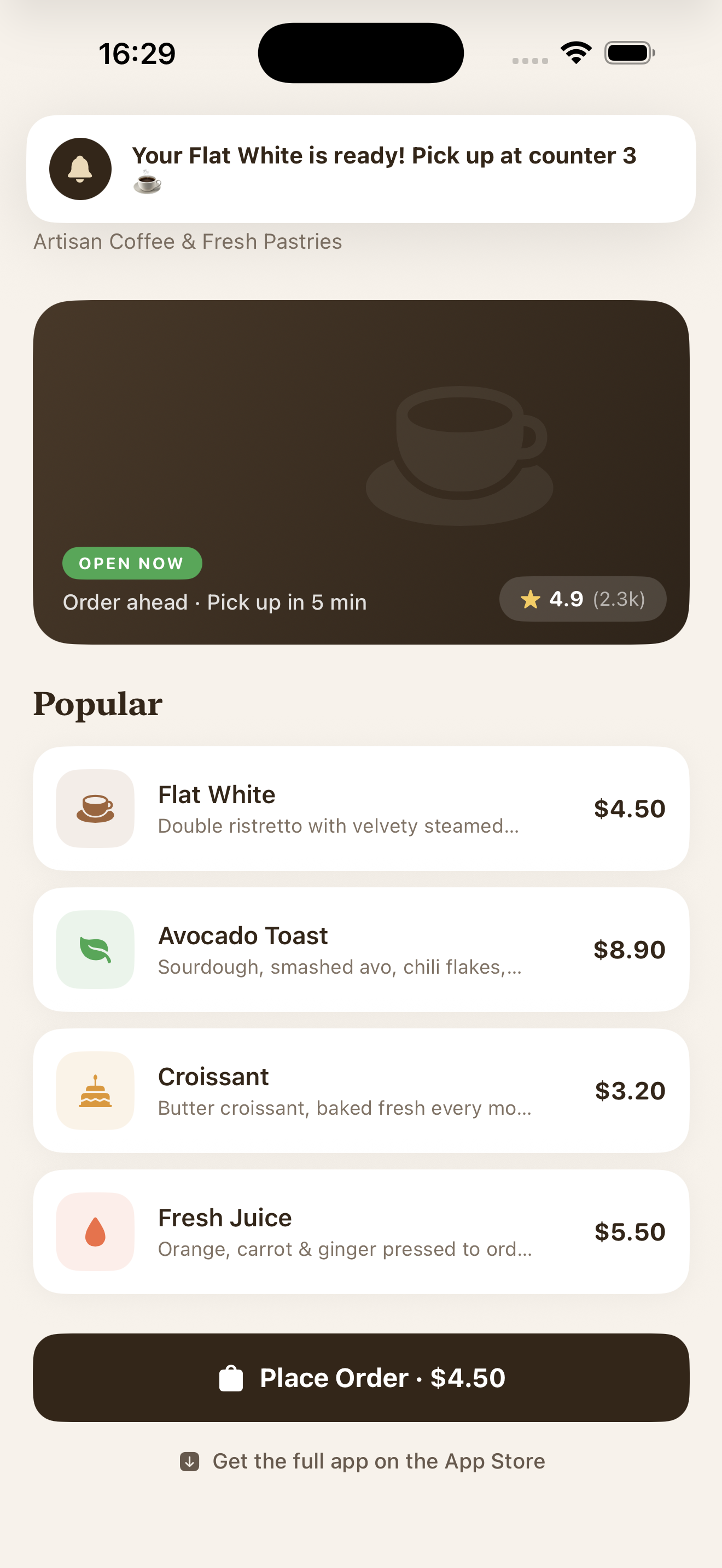 *Push notification ที่ได้รับใน App Clip พร้อมสิทธิ์ชั่วคราว*