# Send push to all user devices

This method allows you to send targeted push notifications to your users across their multiple devices. Resulting push notifications will be delivered to all devices associated with a specified User ID. [More about User IDs.](/product/pushwoosh-knowledge-hub/users-userids#all-devices-delivery)

<Aside type="caution" title="Developer assistance needed">
To begin sending these pushes, you need to collect UserIDs. You'll need assistance from your development team for this. Please [share this link](/developer/first-steps/collecting-user-ids/) with them to get started.
</Aside>

## Sending a push to all user devices with Customer Journey

To send a push to all user devices, double-click the [**Push**](/product/customer-journey/journey-elements/channels/push/#send-by-user-id) element in your journey, toggle on **Send to all user devices**, and click **Apply**.
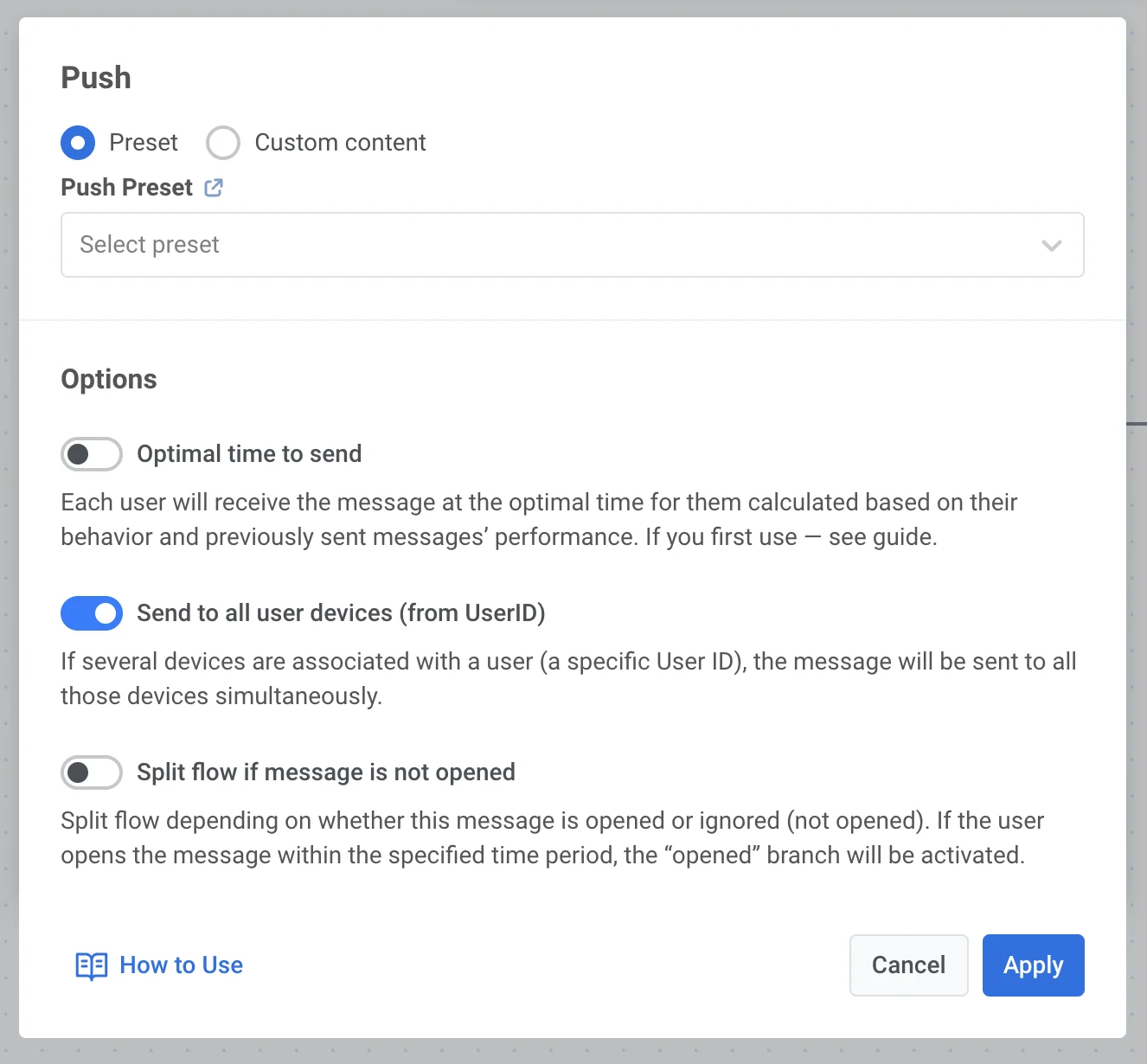
<img src="/push-notifications-push-by-user-id-1.webp" alt="Push element Options showing Send to all user devices toggle enabled in journey configuration"/>

<Aside type="tip">
You can also send a push by User ID via API. To do this, share [this link](/developer/guides/messaging-channels/send-a-pushby-userid) with your developer team.
</Aside>