# iOS push stories
Push stories turn an expanded iOS push notification into a full-screen, Instagram-style stories experience: full-bleed images, auto-advancing pages, and a button on each page.
## Prerequisites
Before you send push stories, your iOS team needs to:
1. Add a Notification Content Extension to the app using the `PushwooshNotificationUI` module. Share [iOS push stories](/developer/pushwoosh-sdk/ios-sdk/ios-push-stories/) with them.
2. Release an app update that includes the extension.
## Create push stories content
Build the pages shown once the user expands the notification in a push preset. See [Build push stories content](/product/content/push-presets/build-push-stories-content/).
## Send a one-time push with push stories
1. Go to **Campaigns** → **One-time messages** → **Send message** → **One-time push**.
2. [Select or create](/product/messaging-channels/push-notifications/send-push-notifications/one-time-push/#select-or-create-push-message-content) **Push stories** content.
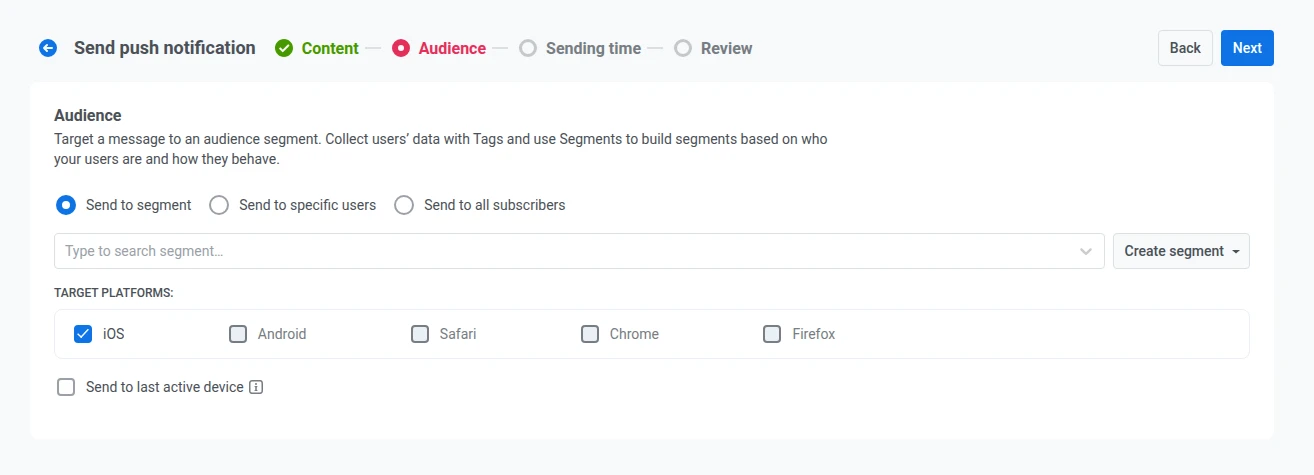
3. Set up the audience, schedule, and other settings the same way as for a regular [one-time push](/product/messaging-channels/push-notifications/send-push-notifications/one-time-push/).
Because stories play only on iOS, the **Target platforms** list on the Audience step locks to iOS, and the other platforms are unavailable for this send.
## References
 ## References