# Send Kakao messages
This guide walks you through how KakaoTalk messaging works in Pushwoosh and how to send KakaoTalk messages.
## Send Kakao messages via Customer Journey
Pushwoosh allows you to integrate KakaoTalk messaging into [Customer Journeys](/product/customer-journey/pushwoosh-journey-overview/). Follow these steps to configure it:
1. Go to **Campaigns > Customer Journey Builder** in the main sidebar.
2. Click **Build a journey from scratch**.
3. Add an **Entry** element to define who enters the journey. [Learn how to configure the Entry elements](/product/customer-journey/journey-elements/entry-elements/)
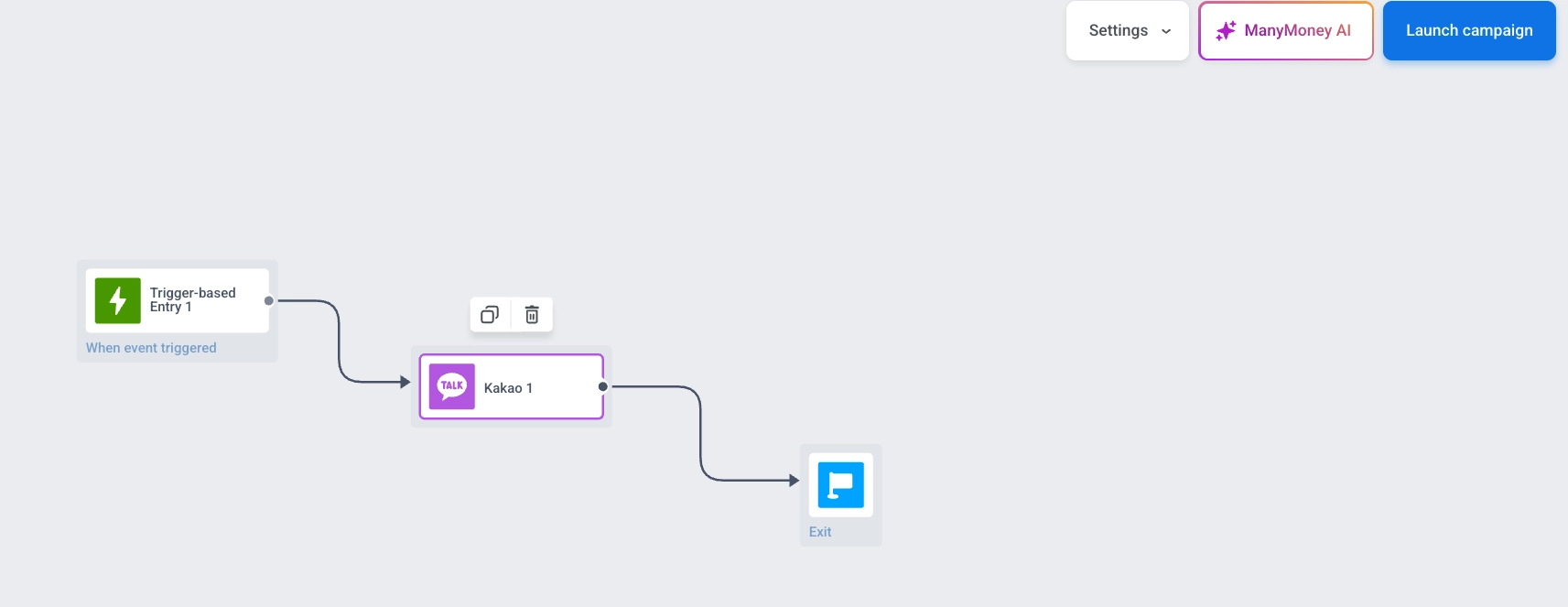
4. Add a [**Kakao** element](/product/customer-journey/journey-elements/channels/kakao/) and connect it to the rest of your flow (e.g., entry trigger and next steps).
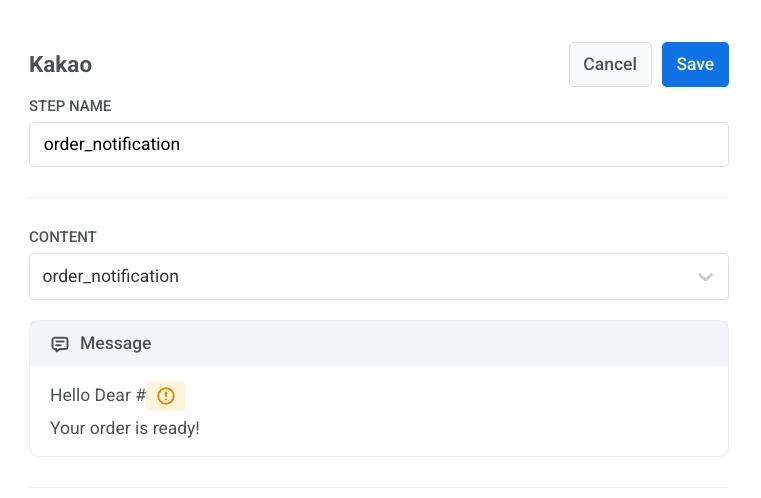
5. Click the **Kakao** element to open its settings panel. In the **Template** dropdown, select your approved message template.
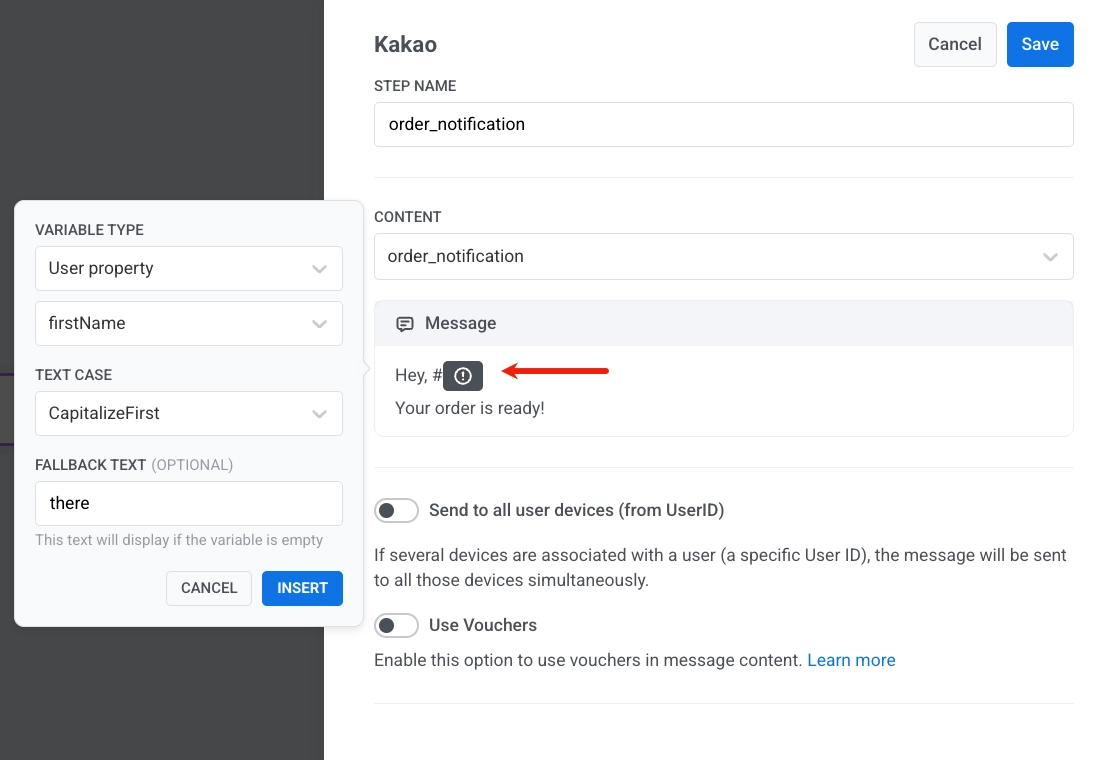
6. Use the variable selector to insert dynamic content:
* Set **Variable type** (e.g., User property)
* Choose a field like **firstName**
* Set **Text case** (e.g., CapitalizeFirst)
* Add **Fallback text** (optional): shown if the value is missing, for example, `there`
* Click **Insert** to add the variable to your message
7. Click **Save** to save the element settings.
8. Complete the journey setup and add the exit element. When you're ready, click **Launch journey** to activate it.
## Send Kakao messages via API
Send KakaoTalk messages using the Pushwoosh API. Use approved templates and personalize them with variables.
 5. Click the **Kakao** element to open its settings panel. In the **Template** dropdown, select your approved message template.
 6. Use the variable selector to insert dynamic content:
* Set **Variable type** (e.g., User property)
* Choose a field like **firstName**
* Set **Text case** (e.g., CapitalizeFirst)
* Add **Fallback text** (optional): shown if the value is missing, for example, `there`
* Click **Insert** to add the variable to your message
6. Use the variable selector to insert dynamic content:
* Set **Variable type** (e.g., User property)
* Choose a field like **firstName**
* Set **Text case** (e.g., CapitalizeFirst)
* Add **Fallback text** (optional): shown if the value is missing, for example, `there`
* Click **Insert** to add the variable to your message
 7. Click **Save** to save the element settings.
8. Complete the journey setup and add the exit element. When you're ready, click **Launch journey** to activate it.
## Send Kakao messages via API
Send KakaoTalk messages using the Pushwoosh API. Use approved templates and personalize them with variables.
7. Click **Save** to save the element settings.
8. Complete the journey setup and add the exit element. When you're ready, click **Launch journey** to activate it.
## Send Kakao messages via API
Send KakaoTalk messages using the Pushwoosh API. Use approved templates and personalize them with variables.