# How to send a personalized email
In Pushwoosh, you can personalize the email subject and email body accordingly. Use personalization tags for user attributes, known as [Dynamic Content](/product/personalization/dynamic-content), to personalize your email.
You can use personalization tags when creating emails in the [drag & drop email editor](/product/content/email-content/drag-and-drop-email-editor) and customizing one of the pre-built email templates.
All the personalization tags available for your emails are created and stored in the **Audience > Tags** section. [Follow the guide](/product/audience-data-and-segmentation/user-data-tags/tags) to create new personalization tags.
## How to personalize an email subject
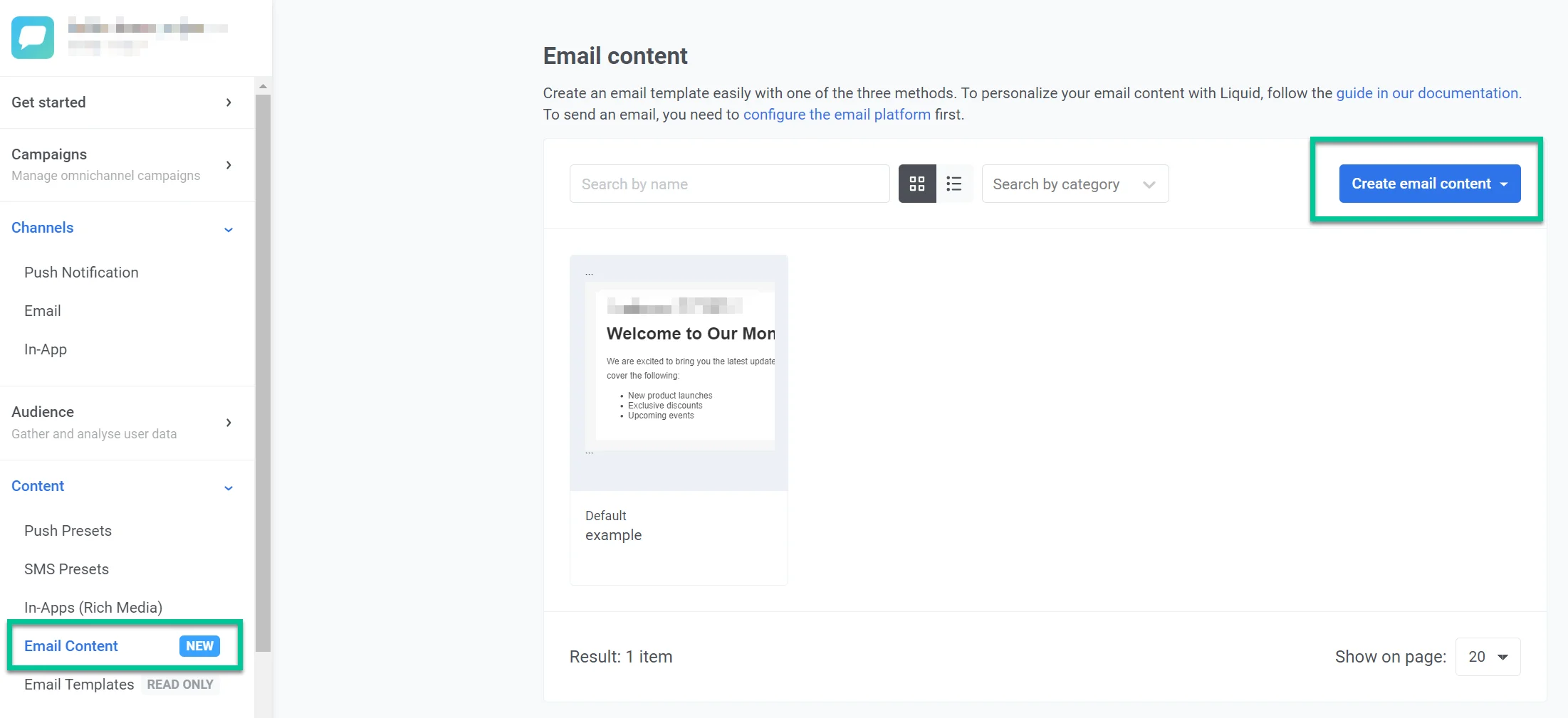
Go to **Content > Email Content > Create email content** to start personalizing your email.
Open an email you want to personalize. In our example, we are using one of the email templates.
Click on the subject field and then click the tag icon on the right. Choose the tag you want to use—for example, [first_name]. Click **Insert** to apply changes.
## How to personalize an email body
In the email template, click on the text where you want to add personalization. Click **Merge Tags** and choose the tag to personalize. Click **Save** to apply changes.
[Read more about how to create emails in Pushwoosh.](/product/content/email-content/drag-and-drop-email-editor)
 Open an email you want to personalize. In our example, we are using one of the email templates.
Click on the subject field and then click the tag icon on the right. Choose the tag you want to use—for example, [first_name]. Click **Insert** to apply changes.
## How to personalize an email body
In the email template, click on the text where you want to add personalization. Click **Merge Tags** and choose the tag to personalize. Click **Save** to apply changes.
[Read more about how to create emails in Pushwoosh.](/product/content/email-content/drag-and-drop-email-editor)
Open an email you want to personalize. In our example, we are using one of the email templates.
Click on the subject field and then click the tag icon on the right. Choose the tag you want to use—for example, [first_name]. Click **Insert** to apply changes.
## How to personalize an email body
In the email template, click on the text where you want to add personalization. Click **Merge Tags** and choose the tag to personalize. Click **Save** to apply changes.
[Read more about how to create emails in Pushwoosh.](/product/content/email-content/drag-and-drop-email-editor)