SMS platform configuration
Pushwoosh enables you to send SMS messages to users by connecting your own SMS provider. Once configured, you can send SMS in one-time campaigns and Customer Journeys.
Prerequisites
Anchor link toBefore configuring SMS, ensure the following requirements are met:
- Pushwoosh project: A project where you want to enable the SMS channel.
- SMS provider account: An account with one of the supported SMS providers.
- Provider credentials: The credentials required by your provider, such as account identifiers, API keys, a sender ID, or a phone number.
Setting up the SMS configuration
Anchor link toTo set up the SMS configuration, follow these steps:
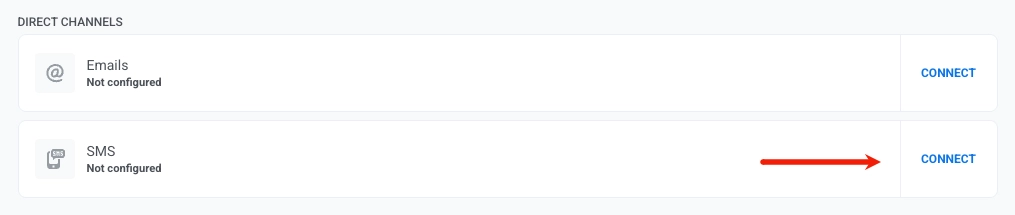
- Go to Settings → Configure Platforms, select SMS, and click Connect.
- Choose your SMS provider from the list of supported SMS providers.
- Enter the provider credentials. The fields, their labels, and any hint text depend on the provider you select. Required fields are marked with an asterisk, and sensitive fields such as API tokens are masked as you type.
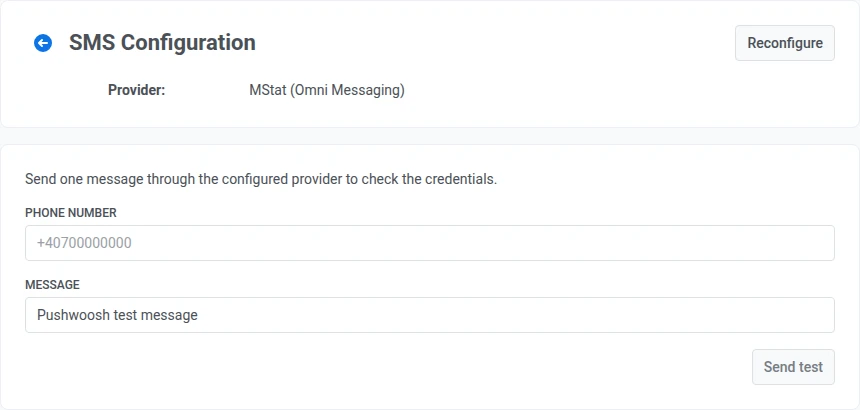
- Click Apply to save the credentials.
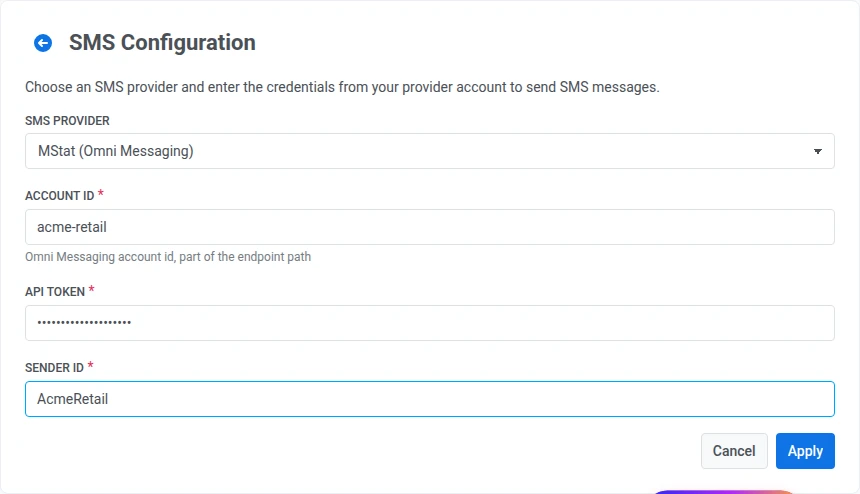
- To confirm the credentials work, enter a phone number in international format (for example, +14155550100) and a short message, then click Send test. If the message doesn’t arrive, recheck the credentials against your provider’s dashboard. An invalid API token, account ID, or sender ID is the most common cause.
Supported SMS providers
Anchor link toPushwoosh supports the following SMS providers:
- Twilio
- Amazon SNS
- SMSGlobal
- SMSAla
- CapitoleMobile
- Mobipace
- SMSCenter
- SMSTraffic
- TextMe.co.il
- AbleMobile
- MStat: the original MStat connection, with its own fixed credential fields.
- MStat (Omni Messaging): a separate connection to the same provider, with credential fields, labels, and hint text specific to this integration.
- SMSAPI.ro
- SMPP: connect your own bind to an operator or aggregator instead of a routed provider — set up by your Pushwoosh account team, not through Configure Platforms.
To get your credentials, refer to your SMS provider’s documentation. Provider availability may depend on your account and region.
Provider webhooks
Anchor link toAfter you save credentials in Configure Platforms, check whether your SMS provider needs webhook setup. Some providers configure callbacks automatically, others require URLs in the provider dashboard, and some do not support webhooks at all.
What’s next
Anchor link toAfter setup, you can send SMS in one-time campaigns and Customer Journeys.