# Audience sync
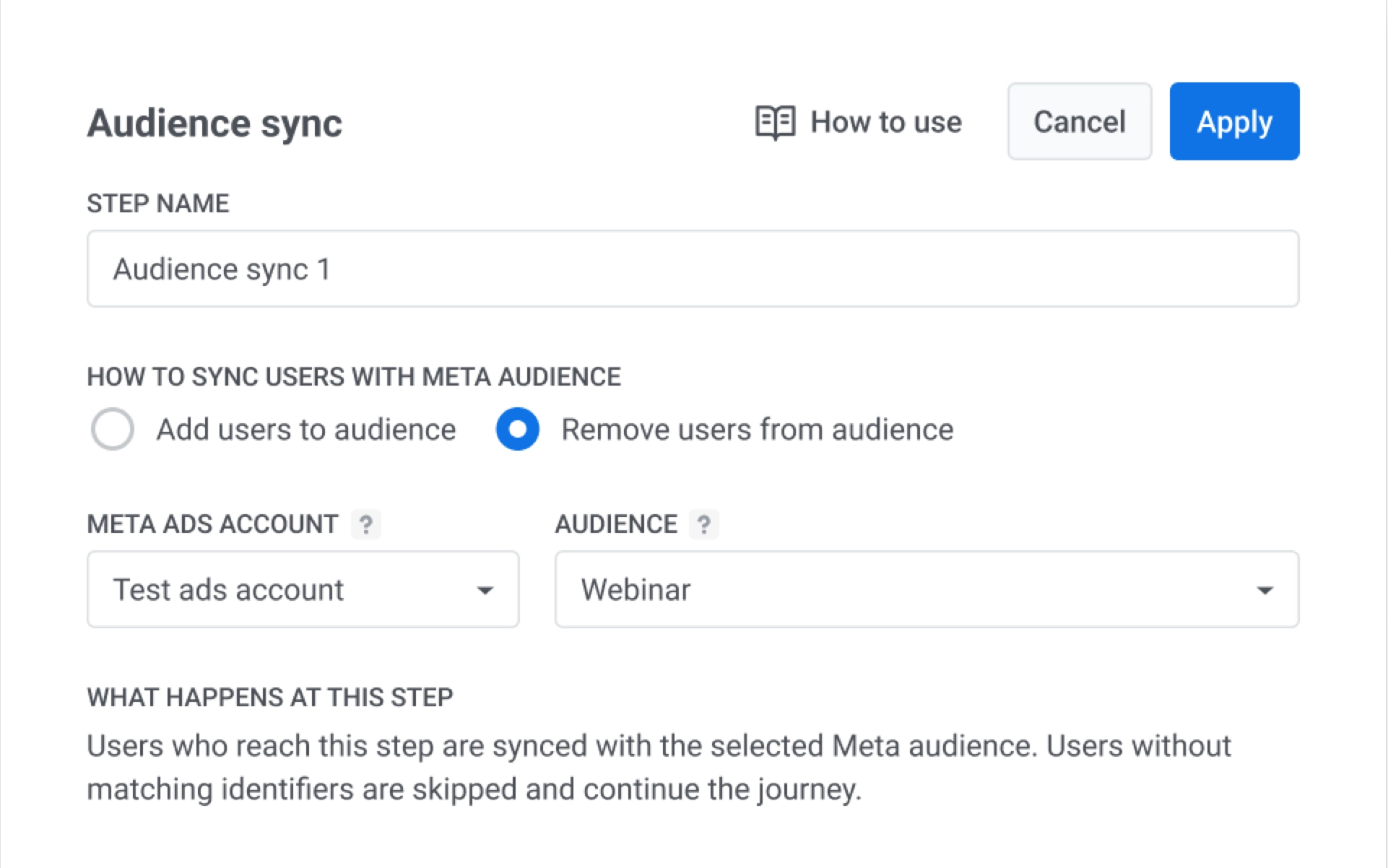
The **Audience sync** element updates a Meta Ads custom audience when users reach this step in a journey. Choose **Add users to audience** to include them in ad targeting, or **Remove users from audience** to stop showing ads to them.
## Before you start
Make sure Meta Ads integration is configured for your project. If integration is missing, the element shows **Configure your Meta Ads account** and cannot run sync.
Learn how to set up integration: [Meta Ads integration](/product/integrations/meta-ads-integration/).
## Configure audience sync
1. Double-click **Audience sync** on the canvas.
2. Enter **Step name**.
3. In **How to sync users info to Meta audience**, select one option:
* **Add users to audience**
* **Remove users from audience**
4. In **Meta Ads account**, select one connected account.
5. In **Audience**, select an existing Meta audience.
6. Click **Apply**.
 6. Click **Apply**.