# Create a customer journey for your project
Watch this video to explore real-world campaign examples that demonstrate how Pushwoosh helps optimize user engagement and improve results.
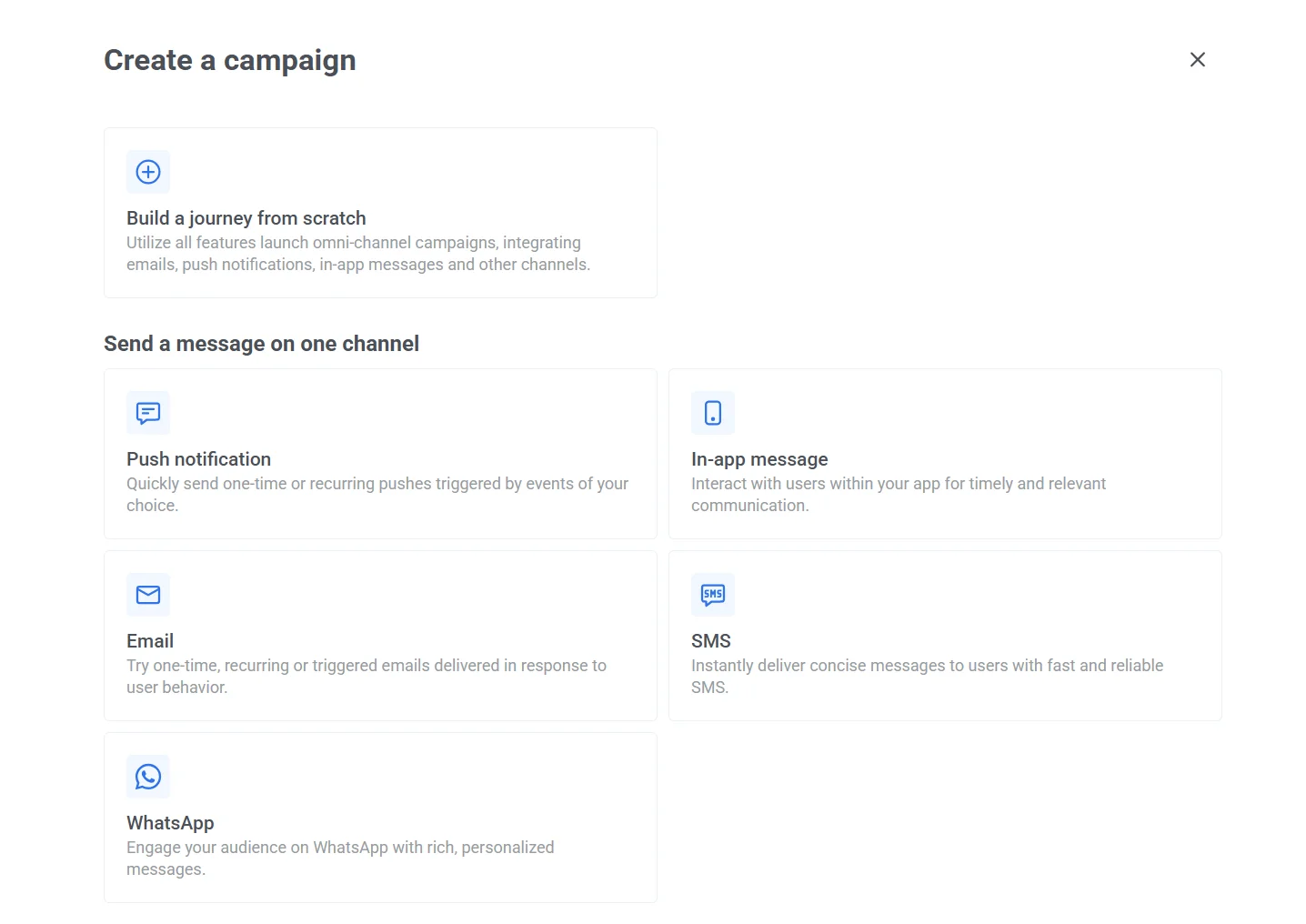
Pushwoosh empowers you to create personalized customer journeys that fit your specific scenarios. You have two options to get started:
1. **Build a customer journey from scratch**
Take full control of your journey design, crafting multichannel experiences that seamlessly guide users through different stages of the life cycle.
With this option, you can:
* Design multichannel journeys.
* Test and refine your campaigns for optimal results.
* Launch campaigns across push notifications, email, in-app messages, and more.
Before you begin, [learn how to use Journey elements](/product/customer-journey/journey-elements) to ensure a smooth creation process.
2. **Use pre-built customer journey templates**
Save time by leveraging pre-made templates for common communication needs like sending a single message via:
* Push notifications
* Email
* In-app messaging
* SMS
* WhatsApp
 ## Build a customer journey with ready-made journey templates
### Push notification
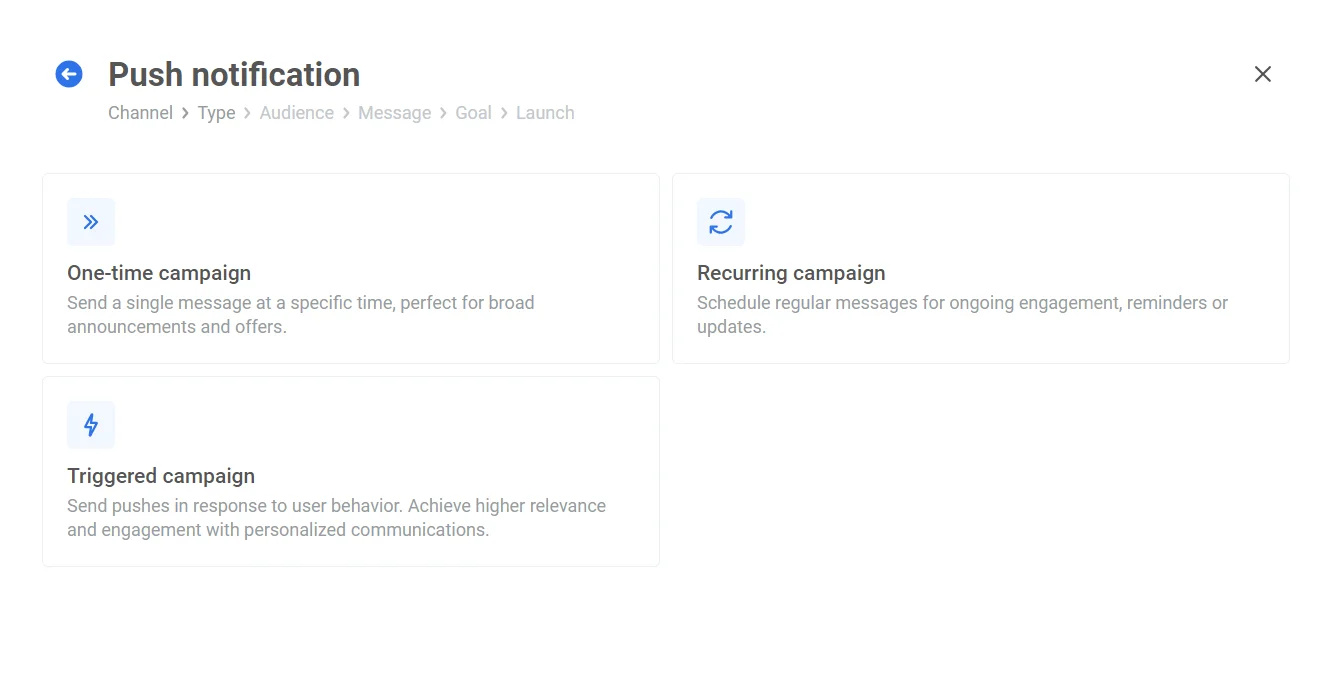
Pushwoosh offers three pre-made journey templates to simplify creating push notification campaigns:
* **One-time push campaign** template is ideal for sending a single message at a specific time, often used for broad announcements or special offers. [Learn more](/product/messaging-channels/push-notifications/send-push-notifications/one-time-push)
* **Recurring campaign** template allows you to set up scheduled messages that will recur over a period. Perfect for ongoing engagement, reminders, or updates. [Learn more](/product/messaging-channels/push-notifications/send-push-notifications/autopushes)
* **Triggered campaign** template allows sending messages in response to specific user behaviors. This flow is designed to increase relevance and engagement by providing personalized communication based on user activity or milestones. [Learn more](/product/customer-journey/journey-elements#trigger-based-entry)
## Build a customer journey with ready-made journey templates
### Push notification
Pushwoosh offers three pre-made journey templates to simplify creating push notification campaigns:
* **One-time push campaign** template is ideal for sending a single message at a specific time, often used for broad announcements or special offers. [Learn more](/product/messaging-channels/push-notifications/send-push-notifications/one-time-push)
* **Recurring campaign** template allows you to set up scheduled messages that will recur over a period. Perfect for ongoing engagement, reminders, or updates. [Learn more](/product/messaging-channels/push-notifications/send-push-notifications/autopushes)
* **Triggered campaign** template allows sending messages in response to specific user behaviors. This flow is designed to increase relevance and engagement by providing personalized communication based on user activity or milestones. [Learn more](/product/customer-journey/journey-elements#trigger-based-entry)
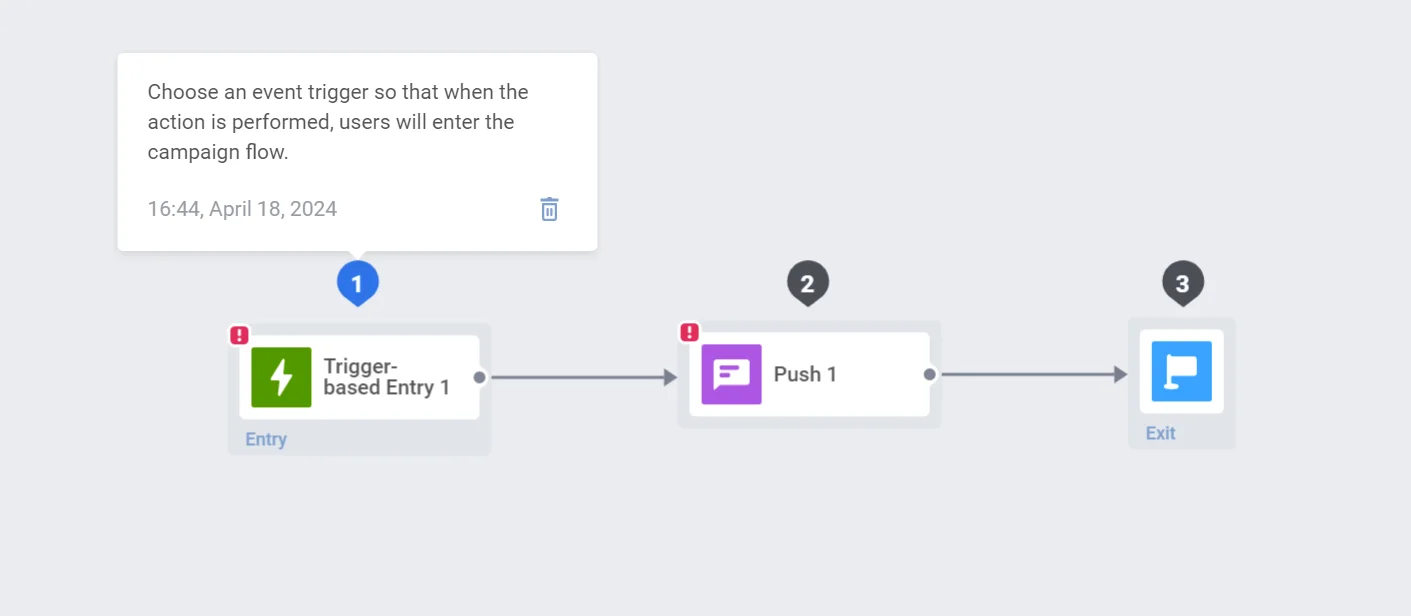
 Click the template you need to open the Customer Journey canvas. You will see a pre-built journey ready for configuration. Follow the prompts above each element to set up your journey. [Learn more about push notification campaigns](/product/messaging-channels/push-notifications)
 ### Email
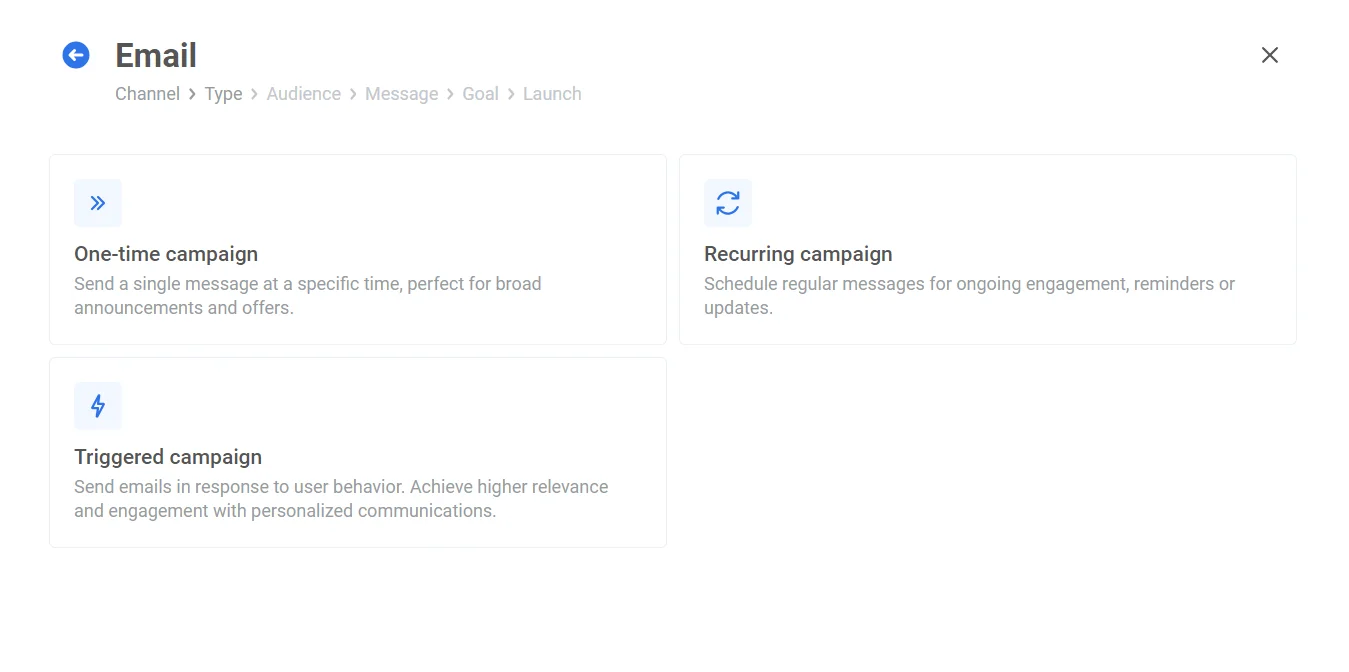
Pushwoosh provides three pre-built email journey templates:
* **One-time email campaign** template allows sending a one-off targeted message at a specific time. Ideal for announcements, special offers, or welcome emails.
* **Recurring campaign** template allows scheduling regular messages for ongoing engagement. Perfect for newsletters, updates, or loyalty program reminders.
* **Triggered campaign** template allows sending emails in response to user behavior. Such campaigns can be used for abandoned cart reminders, post-purchase follow-ups, or birthday greetings.
### Email
Pushwoosh provides three pre-built email journey templates:
* **One-time email campaign** template allows sending a one-off targeted message at a specific time. Ideal for announcements, special offers, or welcome emails.
* **Recurring campaign** template allows scheduling regular messages for ongoing engagement. Perfect for newsletters, updates, or loyalty program reminders.
* **Triggered campaign** template allows sending emails in response to user behavior. Such campaigns can be used for abandoned cart reminders, post-purchase follow-ups, or birthday greetings.
 [Learn more about sending and setting up email campaigns ](/product/messaging-channels/emails)
### In-app message
Pushwoosh simplifies in-app communication with a pre-built template for trigger-based in-app campaigns. This allows you to:
* Deliver targeted messages at precise moments and reach users within your app based on specific actions or behaviors, maximizing relevance and impact.
* Captivate users with timely in-app messages that nudge them towards desired actions.
[Learn more about sending and setting up email campaigns ](/product/messaging-channels/emails)
### In-app message
Pushwoosh simplifies in-app communication with a pre-built template for trigger-based in-app campaigns. This allows you to:
* Deliver targeted messages at precise moments and reach users within your app based on specific actions or behaviors, maximizing relevance and impact.
* Captivate users with timely in-app messages that nudge them towards desired actions.
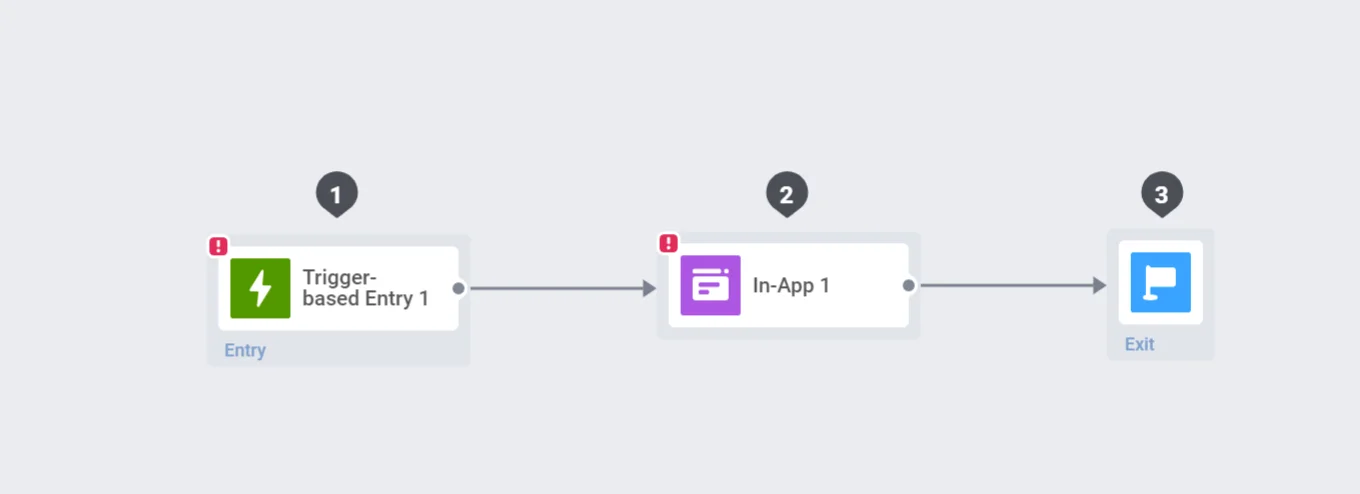 For a comprehensive guide on creating and managing in-app campaigns within Pushwoosh, [read this guide](/product/messaging-channels/in-apps/sending-in-apps).
### SMS
When creating an SMS campaign, you can choose from three templates based on your messaging goals:
* **One-time campaign**
Send a single SMS message at a specific time. For example, announce a flash sale or notify users about a scheduled app maintenance.
* **Recurring campaign**
Schedule SMS messages to be sent on a regular basis. For example, send monthly billing reminders or provide weekly tips for using a product more effectively.
* **Triggered campaign**
Automatically send SMS messages in response to user actions or events. For example, send an abandoned cart reminder 15 minutes after a user leaves checkout or confirm a booking immediately after it's made.
### WhatsApp
When setting up a WhatsApp campaign, you can choose from three campaign types depending on your communication goals:
- **One-time campaign**
Send a single WhatsApp message at a specific time. For example, announce a product launch, limited-time offer, or important service update.
- **Recurring campaign**
Schedule WhatsApp messages to be sent on a regular basis. For example, send weekly check-ins, monthly subscription reminders, or recurring appointment notifications.
- **Triggered campaign**
Automatically send WhatsApp messages based on user actions or specific events. For example, confirm a booking after it's made or send an order update.
For a comprehensive guide on creating and managing in-app campaigns within Pushwoosh, [read this guide](/product/messaging-channels/in-apps/sending-in-apps).
### SMS
When creating an SMS campaign, you can choose from three templates based on your messaging goals:
* **One-time campaign**
Send a single SMS message at a specific time. For example, announce a flash sale or notify users about a scheduled app maintenance.
* **Recurring campaign**
Schedule SMS messages to be sent on a regular basis. For example, send monthly billing reminders or provide weekly tips for using a product more effectively.
* **Triggered campaign**
Automatically send SMS messages in response to user actions or events. For example, send an abandoned cart reminder 15 minutes after a user leaves checkout or confirm a booking immediately after it's made.
### WhatsApp
When setting up a WhatsApp campaign, you can choose from three campaign types depending on your communication goals:
- **One-time campaign**
Send a single WhatsApp message at a specific time. For example, announce a product launch, limited-time offer, or important service update.
- **Recurring campaign**
Schedule WhatsApp messages to be sent on a regular basis. For example, send weekly check-ins, monthly subscription reminders, or recurring appointment notifications.
- **Triggered campaign**
Automatically send WhatsApp messages based on user actions or specific events. For example, confirm a booking after it's made or send an order update.