RFM segmentation
With RFM (Recency, Frequency, Monetary) Segmentation, you can segment your users based on their engagement level and target these segments with the most tailored communications.
RFM segmentation ranks your users from the most loyal ones to those who are churning. It builds a segment for each category of users in your Pushwoosh account. The segmentation is based on two metrics:
- Recency: how recently users performed a specific event.
- Frequency: how frequently they performed that event.
In addition, average monetary values (AMV) are calculated for each segment to consider when tailoring your communication strategies. The AMV is the average spend for each user in the segment, whether that’s money, time, or any other countable metric.
Calculate RFM segments
Anchor link to- Go to Audience → RFM Segmentation.
- Select the Purchase Event.
- Optionally select the Monetary Attribute.
- Click Calculate.
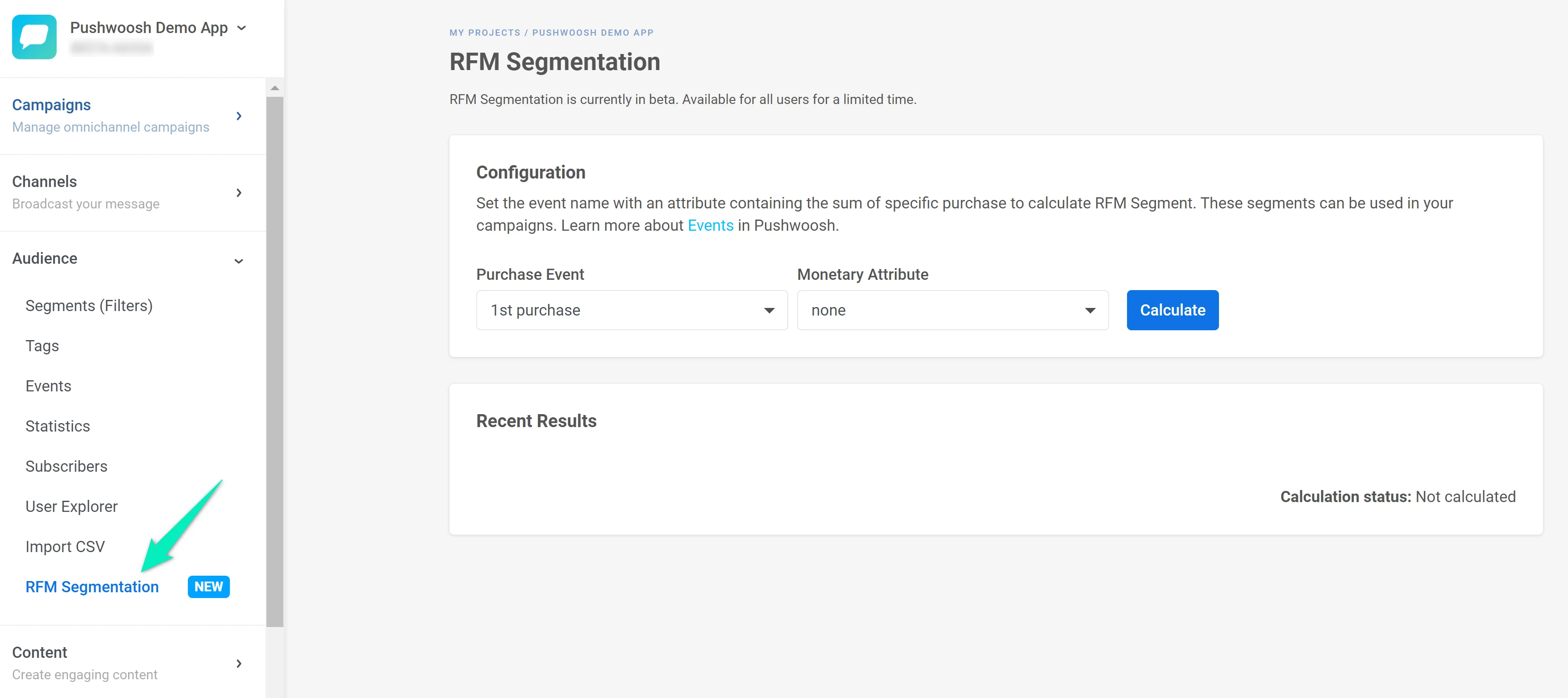
Once calculated, RFM segments stay current on their own. They recalculate every 24 hours and also refresh right before a message send or a Customer Journey check that uses an RFM segment. If that refresh isn’t ready in time, or the last calculation failed, the send or journey check uses the last successful calculation.
Click Calculate anytime you want an immediate update. A recurring journey that uses an RFM segment (for example, every Monday for Champions) does not need a manual recalculation before each launch.
What the 10 segments mean
Anchor link toPushwoosh scores each user from 1 to 5 for how recently and how frequently they triggered the selected event. 5 is the most recent and frequent. Only events from the last 90 days count toward the score. Older activity is excluded.
Users are divided into these 10 segments:
- Champions: the most active users with the highest recency and frequency scores.
- Loyal customers: users with the highest frequency of event performance with strong recency scores.
- Potential loyalists: users who have performed the selected event very recently and have the potential to become loyalists or champions.
- New customers: most recent users with low frequency scores. Strong candidates to encourage repeat use.
- Promising: users with high recency scores and the potential to become high frequency users.
- Needs attention: users with above average frequency and recency scores.
- About to sleep: users with below average recency and frequency scores. May slip away if not engaged with.
- At risk: users who have above average frequency but low recency scores. Strong candidates to re-engage.
- Can’t lose them: these users were active at one point in your app but haven’t performed the event recently. Strong candidates to re-engage.
- Hibernating: users with the lowest recency and frequency scores. May be lost.
For example, set up a Customer Journey for the About to sleep and At risk segments with a re-engaging communication, then recalculate after a while to check whether those users have moved toward the loyal segments.
Check the RFM grid
Anchor link toCheck the grid for the number of users in each segment, each segment’s share of your total userbase, and its AMV if you set a Monetary Attribute. From the second calculation on, also check the rate of growth next to the percentage.
Check the status above the grid for when segments were last calculated. If you see a yellow banner, refresh them. If you see a red banner, the last calculation failed.
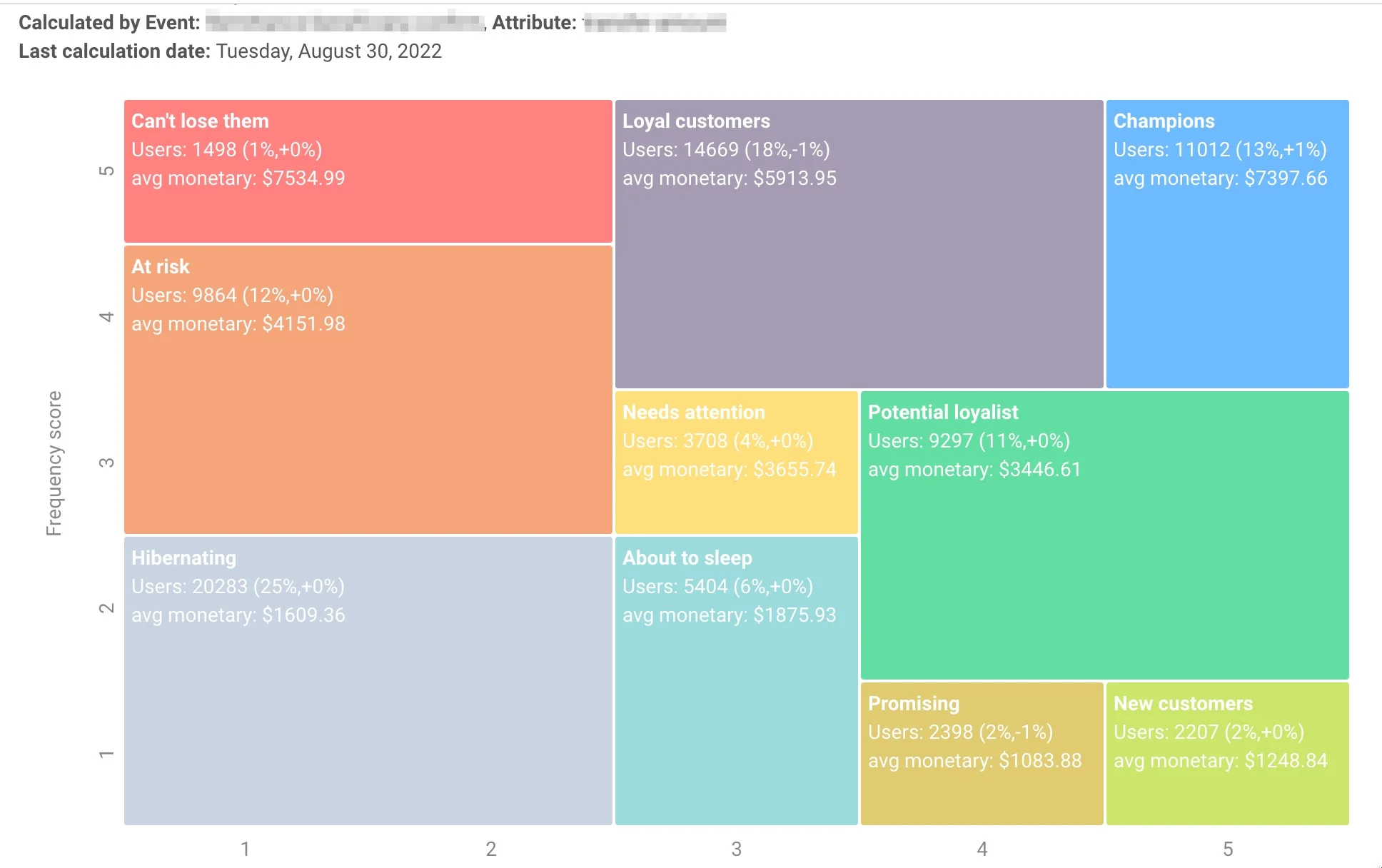
Click a segment tile in the grid to open the push composer with that segment pre-selected as the audience.

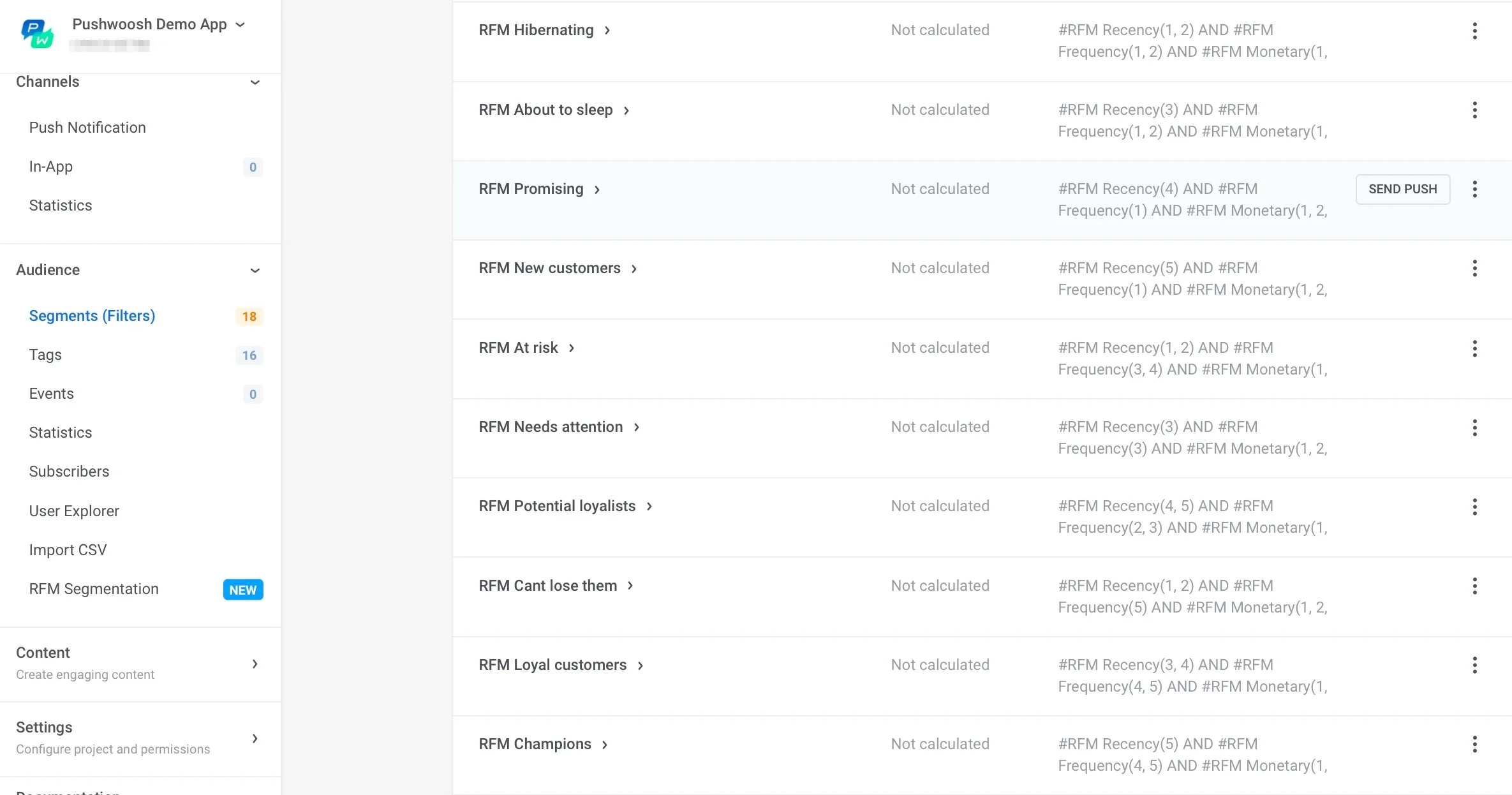
You do not need to add RFM segments to the Segments list by hand. After calculation, they appear there automatically. Use them wherever you pick a segment, including Audience-based entry in Customer Journey.
Use RFM tags
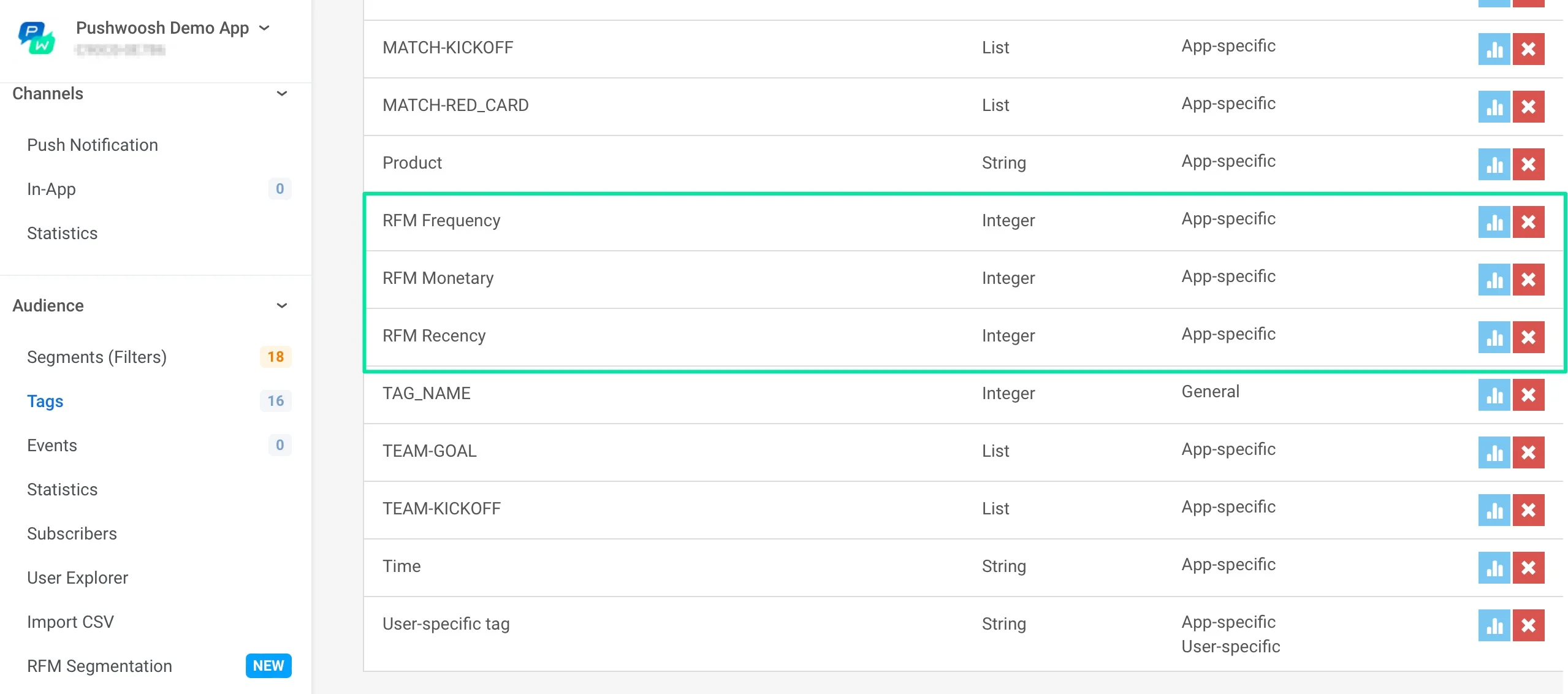
Anchor link toAfter you calculate, use the RFM Recency, RFM Frequency, and RFM Monetary tags to build your own segments in any combination.