# Build segments with compound filters
**Compound filtering** allows you to combine multiple filter types and create complex filter groups within a single segment using logical operators. This enables you to build highly targeted audiences by mixing tags, events, and other conditions with precise control over how they interact.
You can set both [tags](/product/audience-data-and-segmentation/segmentation/create-segments/by-tags/) and [events](/product/audience-data-and-segmentation/segmentation/create-segments/by-events/) at the same time, and choose an operator (AND/OR) to define how they work together.
**Example**
This segment includes all users who bought linen or lyocell trenchcoat in the app and successfully checked out (with any purchase) more than once in the last 30 days.
## Combine multiple filter groups
To build more advanced and targeted segments, combine multiple filter groups in one segment using different logic operators:
* **AND**: includes users who meet all conditions from both groups
* **OR**: includes users who meet at least one of the groups' conditions
* **AND NOT**: includes users from the first group but excludes those who meet the second group's conditions
##### Example using OR
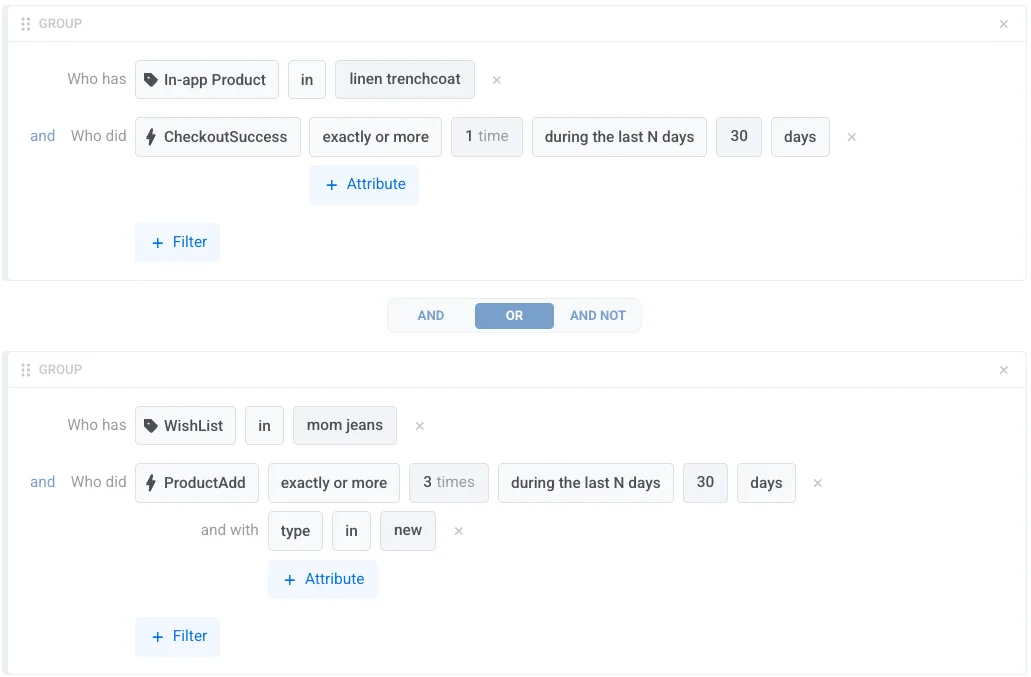
This segment includes users who meet either of the following:
- Bought a linen trenchcoat at least once in the last 30 days
OR
- Added mom jeans to their wishlist and added at least 3 items to their cart in the last 30 days
 ##### Example using AND NOT
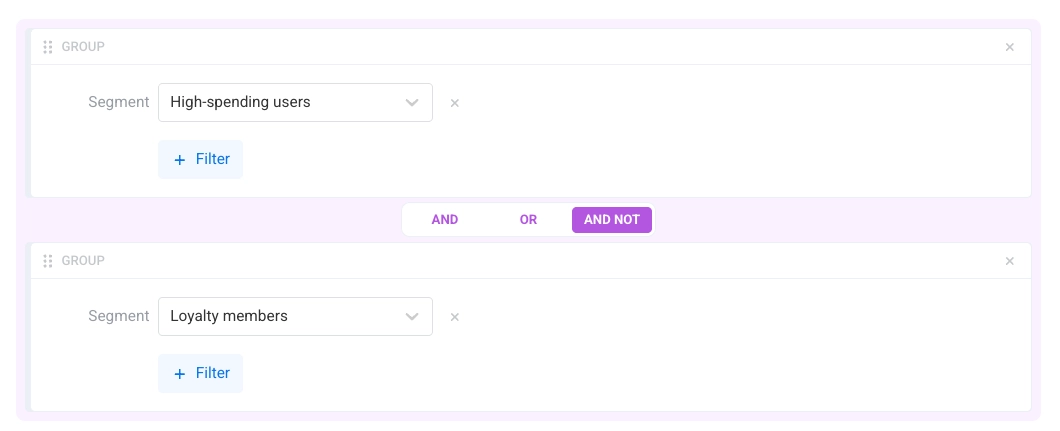
This segment targets high-spending users who are not part of the loyalty program:
- **Included:** Users in the *High-spending* segment
- **Excluded:** Users in the *Loyalty members* segment
##### Example using AND NOT
This segment targets high-spending users who are not part of the loyalty program:
- **Included:** Users in the *High-spending* segment
- **Excluded:** Users in the *Loyalty members* segment