# Build segments with AI
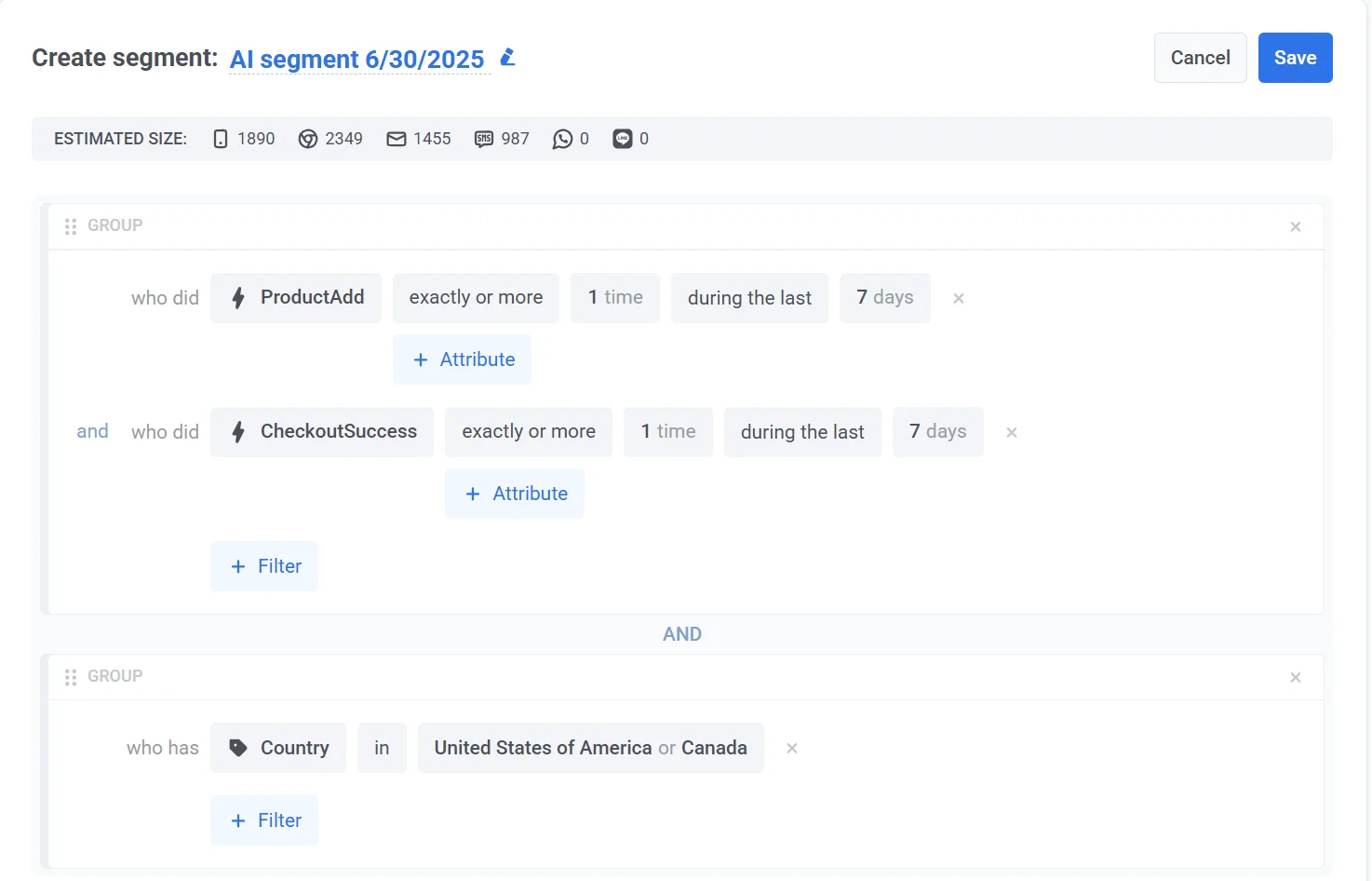
You can now create audience segments faster using AI-powered natural language input. Instead of manually setting conditions, simply describe your target audience. The system will generate a matching segment for you.
To create a segment:
1. Go to the **Segments** > **Create Segment**.
2. From the dropdown, select **Craft Segment with AI**.
3. In the prompt window that appears, enter a natural language description of the segment you want to create. For example: *"Users who added items to their cart but didn't complete the purchase in the last 7 days, and are located in the US or Canada."*
4. Click **Generate**. The AI will interpret your prompt and create a segment based on your criteria.
 4. Click **Generate**. The AI will interpret your prompt and create a segment based on your criteria.