# 서드파티 연동

Pushwoosh는 캠페인을 강화하기 위해 다양한 파트너 서비스와 원활한 연동 옵션을 제공합니다. 여기에는 다음이 포함됩니다:

* 고객 데이터
* 마케팅 및 제품 분석
* 인앱 구매 및 결제 처리
* 마케팅 자동화

Pushwoosh에서 사용 가능한 모든 연동을 살펴보려면 **Settings > 3rd-party integrations**로 이동하세요.
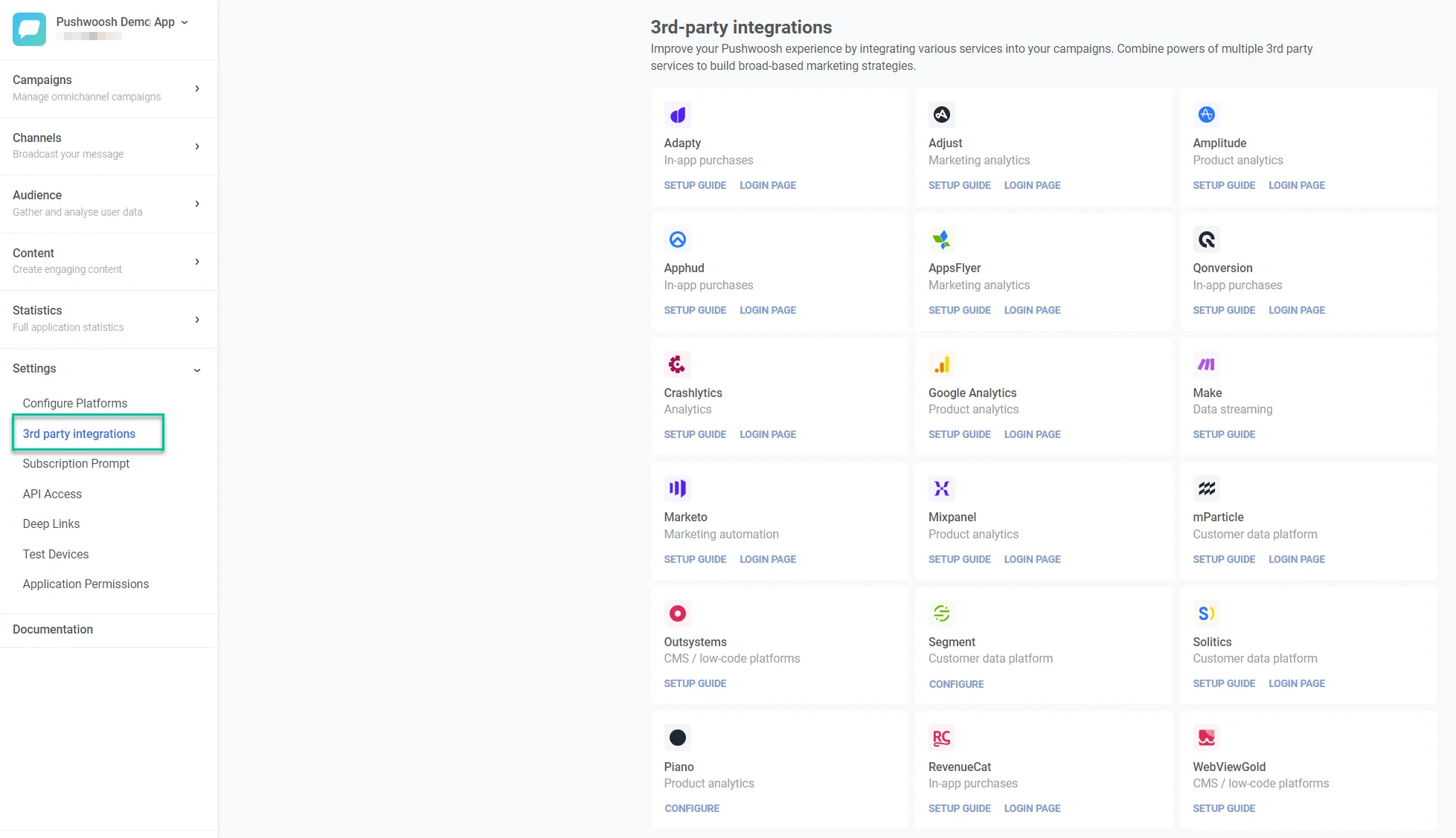
<img src="/integrations-3rd-party-integrations-1.webp" alt="서드파티 연동 옵션과 설정 가이드를 보여주는 연동 설정 페이지"/>

연동 설정 방법을 알아보려면 **Setup Guide**를 클릭하세요.

설정 프로세스를 시작하려면 **Login page**를 클릭하세요. 그러면 서드파티 서비스 로그인 페이지로 리디렉션됩니다.

## Pushwoosh 연동 개요

### 고객 데이터 플랫폼 및 데이터 스트리밍

이러한 서비스를 활용하여 상세한 고객 데이터로 Pushwoosh 캠페인을 개인화하고 개선하세요.

<CardGrid>
  <LinkCard title="이벤트 스트리밍" href="/product/integrations/event-streaming/" />
  <LinkCard title="Google BigQuery" href="/product/integrations/google-bigquery-integration/" />
  <LinkCard title="인바운드 웹훅" href="/product/integrations/inbound-webhook/" />
  <LinkCard title="Make" href="https://www.make.com/en/integrations/pushwoosh" />
  <LinkCard title="mParticle" href="/product/integrations/mparticle-integration" />
  <LinkCard title="Segment" href="/product/integrations/segment-integration" />
  <LinkCard title="Solitics" href="/product/integrations/solitics-integration" />
</CardGrid>

### 마케팅 분석/MMP

이러한 연동을 활용하여 마케팅 활동의 영향을 측정하고 개선하여 Pushwoosh에서 시작된 모든 캠페인이 데이터 기반이 되도록 하세요.

<CardGrid>
  <LinkCard title="Adjust" href="/product/integrations/adjust-integration" />
  <LinkCard title="AppsFlyer" href="/product/integrations/appsflyer-integration" />
  <LinkCard title="AppsFlyer ESP 2.0 (이메일)" href="/product/integrations/appsflyer-esp2-email-integration" />
  <LinkCard title="Meta Ads" href="/product/integrations/meta-ads-integration" />
  <LinkCard title="Singular" href="/product/integrations/singular-integration" />
</CardGrid>

### 제품 분석

이러한 서비스의 사용자 상호작용 데이터를 통합하여 Pushwoosh 캠페인을 세분화하고 개인화하세요.

<CardGrid>
  <LinkCard title="Amplitude" href="/product/integrations/amplitude-integration" />
  <LinkCard title="devtodev" href="https://docs.devtodev.com/3rd-party-sources/cohort-export/pushwoosh" target="_blank" rel="noopener noreferrer" />
  <LinkCard title="Google Analytics" href="/product/integrations/google-analytics-integration" />
  <LinkCard title="Mixpanel" href="/product/integrations/mixpanel-integration" />
  <LinkCard title="Piano" href="/product/integrations/piano-analytics-integration" />
</CardGrid>

### 인앱 구매 및 결제 처리

이러한 서비스의 인앱 구매 및 결제 데이터를 분석하고 Pushwoosh에서 얻은 인사이트를 사용하여 앱 수익을 증대시키는 타겟 메시지를 작성하세요.

<CardGrid>
  <LinkCard title="Adapty" href="/product/integrations/adapty-integration" />
  <LinkCard title="App Store 구독 추적" href="/product/integrations/app-store-subscription-tracking" />
  <LinkCard title="Apphud" href="https://docs.apphud.com/docs/pushwoosh" />
  <LinkCard title="Google Play 구독 추적" href="/product/integrations/google-play-subscription-tracking" />
  <LinkCard title="Qonversion" href="/product/integrations/qonversion-integration" />
  <LinkCard title="RevenueCat" href="/product/integrations/revenuecat-integration" />
  <LinkCard title="Stripe" href="/product/integrations/stripe-integration" />
</CardGrid>

### 이커머스 플랫폼

이러한 연동은 이커머스 플랫폼의 고객, 주문, 장바구니 포기 등의 스토어 데이터를 Pushwoosh와 동기화하여 실시간 메시징 및 세분화를 지원합니다.

<CardGrid>
  <LinkCard title="Magento" href="/product/integrations/magento-integration" />
  <LinkCard title="Shopify" href="/product/integrations/shopify-integration" />
</CardGrid>

### 분석

충돌을 모니터링하고 문제를 진단하며 특정 문제의 영향을 받는 사용자에게만 알림을 타겟팅하세요.

<CardGrid>
  <LinkCard title="Crashlytics" href="/product/integrations/crashlytics-integration" />
</CardGrid>

### CMS/로우코드 플랫폼

OutSystems 로우코드 개발 플랫폼 내에서 Pushwoosh 기능을 활용하세요.

<CardGrid>
  <LinkCard title="OutSystems" href="https://www.outsystems.com/forge/list?q=pushwoosh&t=&o=most-popular&tr=False&oss=False&c=%20&a=&v=&hd=False&tn=&scat=forge" />
  <LinkCard title="WebViewGold" href="/product/integrations/webviewgold-integration" />
</CardGrid>

### 마케팅 자동화 & CRM

Pushwoosh를 선도적인 플랫폼과 통합하여 자동화 및 고객 관계 관리로 마케팅을 간소화하세요.

<CardGrid>
  <LinkCard title="HubSpot" href="/product/integrations/hubspot-integration" />
  <LinkCard title="Marketo" href="/product/integrations/marketo-integration" />
</CardGrid>