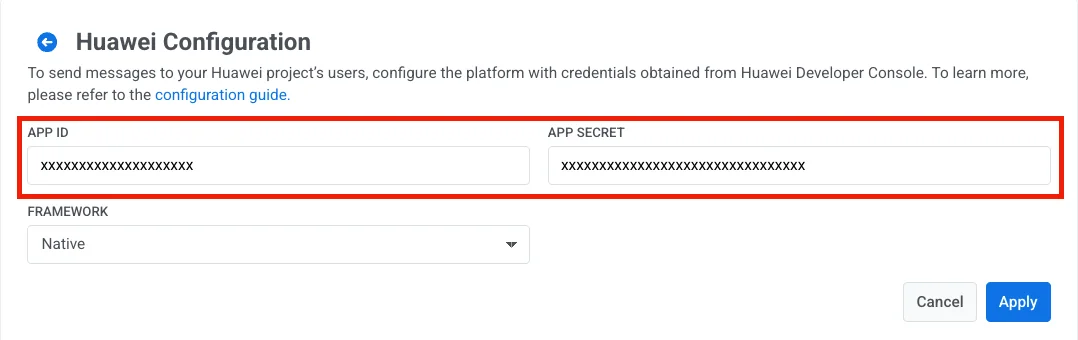
# Huawei 구성
1. [Huawei AppGallery Connect 프로젝트 목록](https://developer.huawei.com/consumer/en/service/josp/agc/index.html#/myProject)에서 앱을 선택합니다.
2. **Project Setting** > **App information**으로 이동합니다.
3. **Client ID**와 **Client secret** 값을 복사합니다.
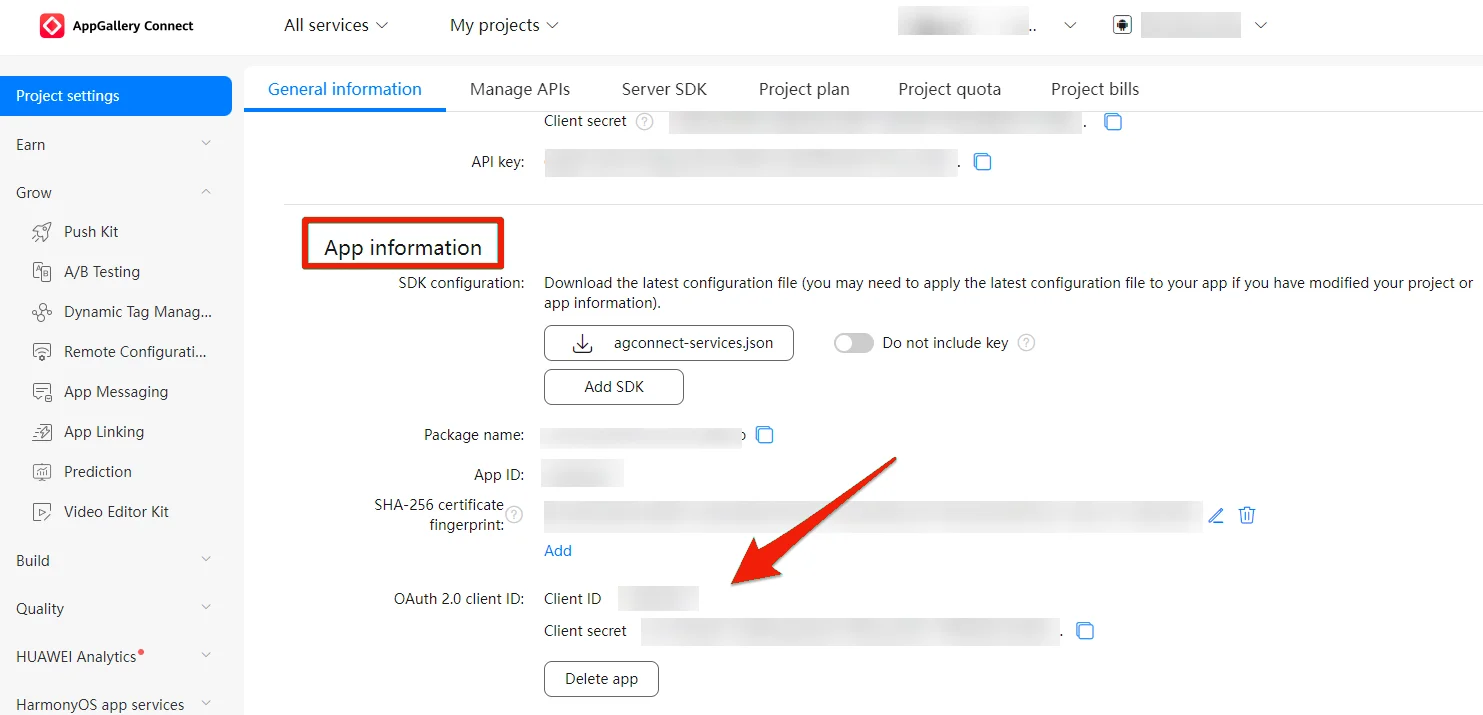 4. Pushwoosh 프로젝트로 이동하여 **Configure Platforms** 섹션을 열고 Huawei 플랫폼에 대해 **Configure**를 누릅니다.
 5. 프레임워크를 선택합니다. **Client ID**와 **Client secret**을 각각 **App ID**와 **App Secret** 필드에 붙여넣은 다음 **Apply**를 누릅니다.