Notifications push iOS avec carrousel d'images
Le protocole UNNotificationContentExtension fournit le point d’entrée pour une extension de contenu de notification, qui affiche une interface personnalisée pour les notifications de votre application.
1. Ajouter une extension de contenu de notification
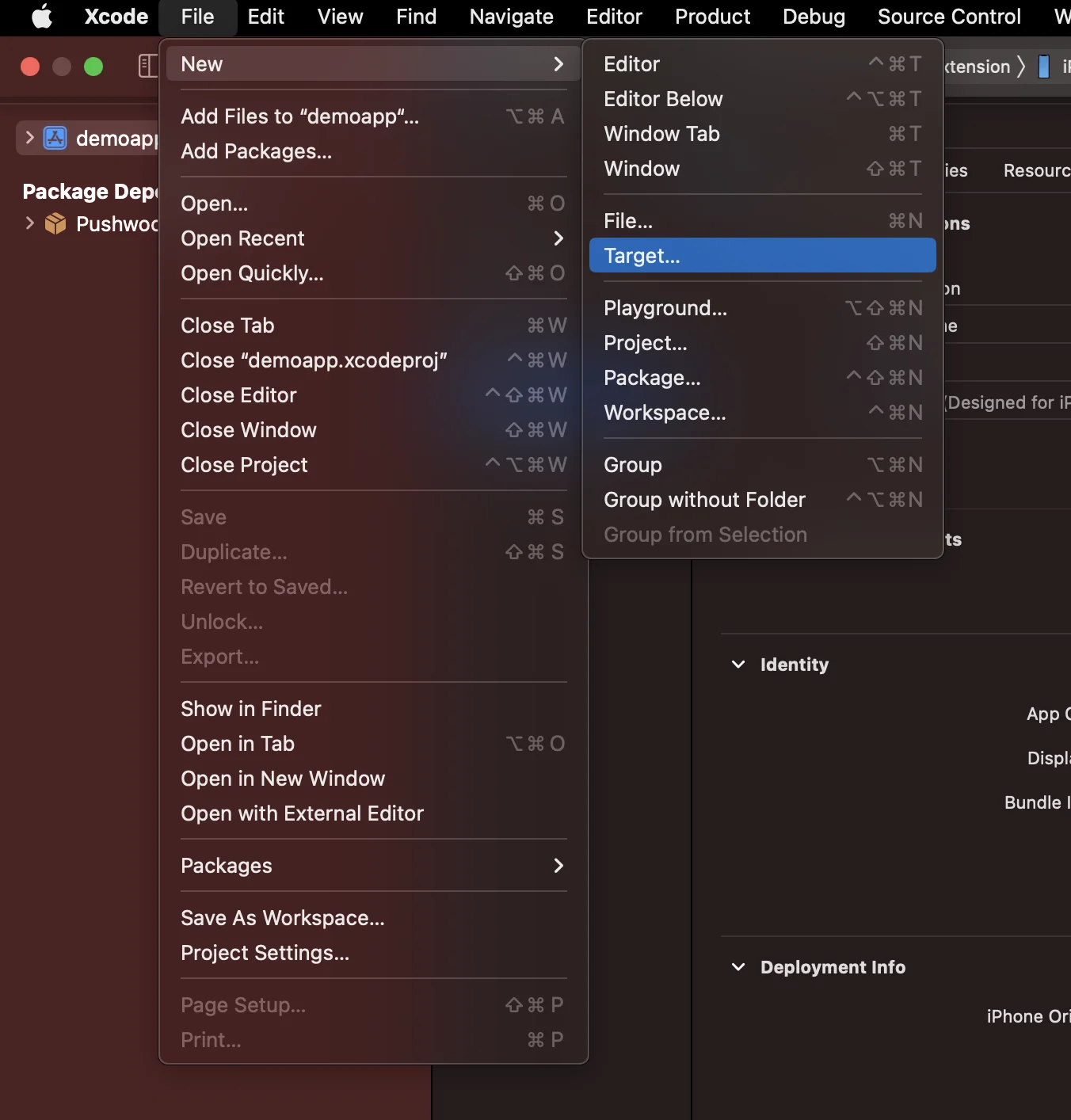
Anchor link toDans Xcode, sélectionnez File > New > Target…
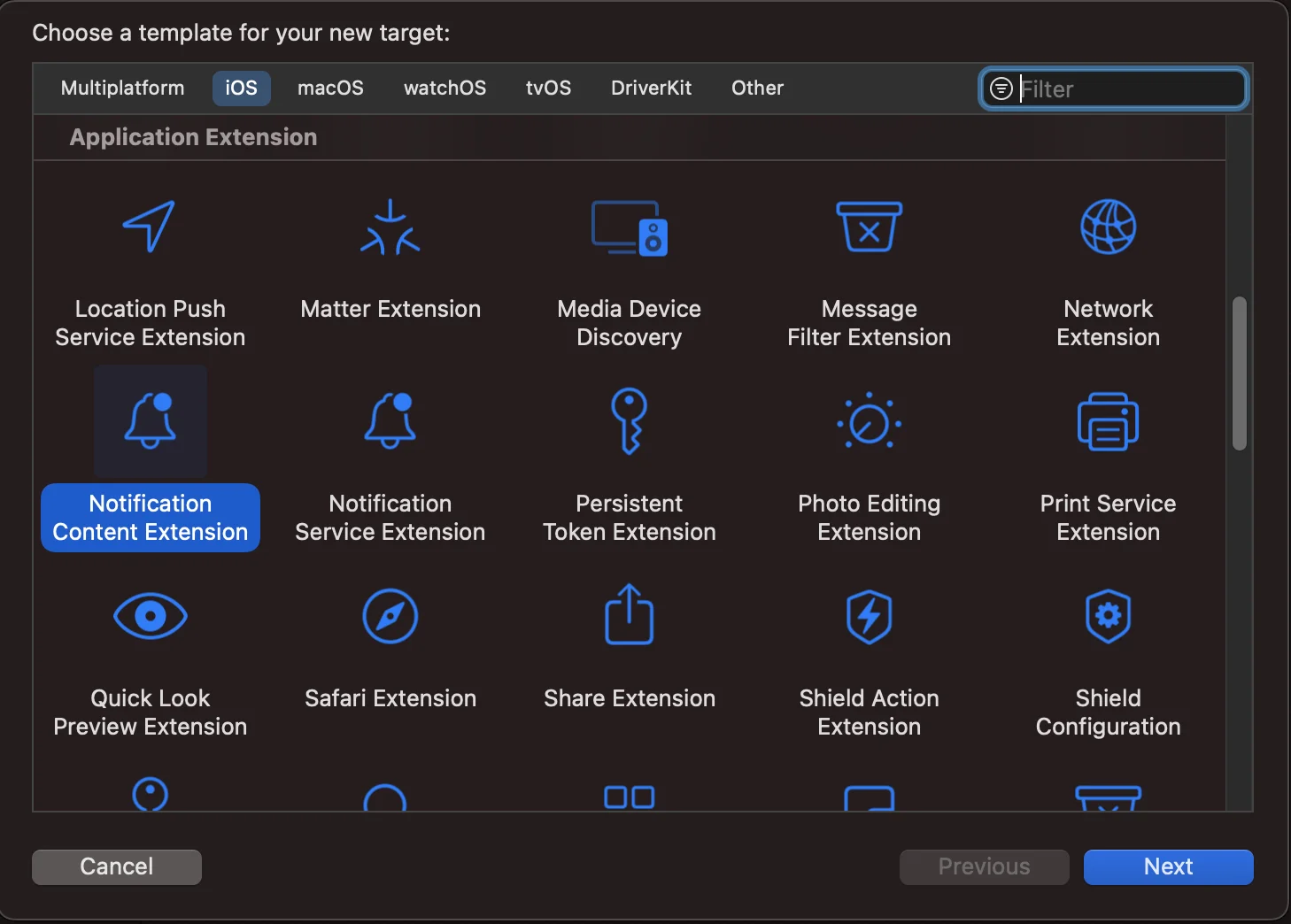
Choisissez l’extension de contenu de notification (Notification Content Extension)
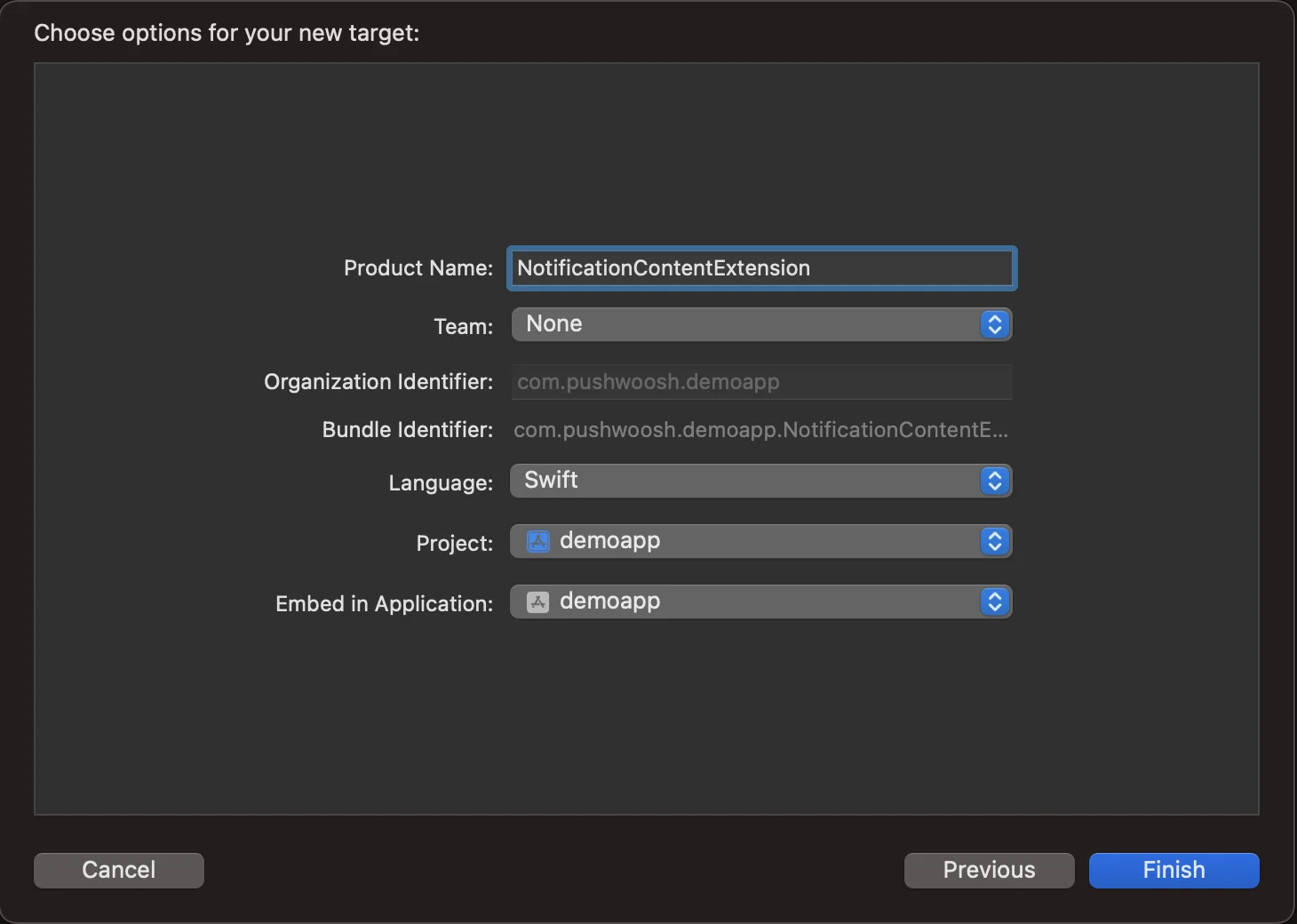
Nommez-la NotificationContentExtension
2. Ajouter du code à votre application
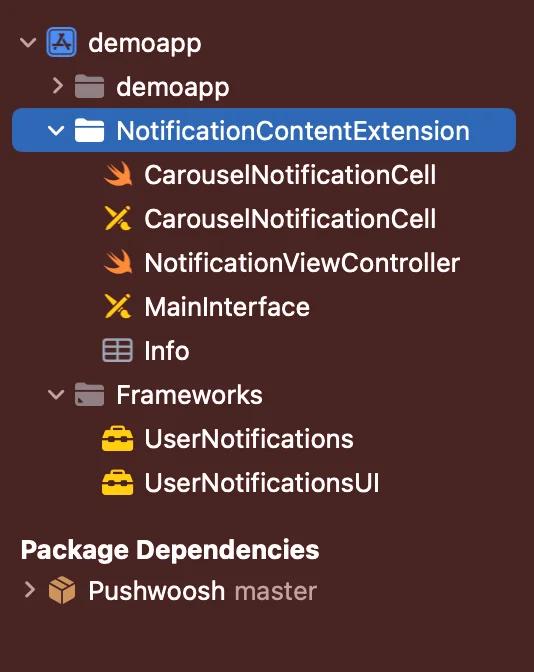
Anchor link toTéléchargez PWNotificationExtension depuis Github et remplacez le fichier PWNotificationContentExtension dans votre projet Xcode par le même fichier de Github.
3. Catégorie de notification
Anchor link toAjoutez le code ci-dessous à votre fichier AppDelegate.swift
    func application(_ application: UIApplication, didFinishLaunchingWithOptions launchOptions: [UIApplication.LaunchOptionsKey: Any]?) -> Bool {
        if #available(iOS 10.0, *) {            let options: UNAuthorizationOptions = [.alert]            UNUserNotificationCenter.current().requestAuthorization(options: options) { (authorized, error) in                if authorized {                    let categoryIdentifier = "PWNotificationCarousel"                    let carouselNext = UNNotificationAction(identifier: "PWNotificationCarousel.next", title: "➡️ RIGHT", options: [])                    let carouselPrevious = UNNotificationAction(identifier: "PWNotificationCarousel.previous", title: "⬅️ LEFT", options: [])                    let carouselCategory = UNNotificationCategory(identifier: categoryIdentifier, actions: [carouselNext, carouselPrevious], intentIdentifiers: [], options: [])                    UNUserNotificationCenter.current().setNotificationCategories([carouselCategory])                }            }        }
        return true    }
4. Envoyer une notification push
Anchor link toCatégorie iOS :
Envoyez une notification push avec le JSON APS :
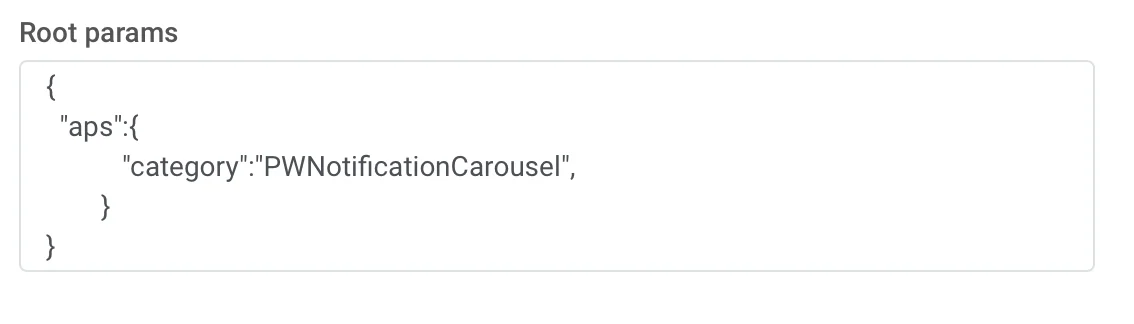
{ "aps":{ "category":"PWNotificationCarousel" }}Données personnalisées
Vous devez lister les URL des images séparées par une virgule ,
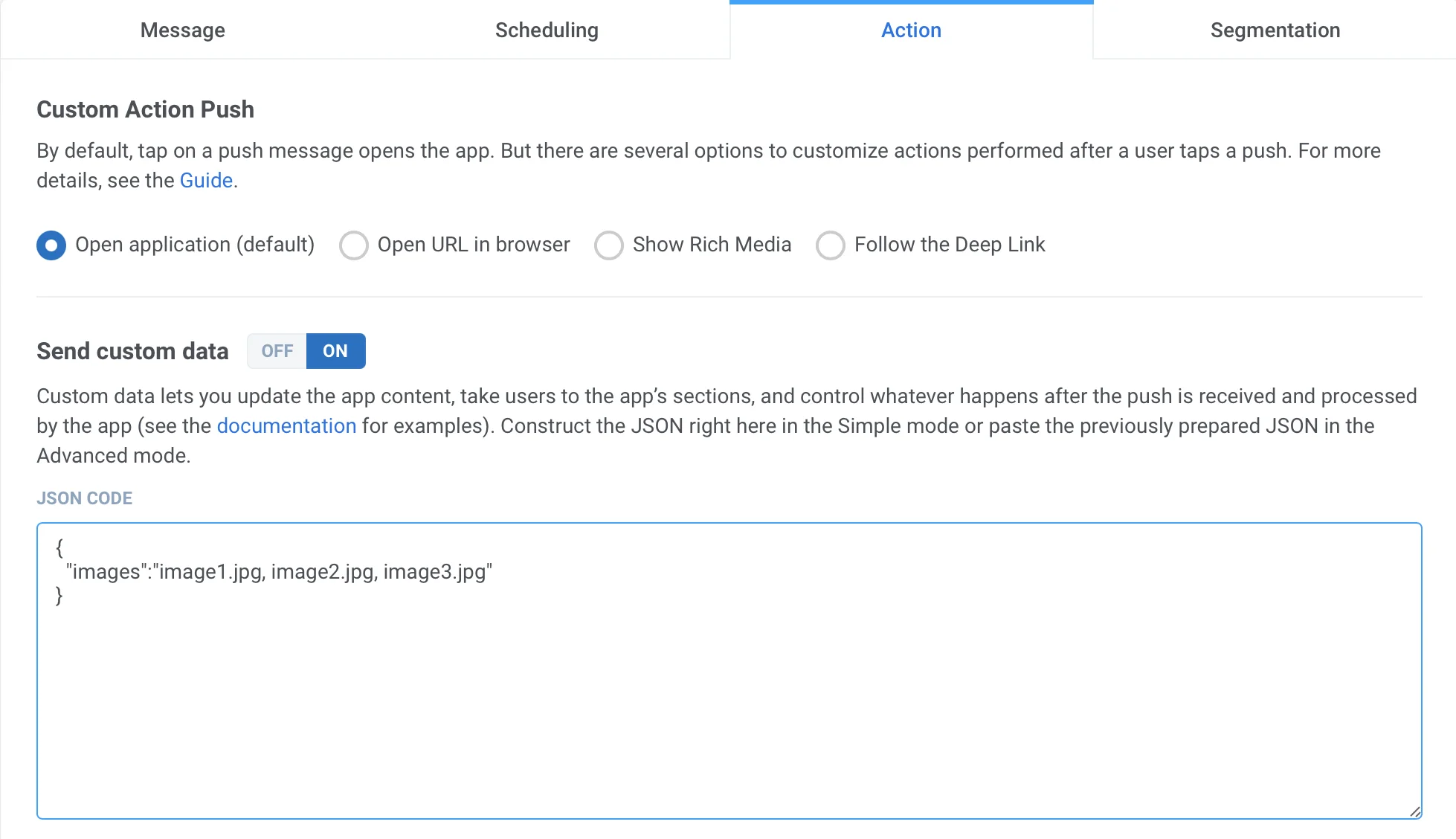
{ "images":"image1.jpg, image2.jpg, image3.jpg"}Une fois que vous recevez la notification push, vous devrez faire un appui long ou balayer vers la gauche et appuyer sur « Afficher » pour développer la notification, selon la version d’iOS.