# Intégration des Geozones avec MAUI .NET
L'intégration de la fonctionnalité Geozones dans votre application MAUI .NET est simple avec Pushwoosh. Suivez ces étapes pour commencer :
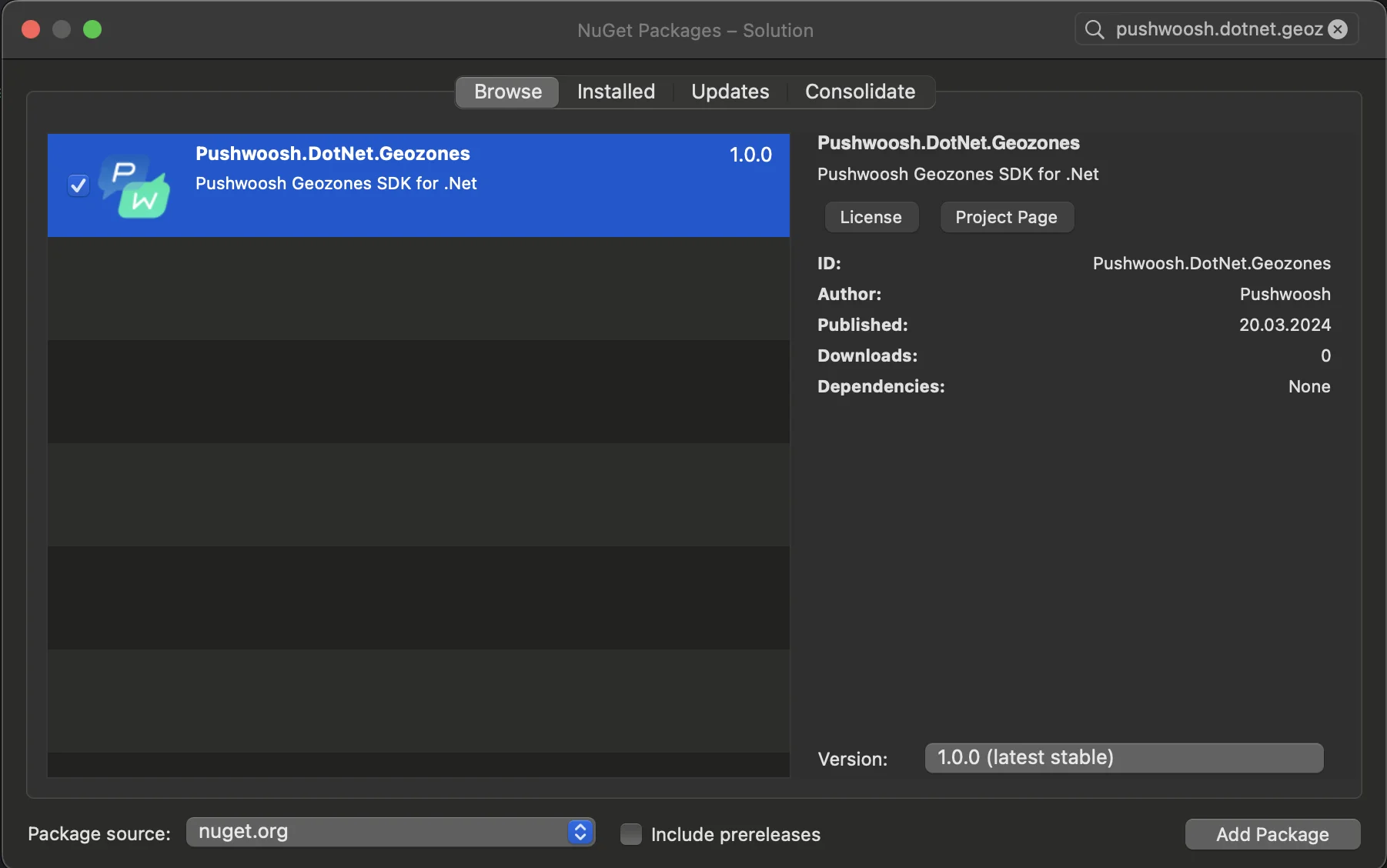
1. Ajoutez le package NuGet Pushwoosh.DotNet.Geozones à votre solution
2. Intégration Android
Dans votre projet Android, localisez le fichier MainActivity.cs et appelez `LocationManager.Init()` dans la méthode `OnCreate()` :
```csharp
using PushwooshSDK.DotNet.Geozones.Android;
...
[Activity(Theme = "@style/Maui.SplashTheme", MainLauncher = true, ConfigurationChanges = ConfigChanges.ScreenSize | ConfigChanges.Orientation | ConfigChanges.UiMode | ConfigChanges.ScreenLayout | ConfigChanges.SmallestScreenSize | ConfigChanges.Density)]
public class MainActivity : MauiAppCompatActivity
{
protected override void OnCreate(Bundle savedInstanceState)
{
base.OnCreate(savedInstanceState);
PushManager.Init();
LocationManager.Init();
}
}
```
3. Intégration iOS
Pour votre projet iOS, ouvrez le fichier AppDelegate.cs et appelez `LocationManager.Init()` dans la méthode `FinishedLaunching()` :
```csharp
using Pushwoosh.iOS;
using PushwooshSDK.DotNet.Geozones.iOS;
using UIKit;
...
[Register("AppDelegate")]
public class AppDelegate : MauiUIApplicationDelegate
{
public override bool FinishedLaunching(UIApplication application, NSDictionary launchOptions)
{
PushManager.Init();
LocationManager.Init();
return base.FinishedLaunching(application, launchOptions);
}
protected override MauiApp CreateMauiApp() => MauiProgram.CreateMauiApp();
}
```
4. Ajoutez les autorisations de localisation en fonction des besoins de votre application.
L'autorisation **Privacy - Location When In Use Usage Description** doit toujours être ajoutée.
5\. Ensuite, démarrez le suivi de la localisation en appelant la méthode `StartLocationTracking()`.
```csharp
using PushwooshSDK.DotNet.Geozones;
...
LocationManager.Instance.StartLocationTracking();
```
 2. Intégration Android
Dans votre projet Android, localisez le fichier MainActivity.cs et appelez `LocationManager.Init()` dans la méthode `OnCreate()` :
```csharp
using PushwooshSDK.DotNet.Geozones.Android;
...
[Activity(Theme = "@style/Maui.SplashTheme", MainLauncher = true, ConfigurationChanges = ConfigChanges.ScreenSize | ConfigChanges.Orientation | ConfigChanges.UiMode | ConfigChanges.ScreenLayout | ConfigChanges.SmallestScreenSize | ConfigChanges.Density)]
public class MainActivity : MauiAppCompatActivity
{
protected override void OnCreate(Bundle savedInstanceState)
{
base.OnCreate(savedInstanceState);
PushManager.Init();
LocationManager.Init();
}
}
```
3. Intégration iOS
Pour votre projet iOS, ouvrez le fichier AppDelegate.cs et appelez `LocationManager.Init()` dans la méthode `FinishedLaunching()` :
```csharp
using Pushwoosh.iOS;
using PushwooshSDK.DotNet.Geozones.iOS;
using UIKit;
...
[Register("AppDelegate")]
public class AppDelegate : MauiUIApplicationDelegate
{
public override bool FinishedLaunching(UIApplication application, NSDictionary launchOptions)
{
PushManager.Init();
LocationManager.Init();
return base.FinishedLaunching(application, launchOptions);
}
protected override MauiApp CreateMauiApp() => MauiProgram.CreateMauiApp();
}
```
4. Ajoutez les autorisations de localisation en fonction des besoins de votre application.
L'autorisation **Privacy - Location When In Use Usage Description** doit toujours être ajoutée.
2. Intégration Android
Dans votre projet Android, localisez le fichier MainActivity.cs et appelez `LocationManager.Init()` dans la méthode `OnCreate()` :
```csharp
using PushwooshSDK.DotNet.Geozones.Android;
...
[Activity(Theme = "@style/Maui.SplashTheme", MainLauncher = true, ConfigurationChanges = ConfigChanges.ScreenSize | ConfigChanges.Orientation | ConfigChanges.UiMode | ConfigChanges.ScreenLayout | ConfigChanges.SmallestScreenSize | ConfigChanges.Density)]
public class MainActivity : MauiAppCompatActivity
{
protected override void OnCreate(Bundle savedInstanceState)
{
base.OnCreate(savedInstanceState);
PushManager.Init();
LocationManager.Init();
}
}
```
3. Intégration iOS
Pour votre projet iOS, ouvrez le fichier AppDelegate.cs et appelez `LocationManager.Init()` dans la méthode `FinishedLaunching()` :
```csharp
using Pushwoosh.iOS;
using PushwooshSDK.DotNet.Geozones.iOS;
using UIKit;
...
[Register("AppDelegate")]
public class AppDelegate : MauiUIApplicationDelegate
{
public override bool FinishedLaunching(UIApplication application, NSDictionary launchOptions)
{
PushManager.Init();
LocationManager.Init();
return base.FinishedLaunching(application, launchOptions);
}
protected override MauiApp CreateMauiApp() => MauiProgram.CreateMauiApp();
}
```
4. Ajoutez les autorisations de localisation en fonction des besoins de votre application.
L'autorisation **Privacy - Location When In Use Usage Description** doit toujours être ajoutée.
 5\. Ensuite, démarrez le suivi de la localisation en appelant la méthode `StartLocationTracking()`.
```csharp
using PushwooshSDK.DotNet.Geozones;
...
LocationManager.Instance.StartLocationTracking();
```
5\. Ensuite, démarrez le suivi de la localisation en appelant la méthode `StartLocationTracking()`.
```csharp
using PushwooshSDK.DotNet.Geozones;
...
LocationManager.Instance.StartLocationTracking();
```