# iOS image carousel push notifications
The `UNNotificationContentExtension` protocol provides the entry point for a notification content app extension, which displays a custom interface for your app’s notifications.
## 1. Add Notification Content Extension
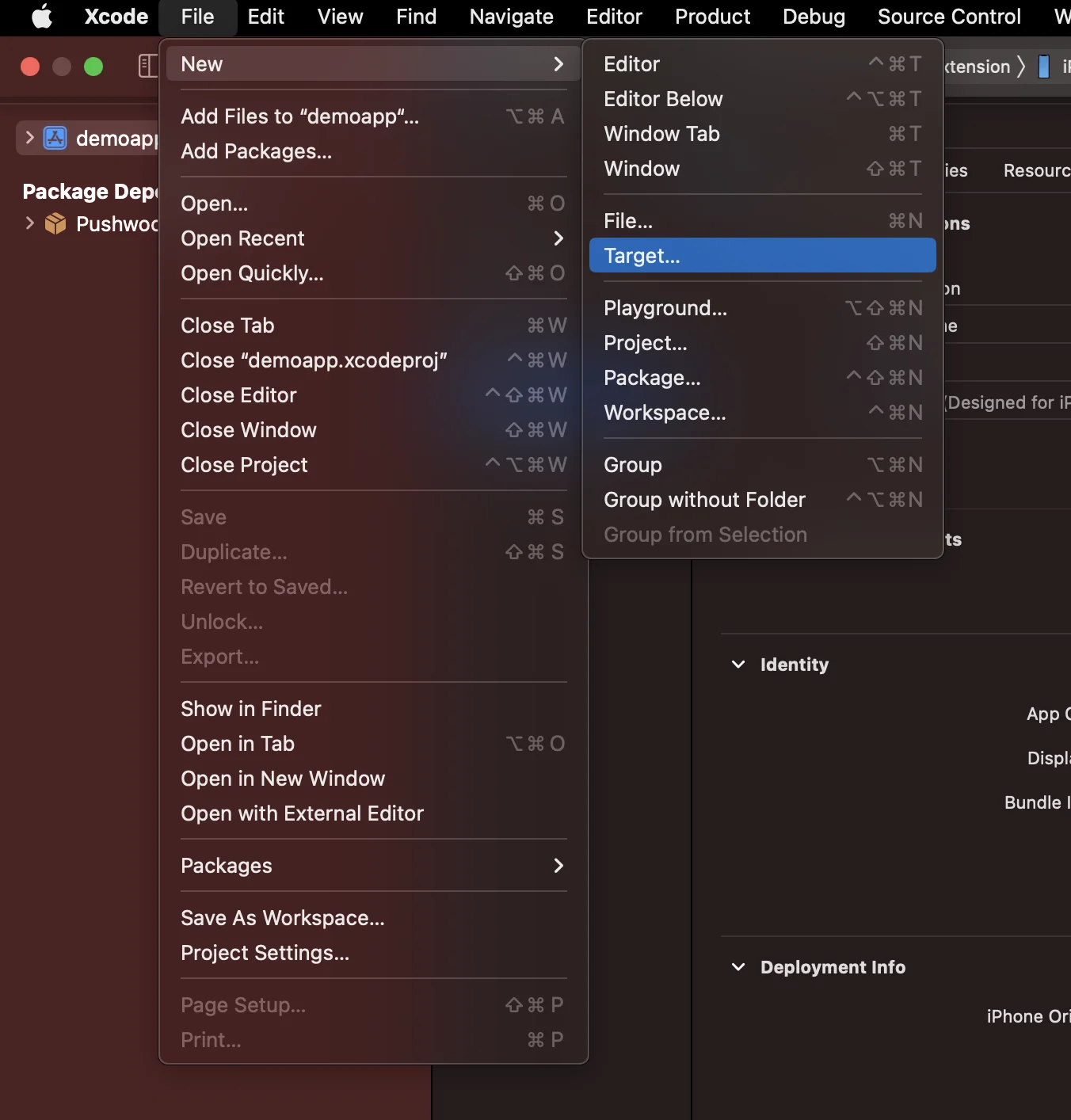
In Xcode, select File > New > Target...
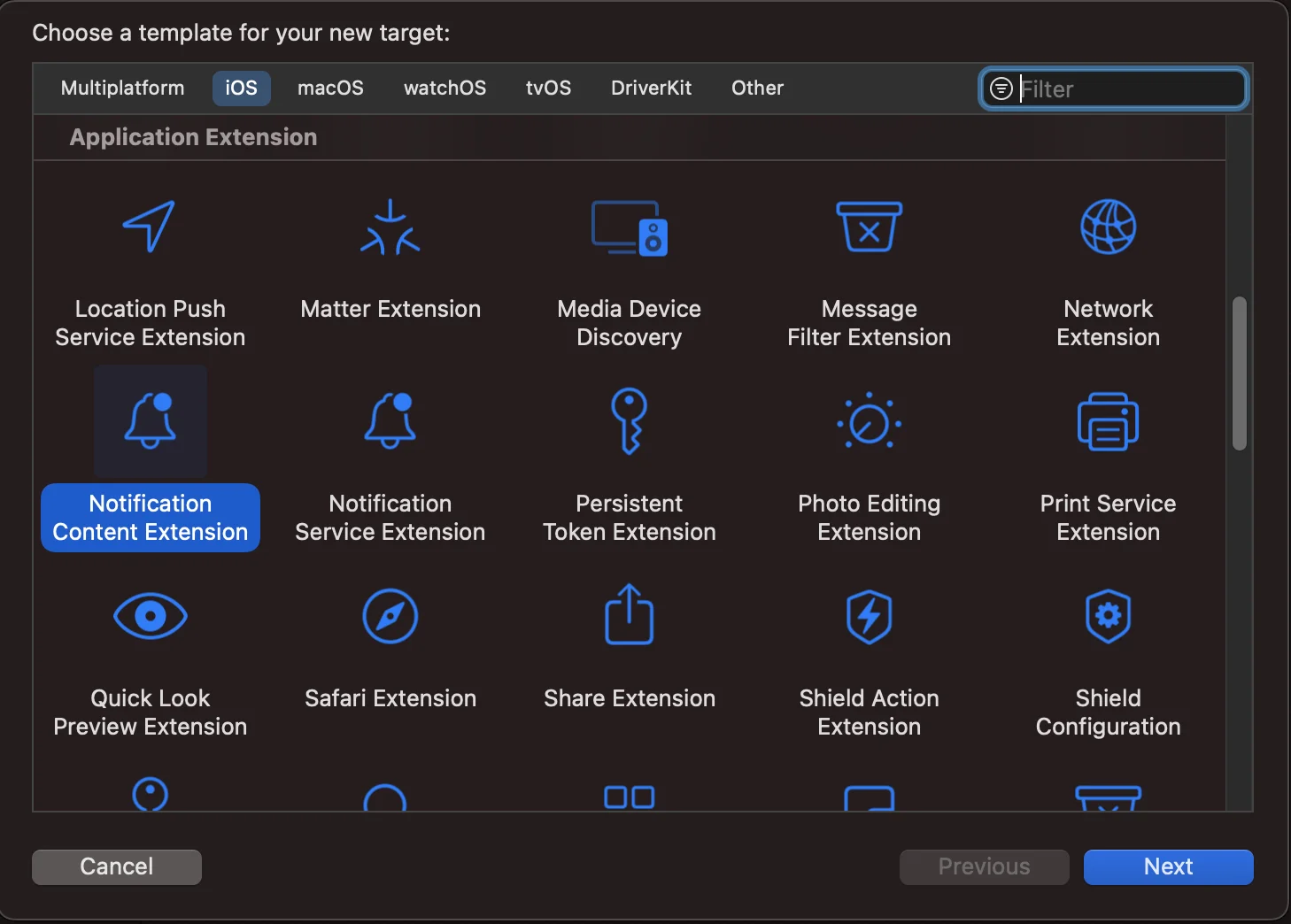
 Choose the Notification Content Extension
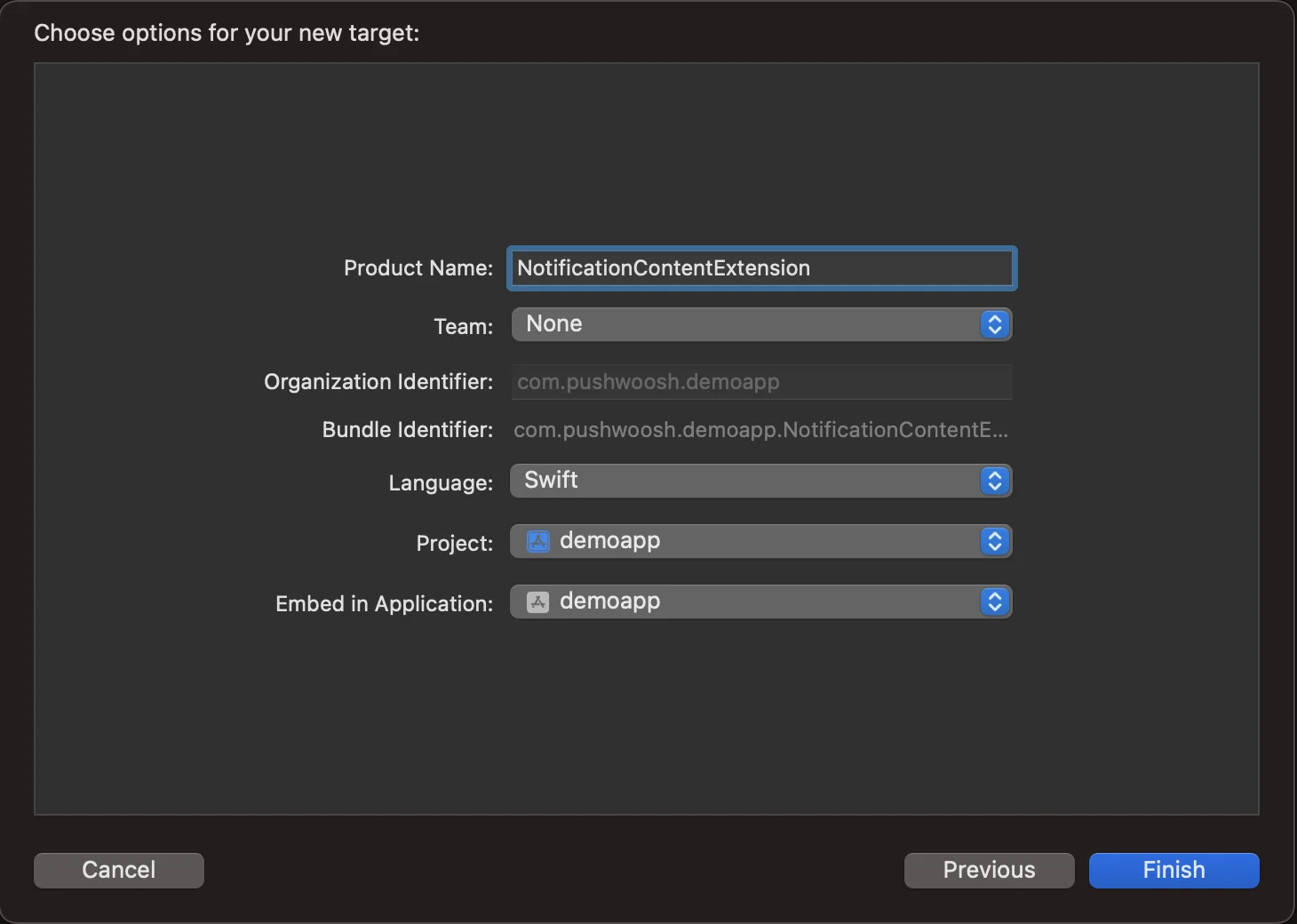
 Name it **NotificationContentExtension**
 ## 2. Add code to your app
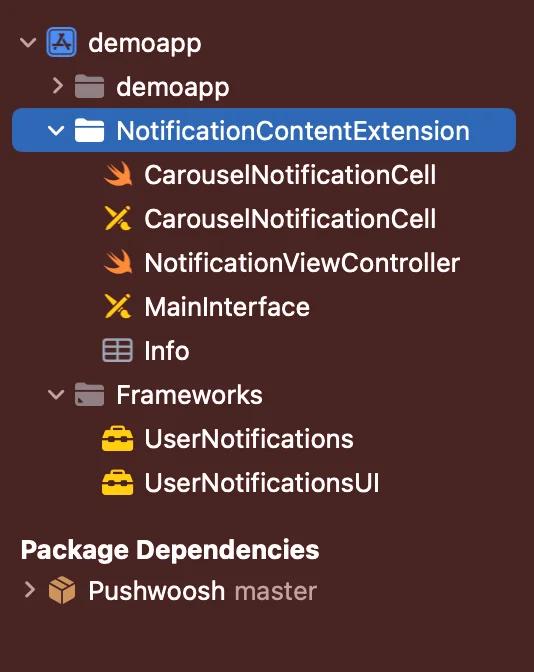
[Download PWNotificationExtension from Github](https://github.com/Pushwoosh/PWNotificationContentExtension) and replace the **`PWNotificationContentExtension`** in your Xcode Project with the same file from Github.
## 2. Add code to your app
[Download PWNotificationExtension from Github](https://github.com/Pushwoosh/PWNotificationContentExtension) and replace the **`PWNotificationContentExtension`** in your Xcode Project with the same file from Github.
 ## 3. Notification category
Add the code bellow to your **AppDelegate.swift** file
```swift
func application(_ application: UIApplication, didFinishLaunchingWithOptions launchOptions: [UIApplication.LaunchOptionsKey: Any]?) -> Bool {
if #available(iOS 10.0, *) {
let options: UNAuthorizationOptions = [.alert]
UNUserNotificationCenter.current().requestAuthorization(options: options) { (authorized, error) in
if authorized {
let categoryIdentifier = "PWNotificationCarousel"
let carouselNext = UNNotificationAction(identifier: "PWNotificationCarousel.next", title: "➡️ RIGHT", options: [])
let carouselPrevious = UNNotificationAction(identifier: "PWNotificationCarousel.previous", title: "⬅️ LEFT", options: [])
let carouselCategory = UNNotificationCategory(identifier: categoryIdentifier, actions: [carouselNext, carouselPrevious], intentIdentifiers: [], options: [])
UNUserNotificationCenter.current().setNotificationCategories([carouselCategory])
}
}
}
return true
}
```
## 4. Send a push notification
**iOS Category:**
Send a push notification with APS json:
## 3. Notification category
Add the code bellow to your **AppDelegate.swift** file
```swift
func application(_ application: UIApplication, didFinishLaunchingWithOptions launchOptions: [UIApplication.LaunchOptionsKey: Any]?) -> Bool {
if #available(iOS 10.0, *) {
let options: UNAuthorizationOptions = [.alert]
UNUserNotificationCenter.current().requestAuthorization(options: options) { (authorized, error) in
if authorized {
let categoryIdentifier = "PWNotificationCarousel"
let carouselNext = UNNotificationAction(identifier: "PWNotificationCarousel.next", title: "➡️ RIGHT", options: [])
let carouselPrevious = UNNotificationAction(identifier: "PWNotificationCarousel.previous", title: "⬅️ LEFT", options: [])
let carouselCategory = UNNotificationCategory(identifier: categoryIdentifier, actions: [carouselNext, carouselPrevious], intentIdentifiers: [], options: [])
UNUserNotificationCenter.current().setNotificationCategories([carouselCategory])
}
}
}
return true
}
```
## 4. Send a push notification
**iOS Category:**
Send a push notification with APS json:
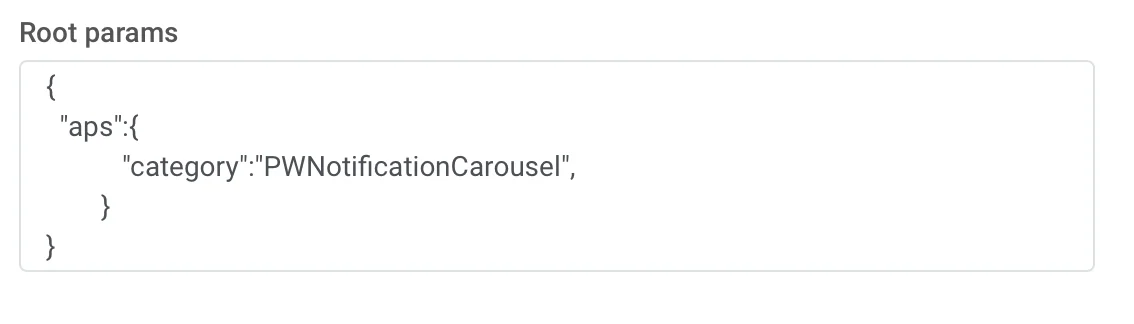 ```json
{
"aps":{
"category":"PWNotificationCarousel"
}
}
```
**Custom Data**
You must list the Image URLs separated by a comma `,`
```json
{
"aps":{
"category":"PWNotificationCarousel"
}
}
```
**Custom Data**
You must list the Image URLs separated by a comma `,`
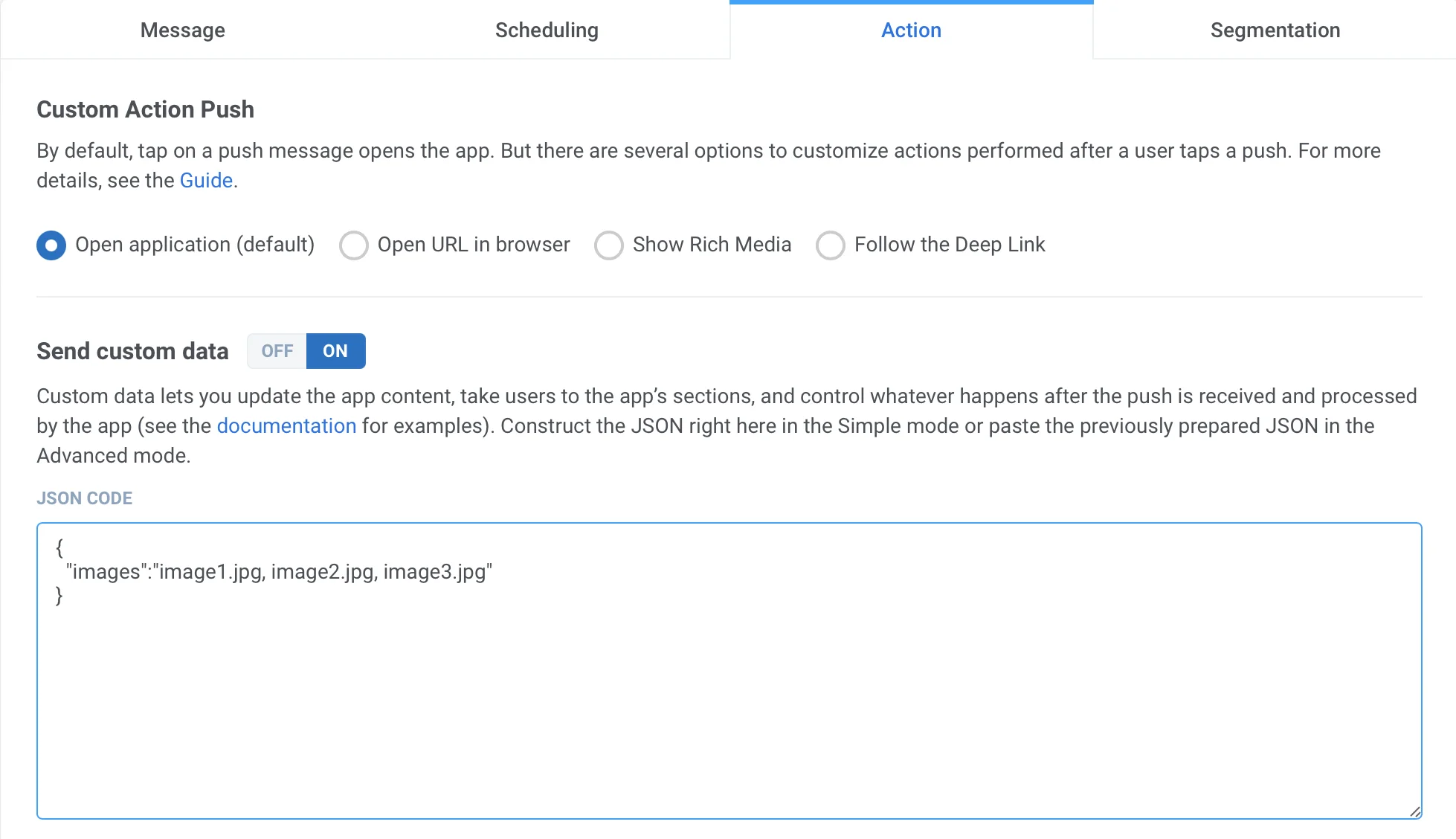 ```json
{
"images":"image1.jpg, image2.jpg, image3.jpg"
}
```
Once you receive the push, you will need to long press or swipe left and click "View" to expand the notification depending on the iOS version.
```json
{
"images":"image1.jpg, image2.jpg, image3.jpg"
}
```
Once you receive the push, you will need to long press or swipe left and click "View" to expand the notification depending on the iOS version.