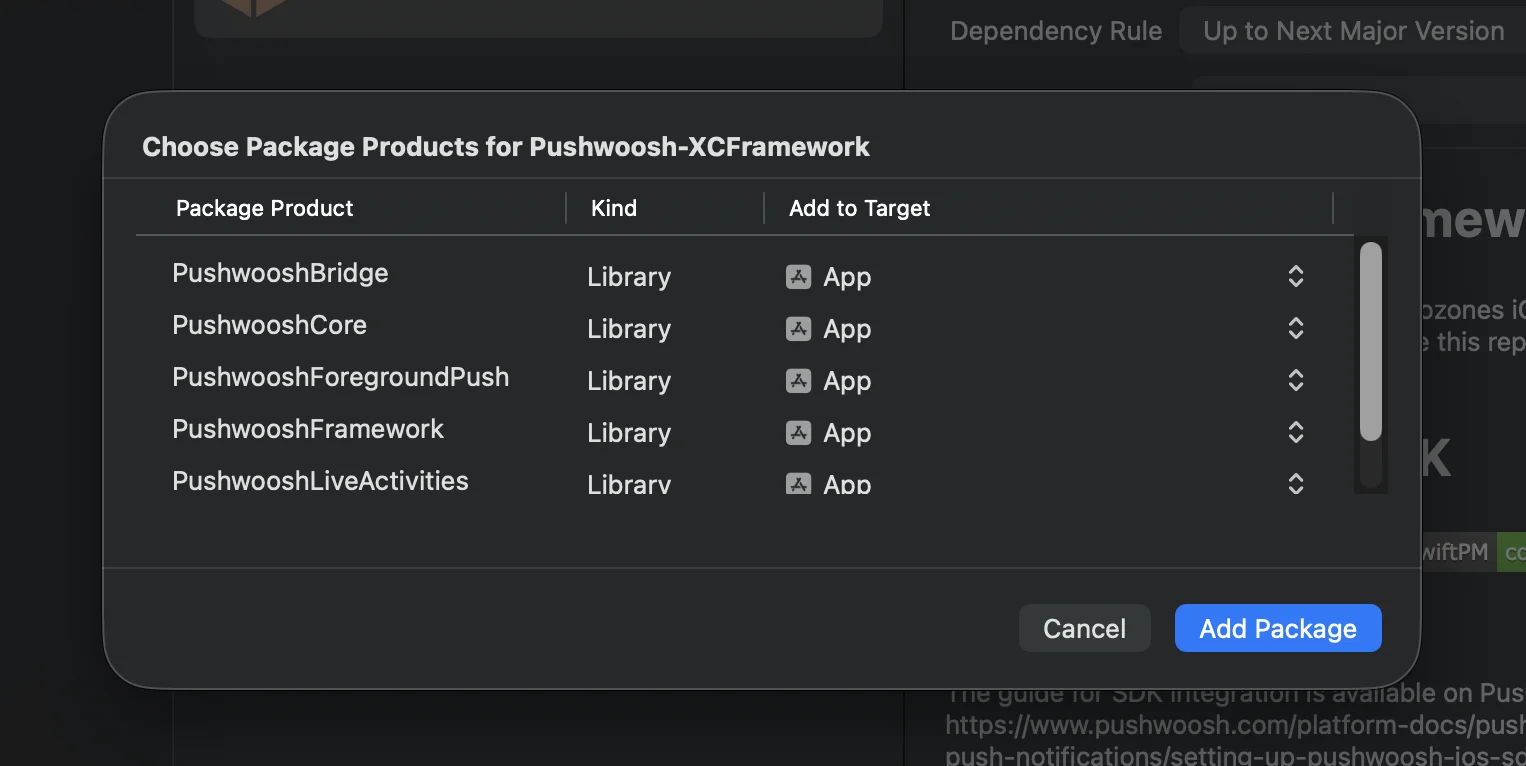
 **Cocoapods**
```bash
# Uncomment the next line to define a global platform for your project
# platform :ios, '13.0'
target 'MyApp' do
# Comment the next line if you don't want to use dynamic frameworks
use_frameworks!
pod 'PushwooshXCFramework'
pod 'PushwooshFramework/PushwooshForegroundPush'
end
```
### 3. Add `PushwooshForegroundPush` Configuration in AppDelegate
```swift
import UIKit
import PushwooshFramework
import PushwooshForegroundPush
@main
class AppDelegate: UIResponder, UIApplicationDelegate, PWMessagingDelegate, PWForegroundPushDelegate {
func application(_ application: UIApplication, didFinishLaunchingWithOptions launchOptions: [UIApplication.LaunchOptionsKey: Any]?) -> Bool {
Pushwoosh.ForegroundPush.foregroundNotificationWith(style: .style1,
duration: 5,
vibration: .notification,
disappearedPushAnimation: .balls)
Pushwoosh.ForegroundPush.delegate = self
return true
}
func pushwoosh(_ pushwoosh: Pushwoosh, onMessageReceived message: PWMessage) {
if let payload = message.payload {
// Pushwoosh method
Pushwoosh.ForegroundPush.showForegroundPush(userInfo: payload)
}
}
}
```
Using `foregroundNotificationWith` Method
The foregroundNotificationWith method allows you to display a custom foreground push notification with configurable style, duration, and haptic feedback.
Method Signature (Swift / Objective-C):
```swift
@objc
static func foregroundNotificationWith(
style: PWForegroundPushStyle,
duration: Int,
vibration: PWForegroundPushHapticFeedback,
disappearedPushAnimation: PWForegroundPushDisappearedAnimation
)
```
`Parameters:`
1. `style` (`PWForegroundPushStyle`)
* Currently, only style1 is available.
2. `duration` (`Int`)
* Specifies how long the notification will be displayed before disappearing (in seconds).
3. `vibration` (`PWForegroundPushHapticFeedback`)
* Controls the haptic feedback when the notification is shown. Available options:
```swift
case none // No vibration
case light // Light vibration
case medium // Medium vibration
case heavy // Heavy vibration
case soft // Soft vibration
case rigid // Rigid vibration
case notification // Standard notification vibration
```
4. `disappearedPushAnimation` (`PWForegroundPushDisappearedAnimation`)
* Push disappearance animation
```swift
case balls = 0
case regularPush
```
### 4. Implementing `didTapForegroundPush` Delegate Method
To handle user taps on custom foreground push notifications, implement the `PWForegroundPushDelegate` protocol method:
```swift
// Handle tap on foreground push
func didTapForegroundPush(_ userInfo: [AnyHashable : Any]) {
print("Foreground custom push: \(userInfo)")
// Perform any action, e.g., navigate to a specific screen
// navigateToScreen(for: userInfo)
}
```
Notes:
* This method is called when the user taps on a custom foreground push.
* userInfo contains the payload of the notification.
* Make sure to set `Pushwoosh.ForegroundPush.delegate = self` after configuration.
### 5. Optional Parameters for Customizing Foreground Push Notifications
The `PushwooshForegroundPush` module provides several optional parameters to customize the appearance and behavior of your foreground push notifications. These can be set globally via static properties.
**Cocoapods**
```bash
# Uncomment the next line to define a global platform for your project
# platform :ios, '13.0'
target 'MyApp' do
# Comment the next line if you don't want to use dynamic frameworks
use_frameworks!
pod 'PushwooshXCFramework'
pod 'PushwooshFramework/PushwooshForegroundPush'
end
```
### 3. Add `PushwooshForegroundPush` Configuration in AppDelegate
```swift
import UIKit
import PushwooshFramework
import PushwooshForegroundPush
@main
class AppDelegate: UIResponder, UIApplicationDelegate, PWMessagingDelegate, PWForegroundPushDelegate {
func application(_ application: UIApplication, didFinishLaunchingWithOptions launchOptions: [UIApplication.LaunchOptionsKey: Any]?) -> Bool {
Pushwoosh.ForegroundPush.foregroundNotificationWith(style: .style1,
duration: 5,
vibration: .notification,
disappearedPushAnimation: .balls)
Pushwoosh.ForegroundPush.delegate = self
return true
}
func pushwoosh(_ pushwoosh: Pushwoosh, onMessageReceived message: PWMessage) {
if let payload = message.payload {
// Pushwoosh method
Pushwoosh.ForegroundPush.showForegroundPush(userInfo: payload)
}
}
}
```
Using `foregroundNotificationWith` Method
The foregroundNotificationWith method allows you to display a custom foreground push notification with configurable style, duration, and haptic feedback.
Method Signature (Swift / Objective-C):
```swift
@objc
static func foregroundNotificationWith(
style: PWForegroundPushStyle,
duration: Int,
vibration: PWForegroundPushHapticFeedback,
disappearedPushAnimation: PWForegroundPushDisappearedAnimation
)
```
`Parameters:`
1. `style` (`PWForegroundPushStyle`)
* Currently, only style1 is available.
2. `duration` (`Int`)
* Specifies how long the notification will be displayed before disappearing (in seconds).
3. `vibration` (`PWForegroundPushHapticFeedback`)
* Controls the haptic feedback when the notification is shown. Available options:
```swift
case none // No vibration
case light // Light vibration
case medium // Medium vibration
case heavy // Heavy vibration
case soft // Soft vibration
case rigid // Rigid vibration
case notification // Standard notification vibration
```
4. `disappearedPushAnimation` (`PWForegroundPushDisappearedAnimation`)
* Push disappearance animation
```swift
case balls = 0
case regularPush
```
### 4. Implementing `didTapForegroundPush` Delegate Method
To handle user taps on custom foreground push notifications, implement the `PWForegroundPushDelegate` protocol method:
```swift
// Handle tap on foreground push
func didTapForegroundPush(_ userInfo: [AnyHashable : Any]) {
print("Foreground custom push: \(userInfo)")
// Perform any action, e.g., navigate to a specific screen
// navigateToScreen(for: userInfo)
}
```
Notes:
* This method is called when the user taps on a custom foreground push.
* userInfo contains the payload of the notification.
* Make sure to set `Pushwoosh.ForegroundPush.delegate = self` after configuration.
### 5. Optional Parameters for Customizing Foreground Push Notifications
The `PushwooshForegroundPush` module provides several optional parameters to customize the appearance and behavior of your foreground push notifications. These can be set globally via static properties.
| Property | Type | Description | Default |
|---|---|---|---|
| useLiquidView | Bool | Use Liquid Glass view on iOS 26. | false |
| gradientColors | [UIColor]? | Optional array of colors for a gradient background. | nil |
| backgroundColor | UIColor? | Background color for the push. If nil and gradientColors is not set, the default gradient is used. | Default system gradient |
| usePushAnimation | Bool | Whether to animate the push when shown. | true |
| titlePushColor | UIColor? | Color of the notification title text. Defaults to system white if nil. | white |
| messagePushColor | UIColor? | Color of the notification message text. Defaults to system white if nil. | white |
| titlePushFont | UIFont? | Font of the notification title text. Defaults to system font if nil. | Default system font |
| messagePushFont | UIFont? | Font of the notification message text. Defaults to system font if nil. | Default system font |