# Setting up badges for React Native
Since the React Native plugin does not contain the PWNotificationExtensionManager header, you have to perform several additional steps to implement Badges for your React Native project.
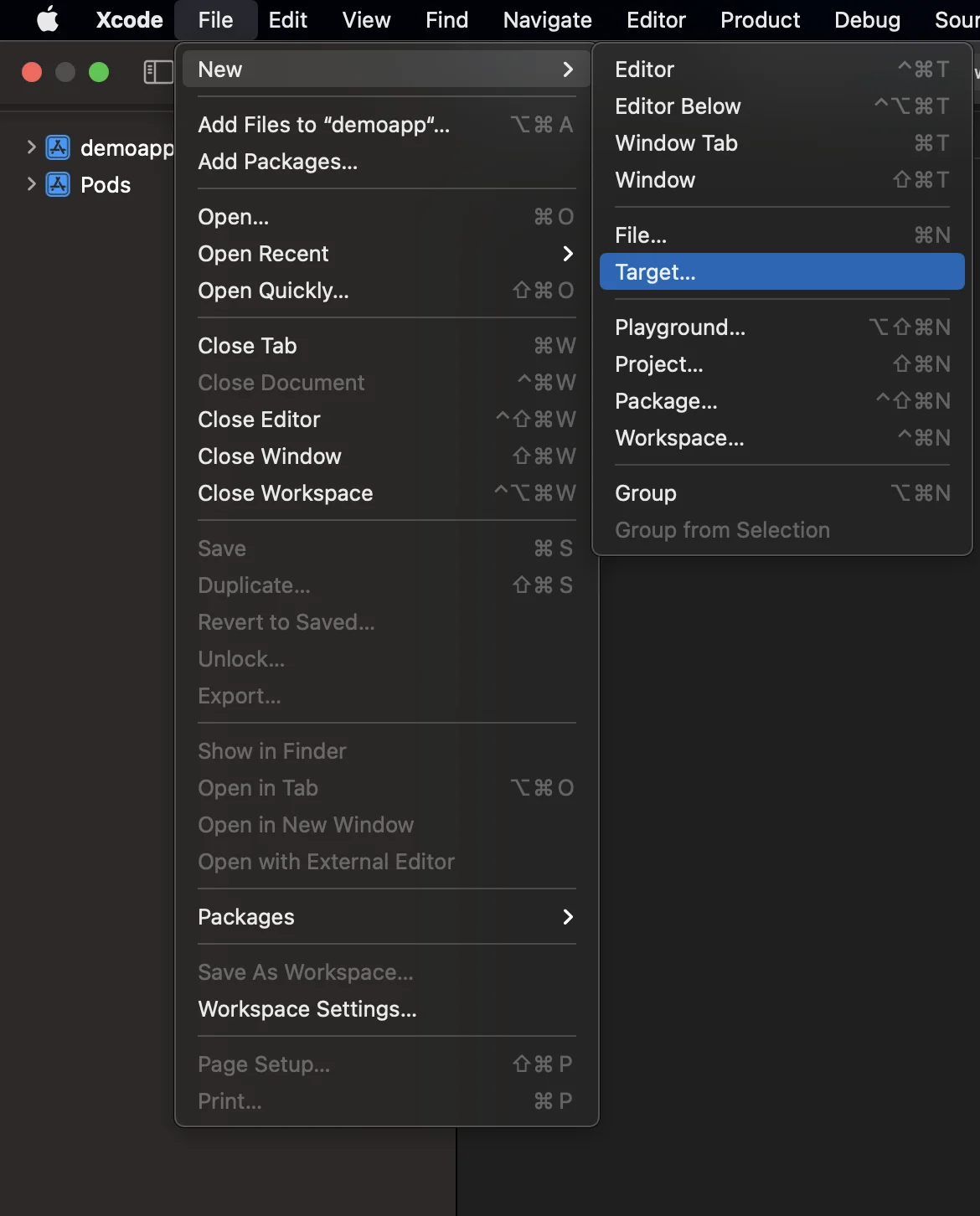
#### 1. Add Notification Service Extension (File -> New -> Target...)
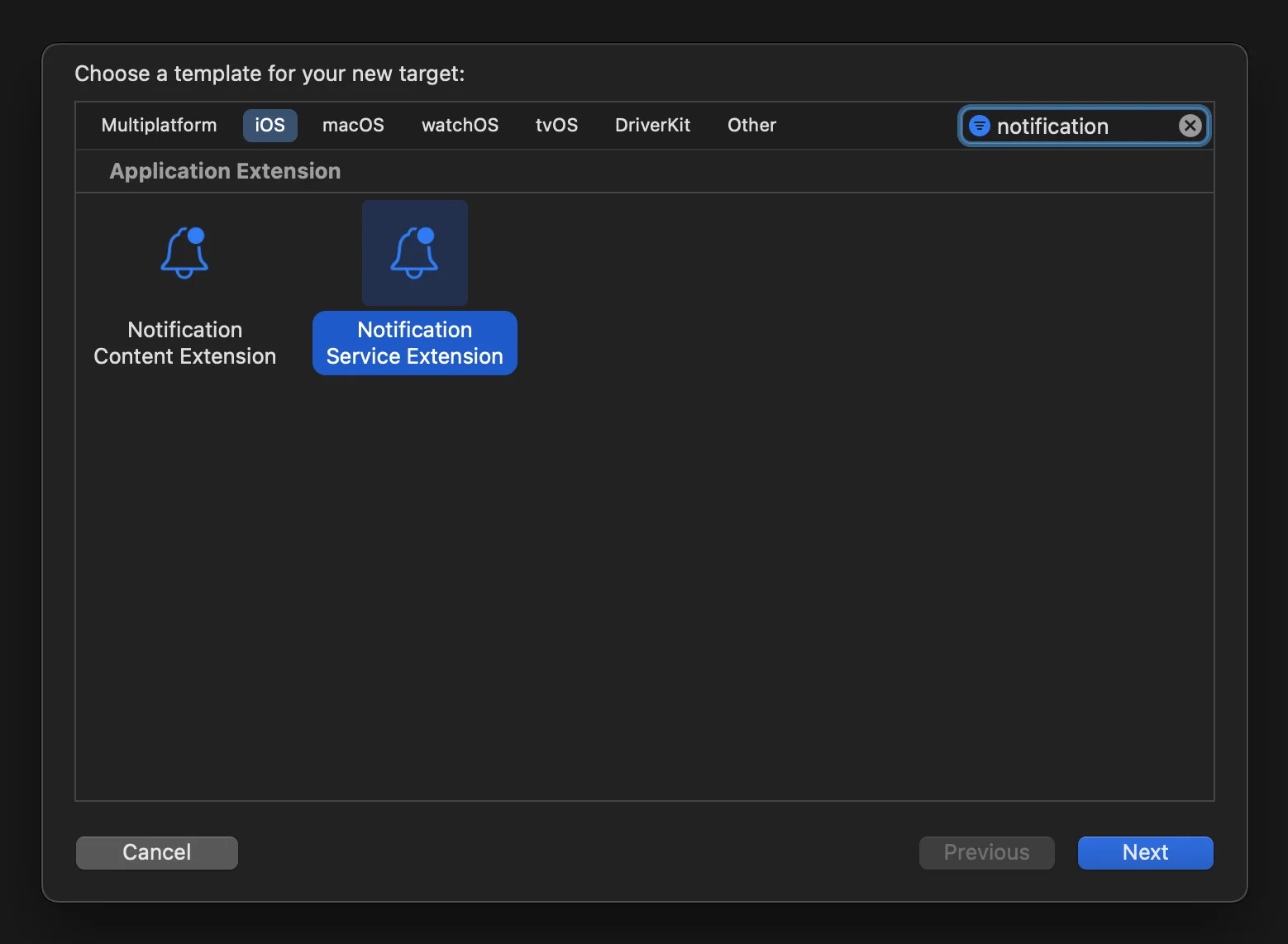
#### 2. Select the "Notification Service Extension"
#### 3. Update the Notification Service Extension code as follows:
```
#import "NotificationService.h"
#import
@interface NotificationService ()
@property (nonatomic, strong) void (^contentHandler)(UNNotificationContent *contentToDeliver);
@property (nonatomic, strong) UNMutableNotificationContent *bestAttemptContent;
@end
@implementation NotificationService
- (void)didReceiveNotificationRequest:(UNNotificationRequest *)request withContentHandler:(void (^)(UNNotificationContent * _Nonnull))contentHandler {
self.contentHandler = contentHandler;
self.bestAttemptContent = [request.content mutableCopy];
[[PWNotificationExtensionManager sharedManager] handleNotificationRequest:request contentHandler:contentHandler];
}
- (void)serviceExtensionTimeWillExpire {
// Called just before the extension will be terminated by the system.
// Use this as an opportunity to deliver your "best attempt" at modified content, otherwise the original push payload will be used.
self.contentHandler(self.bestAttemptContent);
}
@end
```
#### 4. Link dependencies to a target
React Native does not automatically link all required dependencies to a target that was created manually, so you should update the target's **Build Phases** and provide the necessary info:
Just click on the **+** sign under the **Compile Sources** and **Link Binary With Libraries** and search for the required libs/frameworks.
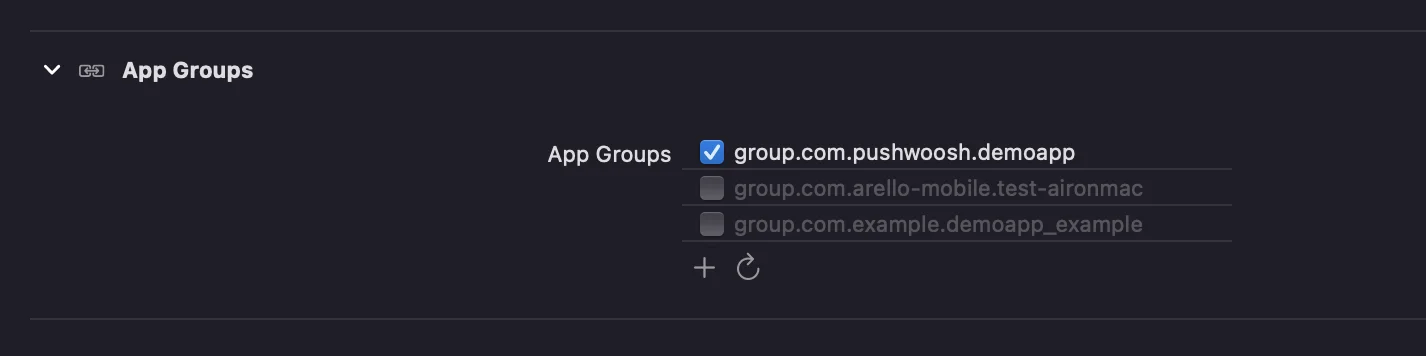
#### 5. Add **App Groups** capability to both targets in Xcode and set the same group **for both app and extension**:
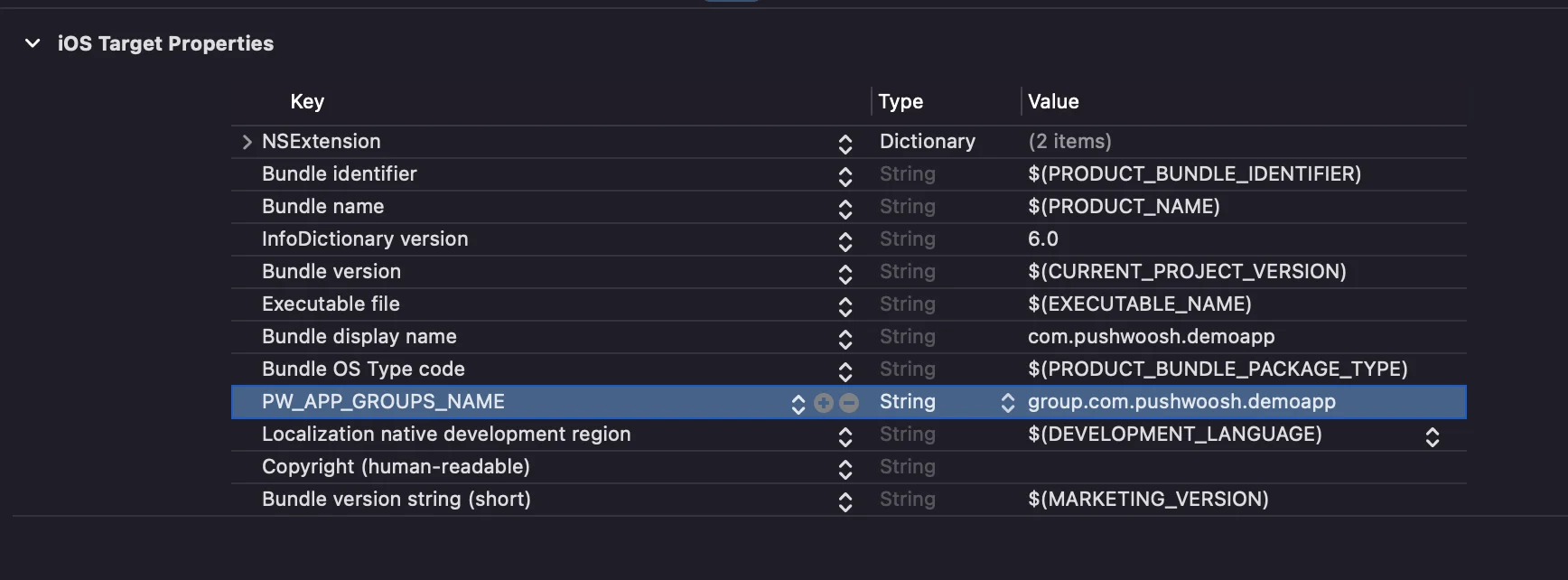
#### 6. Add the **PW\_APP\_GROUPS\_NAME** key to info.plists of **both** targets. The value is the name of your app group:
 #### 2. Select the "Notification Service Extension"
 #### 3. Update the Notification Service Extension code as follows:
```
#import "NotificationService.h"
#import
#### 3. Update the Notification Service Extension code as follows:
```
#import "NotificationService.h"
#import 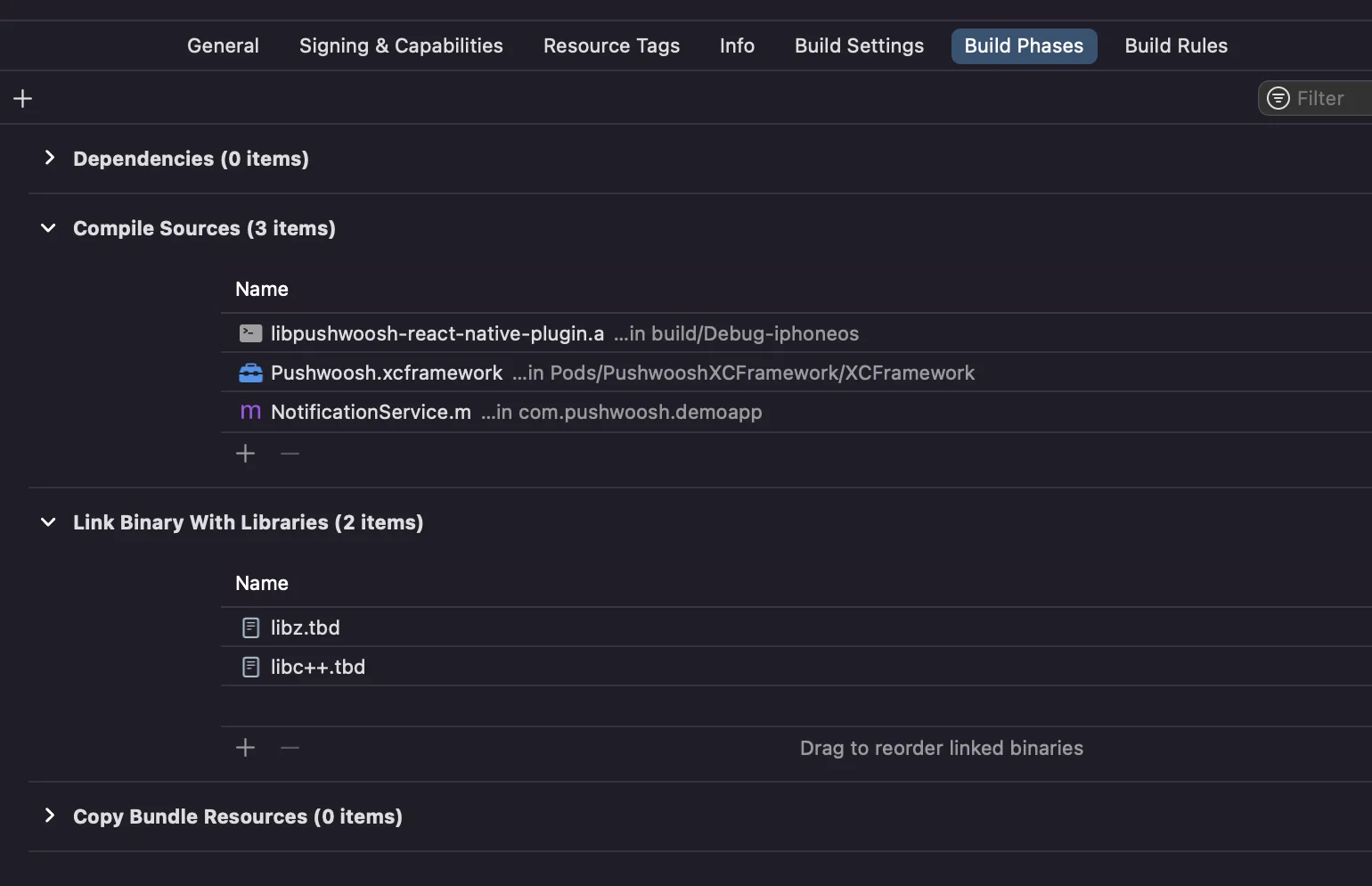 Just click on the **+** sign under the **Compile Sources** and **Link Binary With Libraries** and search for the required libs/frameworks.
#### 5. Add **App Groups** capability to both targets in Xcode and set the same group **for both app and extension**:
Just click on the **+** sign under the **Compile Sources** and **Link Binary With Libraries** and search for the required libs/frameworks.
#### 5. Add **App Groups** capability to both targets in Xcode and set the same group **for both app and extension**:
 #### 6. Add the **PW\_APP\_GROUPS\_NAME** key to info.plists of **both** targets. The value is the name of your app group: