# MAUI Dotnet Geozones integration
Integrating the Geozones functionality into your MAUI .NET application is straightforward with Pushwoosh. Follow these steps to get started:
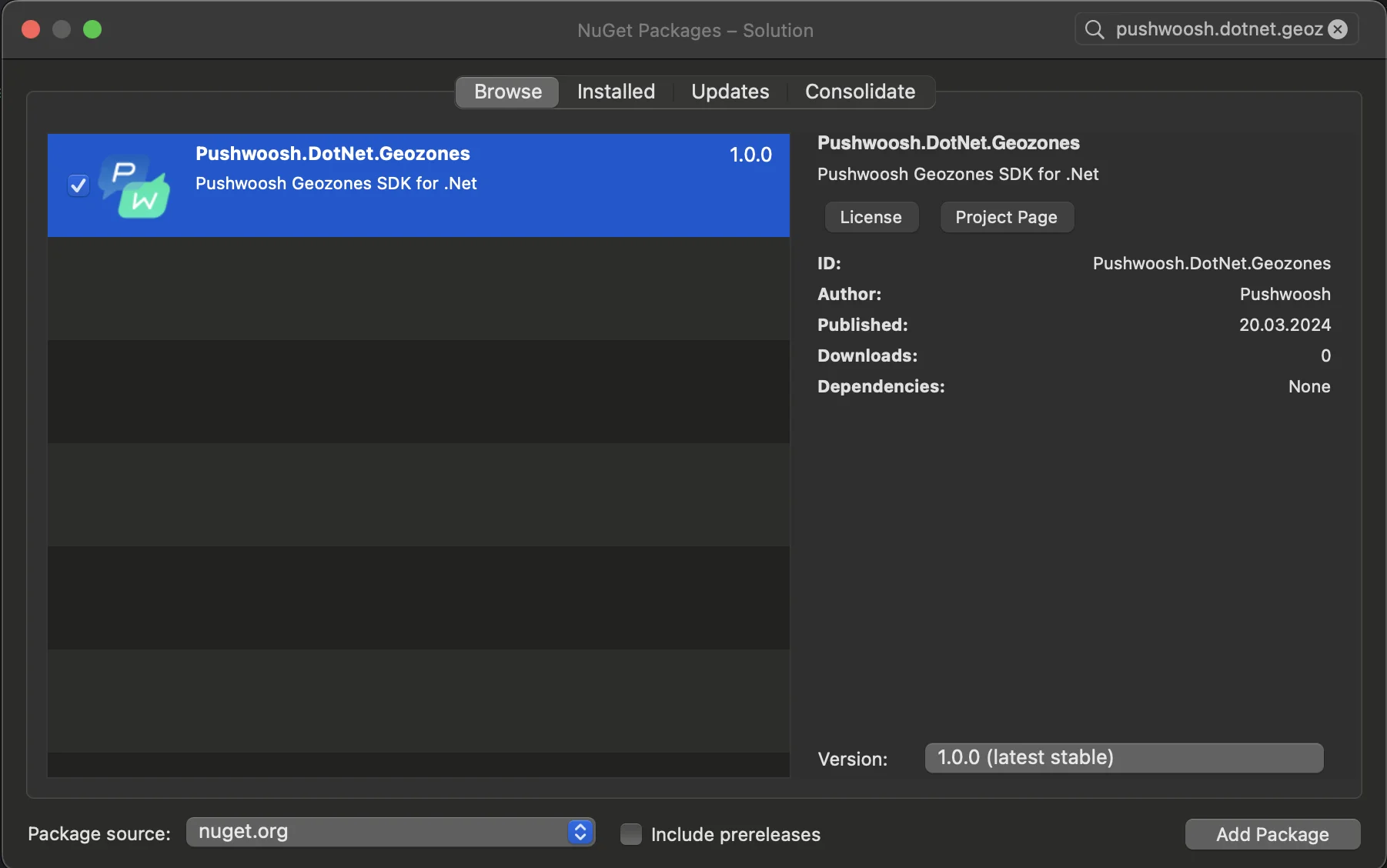
1. Add the Pushwoosh.DotNet.Geozones NuGet Package to your solution
2. Android integration
In your Android project, locate the MainActivity.cs file and call `LocationManager.Init()`in `OnCreate()`method:
```csharp
using PushwooshSDK.DotNet.Geozones.Android;
...
[Activity(Theme = "@style/Maui.SplashTheme", MainLauncher = true, ConfigurationChanges = ConfigChanges.ScreenSize | ConfigChanges.Orientation | ConfigChanges.UiMode | ConfigChanges.ScreenLayout | ConfigChanges.SmallestScreenSize | ConfigChanges.Density)]
public class MainActivity : MauiAppCompatActivity
{
protected override void OnCreate(Bundle savedInstanceState)
{
base.OnCreate(savedInstanceState);
PushManager.Init();
LocationManager.Init();
}
}
```
3. iOS integration
For your iOS project, open the AppDelegate.cs file and call `LocationManager.Init()` in `FinishedLaunching()`method:
```csharp
using Pushwoosh.iOS;
using PushwooshSDK.DotNet.Geozones.iOS;
using UIKit;
...
[Register("AppDelegate")]
public class AppDelegate : MauiUIApplicationDelegate
{
public override bool FinishedLaunching(UIApplication application, NSDictionary launchOptions)
{
PushManager.Init();
LocationManager.Init();
return base.FinishedLaunching(application, launchOptions);
}
protected override MauiApp CreateMauiApp() => MauiProgram.CreateMauiApp();
}
```
4. Add location permissions based on your app's requirements.
**Privacy - Location When In Use Usage Description** permission should always be added.
5\. Then start location tracking by calling the `StartLocationTracking()`method.
```csharp
using PushwooshSDK.DotNet.Geozones;
...
LocationManager.Instance.StartLocationTracking();
```
 2. Android integration
In your Android project, locate the MainActivity.cs file and call `LocationManager.Init()`in `OnCreate()`method:
```csharp
using PushwooshSDK.DotNet.Geozones.Android;
...
[Activity(Theme = "@style/Maui.SplashTheme", MainLauncher = true, ConfigurationChanges = ConfigChanges.ScreenSize | ConfigChanges.Orientation | ConfigChanges.UiMode | ConfigChanges.ScreenLayout | ConfigChanges.SmallestScreenSize | ConfigChanges.Density)]
public class MainActivity : MauiAppCompatActivity
{
protected override void OnCreate(Bundle savedInstanceState)
{
base.OnCreate(savedInstanceState);
PushManager.Init();
LocationManager.Init();
}
}
```
3. iOS integration
For your iOS project, open the AppDelegate.cs file and call `LocationManager.Init()` in `FinishedLaunching()`method:
```csharp
using Pushwoosh.iOS;
using PushwooshSDK.DotNet.Geozones.iOS;
using UIKit;
...
[Register("AppDelegate")]
public class AppDelegate : MauiUIApplicationDelegate
{
public override bool FinishedLaunching(UIApplication application, NSDictionary launchOptions)
{
PushManager.Init();
LocationManager.Init();
return base.FinishedLaunching(application, launchOptions);
}
protected override MauiApp CreateMauiApp() => MauiProgram.CreateMauiApp();
}
```
4. Add location permissions based on your app's requirements.
**Privacy - Location When In Use Usage Description** permission should always be added.
2. Android integration
In your Android project, locate the MainActivity.cs file and call `LocationManager.Init()`in `OnCreate()`method:
```csharp
using PushwooshSDK.DotNet.Geozones.Android;
...
[Activity(Theme = "@style/Maui.SplashTheme", MainLauncher = true, ConfigurationChanges = ConfigChanges.ScreenSize | ConfigChanges.Orientation | ConfigChanges.UiMode | ConfigChanges.ScreenLayout | ConfigChanges.SmallestScreenSize | ConfigChanges.Density)]
public class MainActivity : MauiAppCompatActivity
{
protected override void OnCreate(Bundle savedInstanceState)
{
base.OnCreate(savedInstanceState);
PushManager.Init();
LocationManager.Init();
}
}
```
3. iOS integration
For your iOS project, open the AppDelegate.cs file and call `LocationManager.Init()` in `FinishedLaunching()`method:
```csharp
using Pushwoosh.iOS;
using PushwooshSDK.DotNet.Geozones.iOS;
using UIKit;
...
[Register("AppDelegate")]
public class AppDelegate : MauiUIApplicationDelegate
{
public override bool FinishedLaunching(UIApplication application, NSDictionary launchOptions)
{
PushManager.Init();
LocationManager.Init();
return base.FinishedLaunching(application, launchOptions);
}
protected override MauiApp CreateMauiApp() => MauiProgram.CreateMauiApp();
}
```
4. Add location permissions based on your app's requirements.
**Privacy - Location When In Use Usage Description** permission should always be added.
 5\. Then start location tracking by calling the `StartLocationTracking()`method.
```csharp
using PushwooshSDK.DotNet.Geozones;
...
LocationManager.Instance.StartLocationTracking();
```
5\. Then start location tracking by calling the `StartLocationTracking()`method.
```csharp
using PushwooshSDK.DotNet.Geozones;
...
LocationManager.Instance.StartLocationTracking();
```