# Huawei configuration
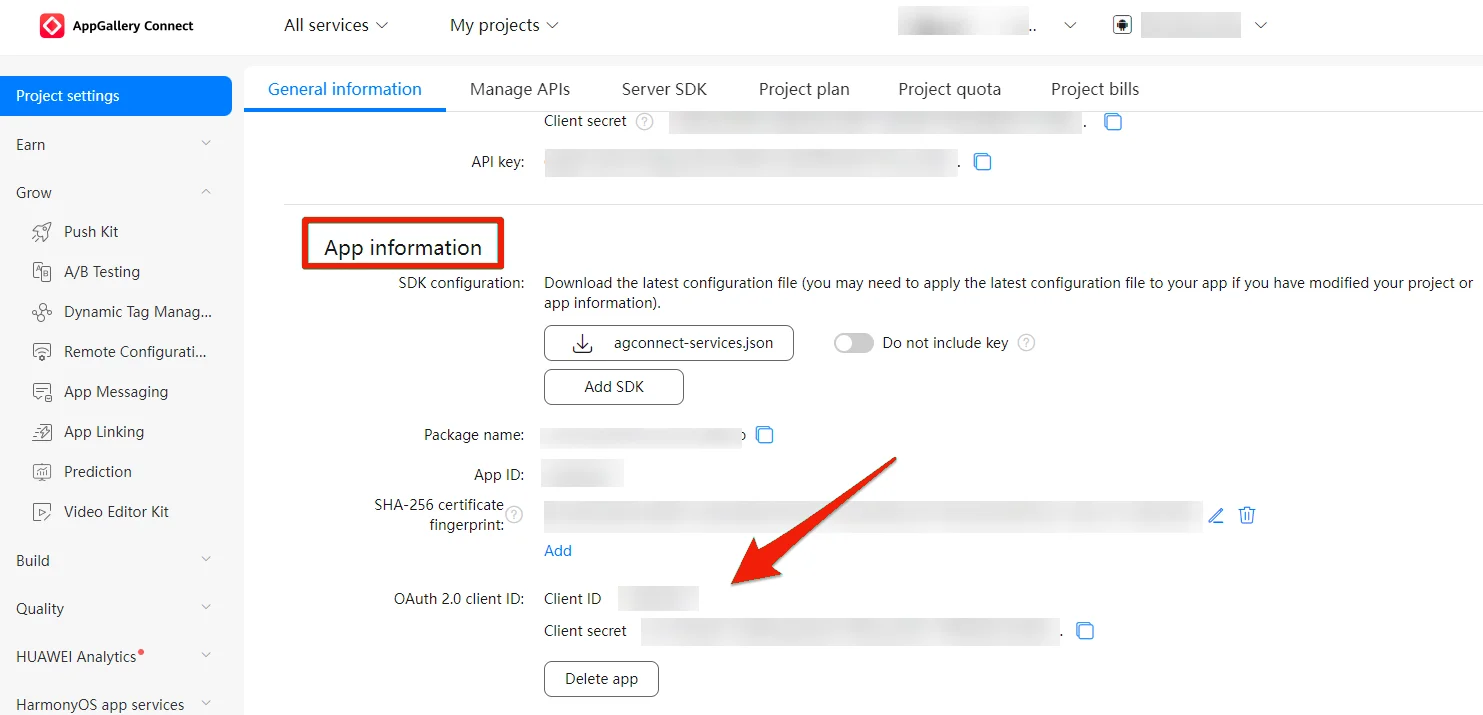
1. Select your app from the [Huawei AppGallery Connect projects list](https://developer.huawei.com/consumer/en/service/josp/agc/index.html#/myProject).
2. Go to **Project Setting** > **App information**.
3. Copy **Client ID** and **Client secret** values.
 4. Go to your Pushwoosh project, open the **Configure Platforms** section, and press **Configure** for the Huawei platform.
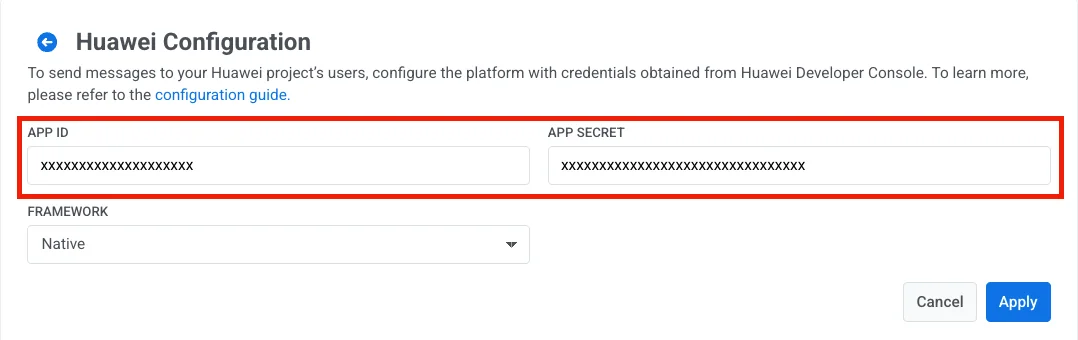
 5. Select the framework. Paste the **Client ID** and **Client secret** into the **App ID** and **App Secret** fields respectively, then press **Apply**.