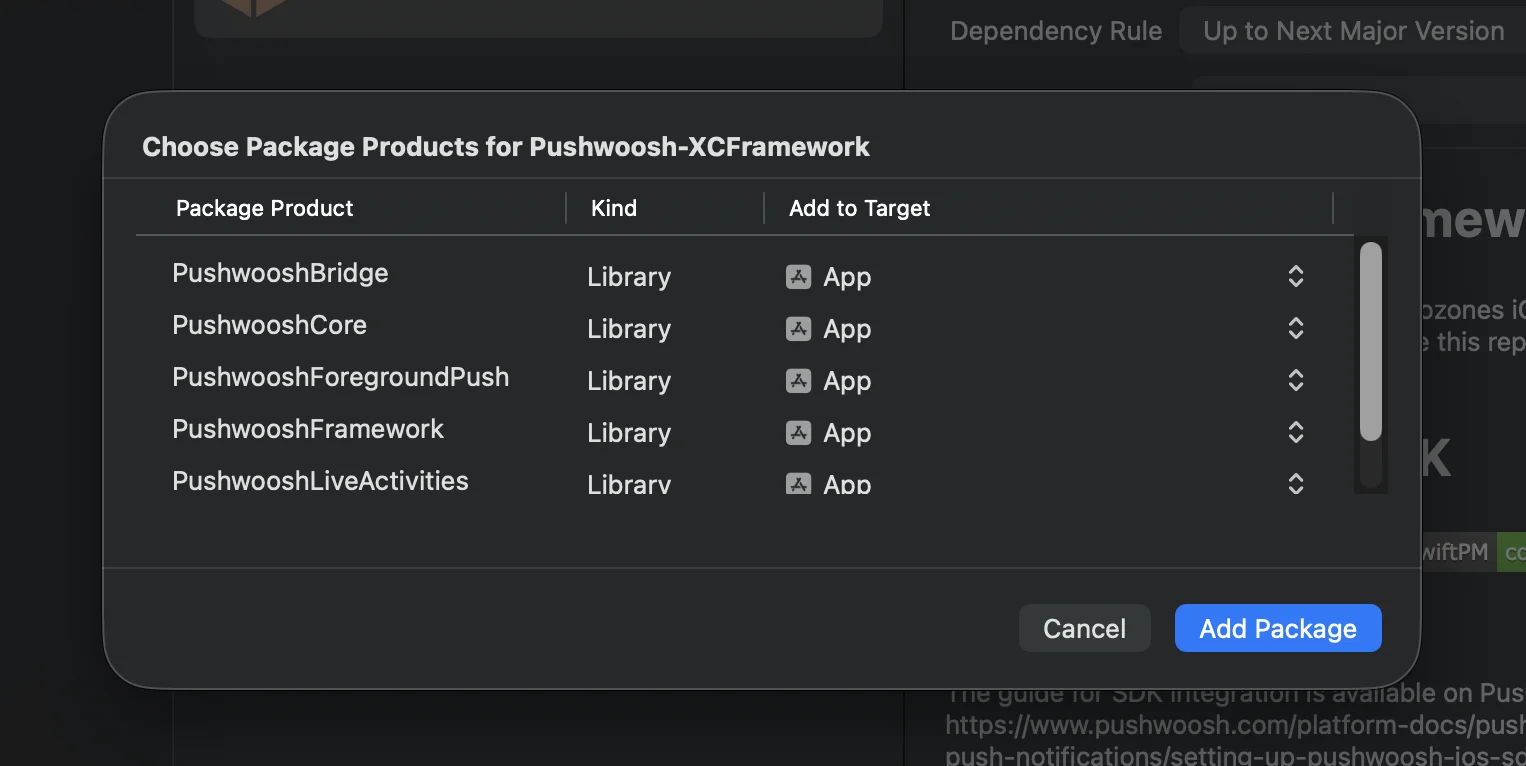
 **Cocoapods**
```bash
# Uncomment the next line to define a global platform for your project
# platform :ios, '13.0'
target 'MyApp' do
# Comment the next line if you don't want to use dynamic frameworks
use_frameworks!
pod 'PushwooshXCFramework'
pod 'PushwooshFramework/PushwooshForegroundPush'
end
```
### 3. إضافة تكوين `PushwooshForegroundPush` في AppDelegate
```swift
import UIKit
import PushwooshFramework
import PushwooshForegroundPush
@main
class AppDelegate: UIResponder, UIApplicationDelegate, PWMessagingDelegate, PWForegroundPushDelegate {
func application(_ application: UIApplication, didFinishLaunchingWithOptions launchOptions: [UIApplication.LaunchOptionsKey: Any]?) -> Bool {
Pushwoosh.ForegroundPush.foregroundNotificationWith(style: .style1,
duration: 5,
vibration: .notification,
disappearedPushAnimation: .balls)
Pushwoosh.ForegroundPush.delegate = self
return true
}
func pushwoosh(_ pushwoosh: Pushwoosh, onMessageReceived message: PWMessage) {
if let payload = message.payload {
// Pushwoosh method
Pushwoosh.ForegroundPush.showForegroundPush(userInfo: payload)
}
}
}
```
استخدام دالة `foregroundNotificationWith`
تسمح لك دالة `foregroundNotificationWith` بعرض إشعار دفع مخصص في المقدمة بنمط ومدة وردود فعل لمسية قابلة للتكوين.
توقيع الدالة (Swift / Objective-C):
```swift
@objc
static func foregroundNotificationWith(
style: PWForegroundPushStyle,
duration: Int,
vibration: PWForegroundPushHapticFeedback,
disappearedPushAnimation: PWForegroundPushDisappearedAnimation
)
```
`المعلمات:`
1. `style` (`PWForegroundPushStyle`)
* حاليًا، يتوفر `style1` فقط.
2. `duration` (`Int`)
* تحدد مدة عرض الإشعار قبل اختفائه (بالثواني).
3. `vibration` (`PWForegroundPushHapticFeedback`)
* تتحكم في ردود الفعل اللمسية عند عرض الإشعار. الخيارات المتاحة:
```swift
case none // لا يوجد اهتزاز
case light // اهتزاز خفيف
case medium // اهتزاز متوسط
case heavy // اهتزاز قوي
case soft // اهتزاز ناعم
case rigid // اهتزاز صلب
case notification // اهتزاز الإشعار القياسي
```
4. `disappearedPushAnimation` (`PWForegroundPushDisappearedAnimation`)
* الرسوم المتحركة لاختفاء الإشعار
```swift
case balls = 0
case regularPush
```
### 4. تنفيذ دالة المفوّض `didTapForegroundPush`
لمعالجة نقرات المستخدم على إشعارات الدفع المخصصة في المقدمة، قم بتنفيذ دالة بروتوكول `PWForegroundPushDelegate`:
```swift
// معالجة النقر على إشعار الدفع في المقدمة
func didTapForegroundPush(_ userInfo: [AnyHashable : Any]) {
print("Foreground custom push: \(userInfo)")
// قم بأي إجراء، على سبيل المثال، الانتقال إلى شاشة معينة
// navigateToScreen(for: userInfo)
}
```
ملاحظات:
* تُستدعى هذه الدالة عندما ينقر المستخدم على إشعار دفع مخصص في المقدمة.
* يحتوي `userInfo` على حمولة (payload) الإشعار.
* تأكد من تعيين `Pushwoosh.ForegroundPush.delegate = self` بعد التكوين.
### 5. معلمات اختيارية لتخصيص إشعارات الدفع في المقدمة
توفر وحدة `PushwooshForegroundPush` العديد من المعلمات الاختيارية لتخصيص مظهر وسلوك إشعارات الدفع في المقدمة. يمكن تعيينها بشكل عام عبر الخصائص الثابتة (static properties).
**Cocoapods**
```bash
# Uncomment the next line to define a global platform for your project
# platform :ios, '13.0'
target 'MyApp' do
# Comment the next line if you don't want to use dynamic frameworks
use_frameworks!
pod 'PushwooshXCFramework'
pod 'PushwooshFramework/PushwooshForegroundPush'
end
```
### 3. إضافة تكوين `PushwooshForegroundPush` في AppDelegate
```swift
import UIKit
import PushwooshFramework
import PushwooshForegroundPush
@main
class AppDelegate: UIResponder, UIApplicationDelegate, PWMessagingDelegate, PWForegroundPushDelegate {
func application(_ application: UIApplication, didFinishLaunchingWithOptions launchOptions: [UIApplication.LaunchOptionsKey: Any]?) -> Bool {
Pushwoosh.ForegroundPush.foregroundNotificationWith(style: .style1,
duration: 5,
vibration: .notification,
disappearedPushAnimation: .balls)
Pushwoosh.ForegroundPush.delegate = self
return true
}
func pushwoosh(_ pushwoosh: Pushwoosh, onMessageReceived message: PWMessage) {
if let payload = message.payload {
// Pushwoosh method
Pushwoosh.ForegroundPush.showForegroundPush(userInfo: payload)
}
}
}
```
استخدام دالة `foregroundNotificationWith`
تسمح لك دالة `foregroundNotificationWith` بعرض إشعار دفع مخصص في المقدمة بنمط ومدة وردود فعل لمسية قابلة للتكوين.
توقيع الدالة (Swift / Objective-C):
```swift
@objc
static func foregroundNotificationWith(
style: PWForegroundPushStyle,
duration: Int,
vibration: PWForegroundPushHapticFeedback,
disappearedPushAnimation: PWForegroundPushDisappearedAnimation
)
```
`المعلمات:`
1. `style` (`PWForegroundPushStyle`)
* حاليًا، يتوفر `style1` فقط.
2. `duration` (`Int`)
* تحدد مدة عرض الإشعار قبل اختفائه (بالثواني).
3. `vibration` (`PWForegroundPushHapticFeedback`)
* تتحكم في ردود الفعل اللمسية عند عرض الإشعار. الخيارات المتاحة:
```swift
case none // لا يوجد اهتزاز
case light // اهتزاز خفيف
case medium // اهتزاز متوسط
case heavy // اهتزاز قوي
case soft // اهتزاز ناعم
case rigid // اهتزاز صلب
case notification // اهتزاز الإشعار القياسي
```
4. `disappearedPushAnimation` (`PWForegroundPushDisappearedAnimation`)
* الرسوم المتحركة لاختفاء الإشعار
```swift
case balls = 0
case regularPush
```
### 4. تنفيذ دالة المفوّض `didTapForegroundPush`
لمعالجة نقرات المستخدم على إشعارات الدفع المخصصة في المقدمة، قم بتنفيذ دالة بروتوكول `PWForegroundPushDelegate`:
```swift
// معالجة النقر على إشعار الدفع في المقدمة
func didTapForegroundPush(_ userInfo: [AnyHashable : Any]) {
print("Foreground custom push: \(userInfo)")
// قم بأي إجراء، على سبيل المثال، الانتقال إلى شاشة معينة
// navigateToScreen(for: userInfo)
}
```
ملاحظات:
* تُستدعى هذه الدالة عندما ينقر المستخدم على إشعار دفع مخصص في المقدمة.
* يحتوي `userInfo` على حمولة (payload) الإشعار.
* تأكد من تعيين `Pushwoosh.ForegroundPush.delegate = self` بعد التكوين.
### 5. معلمات اختيارية لتخصيص إشعارات الدفع في المقدمة
توفر وحدة `PushwooshForegroundPush` العديد من المعلمات الاختيارية لتخصيص مظهر وسلوك إشعارات الدفع في المقدمة. يمكن تعيينها بشكل عام عبر الخصائص الثابتة (static properties).
| الخاصية | النوع | الوصف | الافتراضي |
|---|---|---|---|
| useLiquidView | Bool | استخدام عرض Liquid Glass على نظام iOS 26. | false |
| gradientColors | [UIColor]? | مصفوفة اختيارية من الألوان لخلفية متدرجة. | nil |
| backgroundColor | UIColor? | لون خلفية الإشعار. إذا كانت `nil` ولم يتم تعيين `gradientColors`، فسيتم استخدام التدرج الافتراضي. | تدرج النظام الافتراضي |
| usePushAnimation | Bool | ما إذا كان سيتم تحريك الإشعار عند عرضه. | true |
| titlePushColor | UIColor? | لون نص عنوان الإشعار. الافتراضي هو اللون الأبيض للنظام إذا كانت `nil`. | white |
| messagePushColor | UIColor? | لون نص رسالة الإشعار. الافتراضي هو اللون الأبيض للنظام إذا كانت `nil`. | white |
| titlePushFont | UIFont? | خط نص عنوان الإشعار. الافتراضي هو خط النظام إذا كانت `nil`. | خط النظام الافتراضي |
| messagePushFont | UIFont? | خط نص رسالة الإشعار. الافتراضي هو خط النظام إذا كانت `nil`. | خط النظام الافتراضي |